Granola
✓ Editorially verifiedAI notepad for back-to-back meetings — captures audio locally, drafts structured notes
Founders, PMs, sales/CS reps, investors, and consultants who live in back-to-back calls and want structured notes plus a searchable meeting memory without a bot crashing every meeting.
Linux users, teams that need unattended bot-based recording of meetings they aren't personally attending, or engineers who want to bring their own model or self-host the transcription stack.
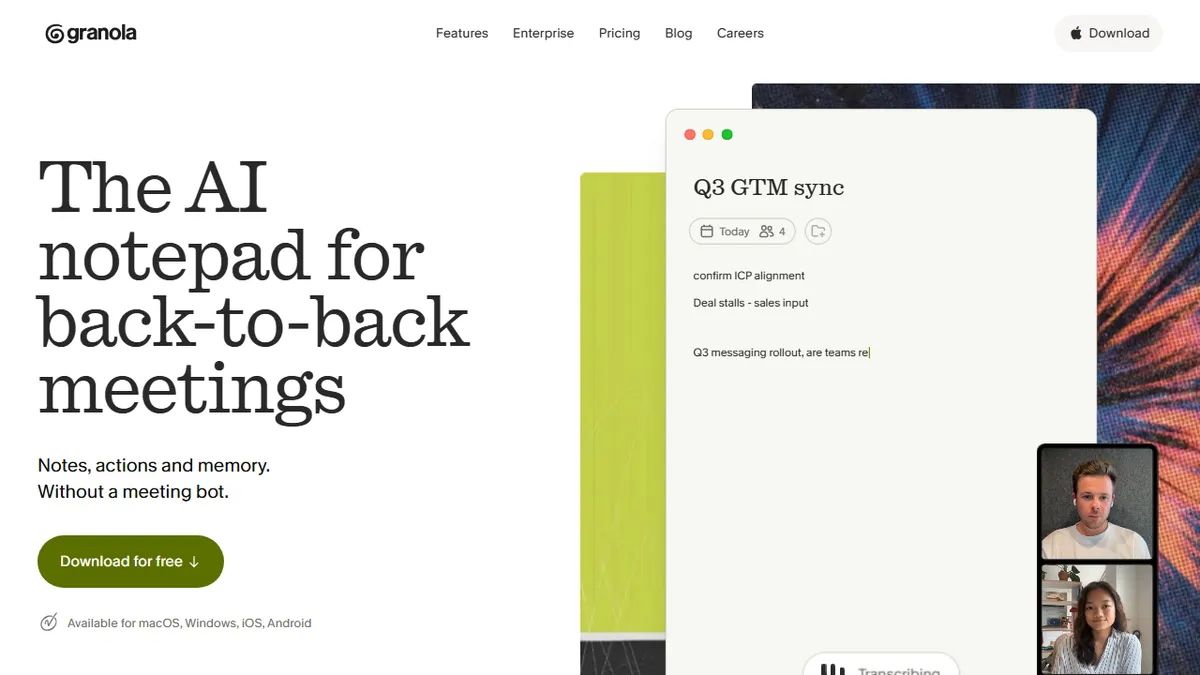
Granola is an AI-powered meeting notepad that sits on your desktop and listens to whatever call is happening in your browser or native app, then turns your rough scratch notes plus the transcript into a clean, structured writeup. Unlike Otter, Fireflies, or Fathom, it does not send a bot into the call — it captures system audio locally on macOS or Windows, which sidesteps the awkward 'Otter.ai has joined the meeting' problem and works even in ad-hoc huddles that aren't on a calendar. The typical workflow is: open Granola before a meeting, type shorthand as you would on paper, then hit stop and let the model expand your bullets into full narrative notes formatted against a template you chose (sales discovery, 1:1, user interview, standup, etc.). Post-meeting, it extracts action items, drafts follow-up emails, and lets you chat across every note you've ever taken — 'what did the design team say about pricing in July?' — which is where the product graduates from a note-taker into a personal RAG layer over your own work history. Business tier adds Notion, Slack, HubSpot, Attio, Affinity, and Zapier push, plus MCP so Claude, Cursor, and ChatGPT can read your meeting corpus as context. It's aimed at founders, PMs, sales/CS, investors, and consultants — anyone whose day is a wall of calls and whose historical decisions live in those calls. Notable customer logos include Linear, Vercel, Figma, Brex, and PostHog, which tells you the design bar and the ICP.
The category is crowded, but Granola's 'you take shorthand, we expand it' loop is the first meeting-notes UX that respects the fact that good note-takers were already doing the important cognitive work. The no-bot capture and MCP hooks are what tip it from 'nice tool' to 'default setup' for anyone whose day is calls.
— The AI Tool Bible editorial team
Pros
- ✅ No bot joins the call — captures system audio locally, so it works in impromptu huddles and doesn't announce itself to guests
- ✅ The 'expand my shorthand' flow is genuinely different from pure transcription tools — you stay engaged in the meeting instead of drifting because a bot is 'handling it'
- ✅ Cross-meeting chat turns months of notes into a searchable knowledge base you can query in natural language
- ✅ Templates are customizable per meeting type and the outputs stay consistent across a team
- ✅ First-class MCP support means Claude, Cursor, and ChatGPT can pull your meeting context without export gymnastics
- ✅ Strong integration coverage on the Business tier: Notion, Slack, HubSpot, Attio, Affinity, Zapier
- ✅ Privacy posture is credible — notes are private by default, model-training opt-out is available on every tier
Cons
- ⚠️ Desktop-only capture on macOS and Windows — no Linux client, and mobile apps are companions rather than primary capture
- ⚠️ Free tier caps meeting history at limited retention, so you effectively need Business ($14/user/mo) to use it as a long-term memory
- ⚠️ Local audio capture means it can't join a meeting you're not personally attending (no unattended bot recording)
- ⚠️ Underlying model is undisclosed and not user-selectable, so power users can't swap in a preferred LLM
- ⚠️ Not open source and API access is gated to paid tiers, limiting DIY integrations on the free plan
Use cases
Explore related
Compare with similar tools
All in Writing →Claude
FeaturedAnthropic's flagship assistant for long-form writing, analysis, and coding.
GPT-4o
FeaturedOpenAI's multimodal flagship behind ChatGPT.
Gemini Advanced
Google's flagship — strong at math, long context, and Workspace integration.
Llama 3
Meta's open-weights LLM family that put serious frontier-adjacent models in everyone's hands.
Qwen
Alibaba's open-weight foundation model family covering chat, vision, image generation, translation, and safety classification.
Jan
Open-source desktop ChatGPT alternative that runs local LLMs and routes to cloud providers from one app.