
Cluely
✓ Text source-checked Nov 4, 2026AI meeting assistant that listens in real time and provides instant answers, notes, and next steps while remaining undetectable on screen.
Source-checked against the vendor's site · rebuilt from the vendor's own pagesProfile updated Link checked Pricing captured How we rate
In short
Cluely is an undetectable AI meeting assistant that provides real-time notes and answers. It works on desktop for Zoom, Teams, and more without appearing on screen.
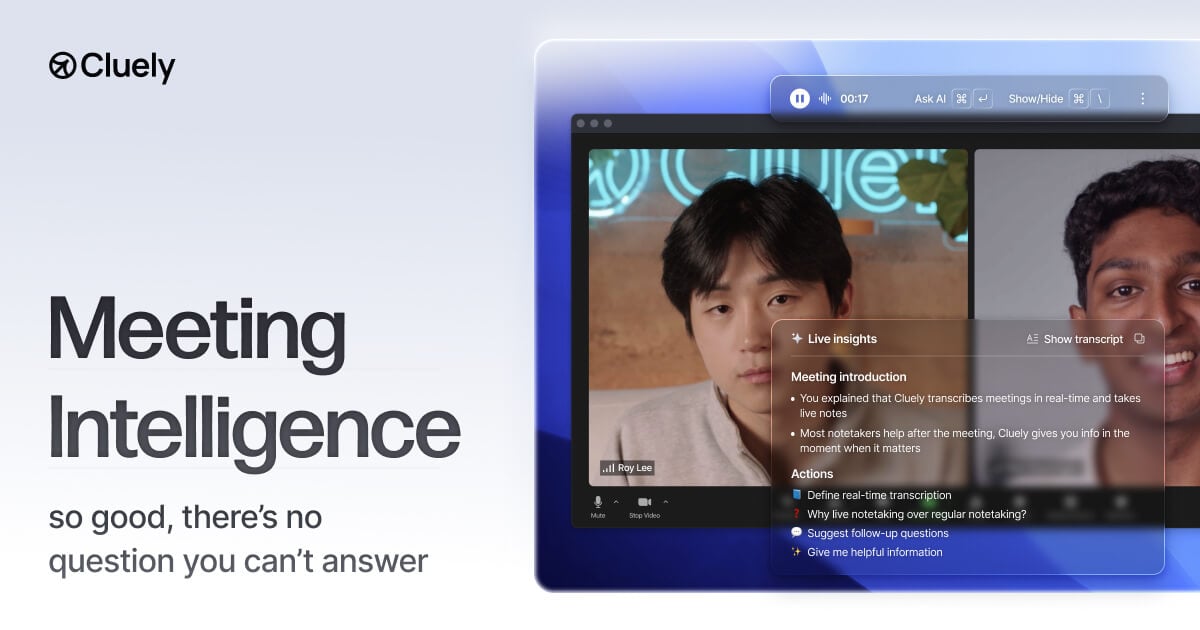
Cluely is an AI meeting assistant that listens in real time, understands the conversation, and provides instant answers, notes, and next steps while staying undetectable on the user's screen. The tool takes meeting notes and provides real-time answers while remaining undetectable.
The vendor says that Cluely does not join meetings as a bot participant, ensuring no extra people appear on the guest list. The application does not appear in shared screens, recordings, or external meeting tools. The Cluely window is fully moveable, allowing users to position it exactly where they are looking. Users can invoke Cluely's AI assistance in the moment by pressing Cmd/Ctrl + Enter.
Cluely supports over 12 different languages, including English, Chinese, and Spanish. The product is compatible with Zoom, Slack, Webex, Microsoft Teams, and Google Meet.
Cluely is intended for use in meetings, homework, sales calls, or for general curiosity. Cluely is available as a desktop app and can be downloaded from the App Store.
According to Cluely: Cluely is an AI meeting assistant that listens in real time, Understands the conversation, and provides instant answers, notes, and next steps while staying undetectable on the user's screen. Its pages list this strength: Does not show up in shared screens, recordings, or external meeting tools.
— The AI Tool Bible editorial team
Pros
- ✅ The vendor says that does not join meetings as a bot, so no extra people appear on the guest list.
- ✅ Does not show up in shared screens, recordings, or external meeting tools.
- ✅ Supports over 12 different languages.
- ✅ Compatible with Zoom, Slack, Webex, Microsoft Teams, and Google Meet.
- ✅ The window is fully moveable for precise positioning.
Pricing (captured )
| Tier | Monthly | Key features |
|---|---|---|
| Starter | Free |
|
| Pro | $19.99 / month |
|
| Pro + Undetectability | $149.99 / month |
|
Prices change; we show the grid as captured on Oct 14, 2026. Check current pricing on the vendor's site →
Facts
- Free trial
- Yes (not source-checked)
- Hacker News
- 9 stories · top 12 points · last Sep 19, 2025 · checked Nov 9, 2026
- Earliest Wayback capture
- 2015-08-01 (earliest archived capture of the site, not a launch date)
Where this tool sits
Use cases
Frequently asked
- How much does Cluely cost?
- Cluely offers a free Starter plan. The Pro plan costs $19.99 per month, while the Pro + Undetectability plan is $149.99 per month. These pricing tiers allow users to choose based on their need for undetectable features.
- Is Cluely visible to other meeting participants?
- No, Cluely is designed to be undetectable. It does not join meetings as a bot, does not appear in shared screens or recordings, and is not visible in external meeting tools. The window is also fully moveable for user control.
- Which platforms and languages does Cluely support?
- Cluely is compatible with Zoom, Slack, Webex, Microsoft Teams, and Google Meet. It supports over 12 languages, including English, Chinese, and Spanish. It is available as a desktop app downloadable from the App Store.
- How do I activate Cluely during a meeting?
- Users can invoke Cluely’s AI assistance in the moment by pressing Cmd/Ctrl + Enter. This allows for instant answers and notes during meetings, homework, sales calls, or interviews without disrupting the flow of conversation.
- What are the main use cases for Cluely?
- Cluely is intended for meetings, homework, sales calls, interviews, and general curiosity. It helps by taking notes, providing real-time answers, and suggesting next steps while remaining hidden from other participants and screen recordings.