Frigate
Open-source NVR that runs AI object detection locally on your security camera feeds.
In short
Frigate is a self-hosted Network Video Recorder that ingests RTSP feeds and performs real-time AI object detection on local hardware to reduce false positives. It is best suited for privacy-minded homelabbers and Home Assistant users who want full control over their surveillance data without cloud subscriptions.
Pick Frigate if you want a privacy-respecting, AI-driven NVR that plugs into Home Assistant and runs entirely on your own hardware.
Skip it if you want a plug-and-play cloud cam app or you don't have the patience for Docker, RTSP and detector tuning.
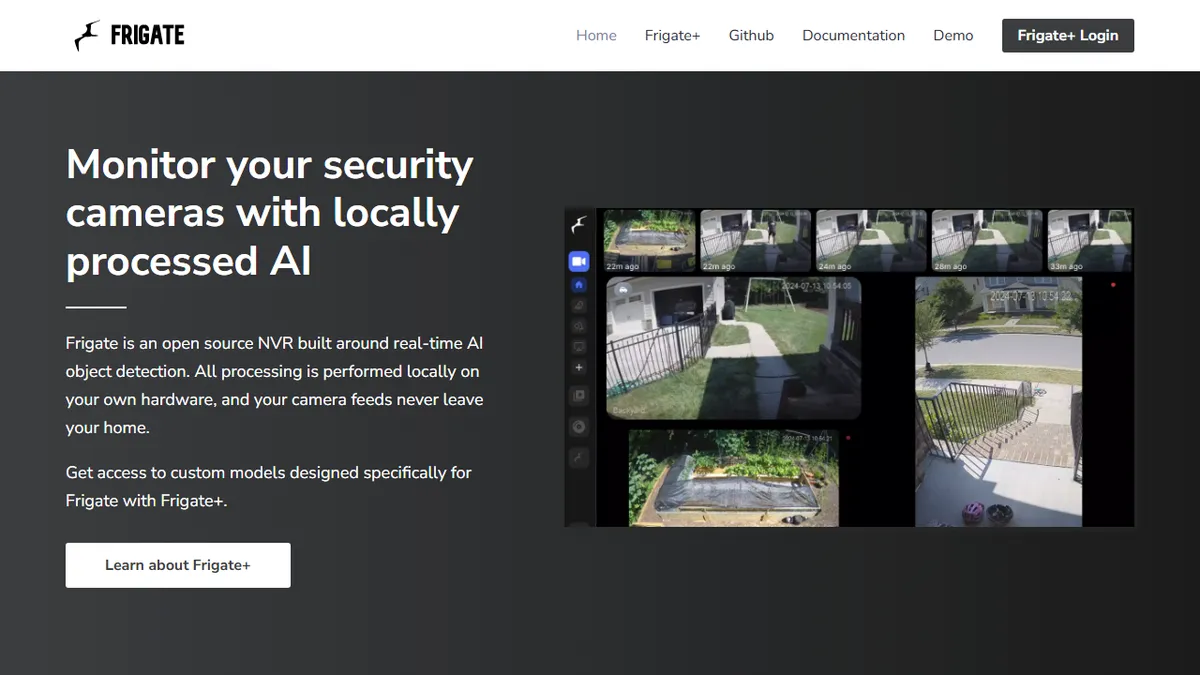
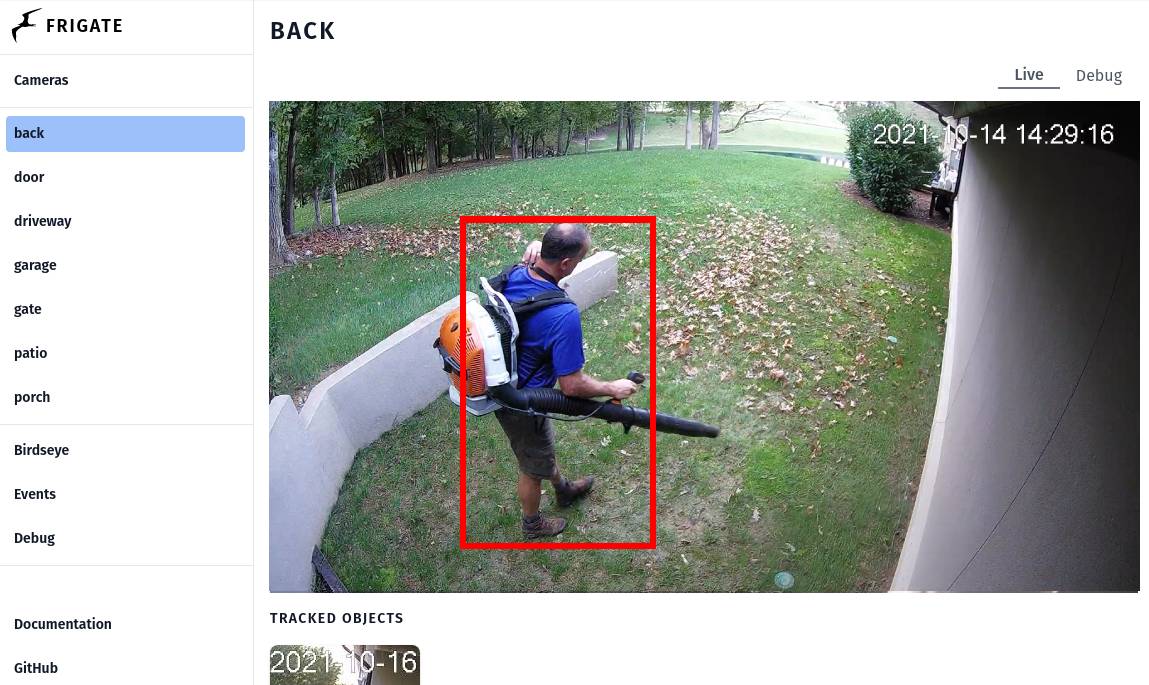
Frigate is a self-hosted Network Video Recorder built around real-time AI object detection. Instead of streaming footage to a cloud service, it ingests RTSP feeds from your existing cameras and runs inference on local hardware, classifying people, vehicles, animals and other objects with zone-based tracking. With a Coral TPU or supported GPU it can sustain 100+ detections per second, which cuts the false-positive flood you get from motion-only NVRs.
It's aimed at home automation tinkerers and privacy-minded homelabbers, especially the Home Assistant crowd, where it's the de-facto AI camera backend. The core software is free and open source under the MIT license; the optional Frigate+ subscription adds custom models trained on your own labelled clips for better accuracy on edge cases. There's no SaaS lock-in and no per-camera fee, but you bring the hardware: a decent CPU, an AI accelerator, and storage.
Integrations include native Home Assistant entities, MQTT events for NodeRed/OpenHAB, a built-in web UI, and an HTTP/WebSocket API for stream and event access. The trade-off is operational: you'll spend a weekend on Docker, go2rtc, camera substreams and detector tuning before it sings.
Frigate is the clear winner for self-hosted AI camera surveillance and the reason a lot of people buy a Coral USB stick in the first place. It rewards effort: budget a weekend for setup, but you'll never pay a Ring/Nest subscription again. Frigate+ is worth it once you hit the limits of the stock models.
— The AI Tool Bible editorial team
Pros
- ✅ Fully local processing, no cloud, no subscription required for core
- ✅ MIT-licensed open source with active community
- ✅ First-class Home Assistant and MQTT integration
- ✅ Real-time detection at 100+/sec with a Coral TPU
Cons
- ⚠️ Setup is Docker/YAML heavy and not beginner-friendly
- ⚠️ Best performance requires a Coral or GPU accelerator
- ⚠️ Frigate+ custom models are a paid add-on
Use cases
Frequently asked
- Does Frigate require a cloud subscription?
- No, the core software is free and open-source under the MIT license with no per-camera fees. An optional paid Frigate+ subscription is available for custom models trained on your own labeled clips.
- What hardware does Frigate need to run effectively?
- You must provide your own hardware, including a decent CPU, an AI accelerator like a Coral TPU or supported GPU, and storage. Using a Coral TPU or GPU allows it to sustain over 100 detections per second.
- How difficult is the setup process?
- Setup is considered Docker and YAML heavy and is not beginner-friendly. Users should expect to spend time configuring Docker, go2rtc, camera substreams, and detector tuning before the system operates optimally.
- Which home automation platforms does Frigate support?
- Frigate offers native Home Assistant entities, MQTT events for NodeRed and OpenHAB, a built-in web UI, and an HTTP/WebSocket API for stream and event access.
Explore related
Compare with similar tools
All in Video →Runway
FeaturedPro-grade AI video editor and Gen-4 generation.
Sora
FeaturedOpenAI's flagship text-to-video model.
Luma Dream Machine
Fast, accessible text-to-video with strong camera control.
HeyGen
Avatar video + lip-sync translation at scale.
Google Veo
Google DeepMind's flagship text-to-video model with native audio generation and cinematic camera control.
Higgsfield
AI video and image generation suite that aggregates 30+ frontier models under one workflow.