Whimsical AI
AI-assisted flowcharts, mind maps, and wireframes on an infinite collaborative canvas.
In short
Whimsical AI integrates generative diagramming into a collaborative visual workspace, allowing users to create flowcharts and mind maps from text prompts. It is best suited for product teams and designers who already use Whimsical and want to draft diagrams quickly rather than drawing them manually.
Pick Whimsical AI if your team already lives in a visual canvas and you want flowcharts and mind maps drafted from a prompt instead of dragged out by hand.
Skip it if you need general AI writing, image generation, or a heavyweight diagramming engine like Lucidchart for complex engineering diagrams.
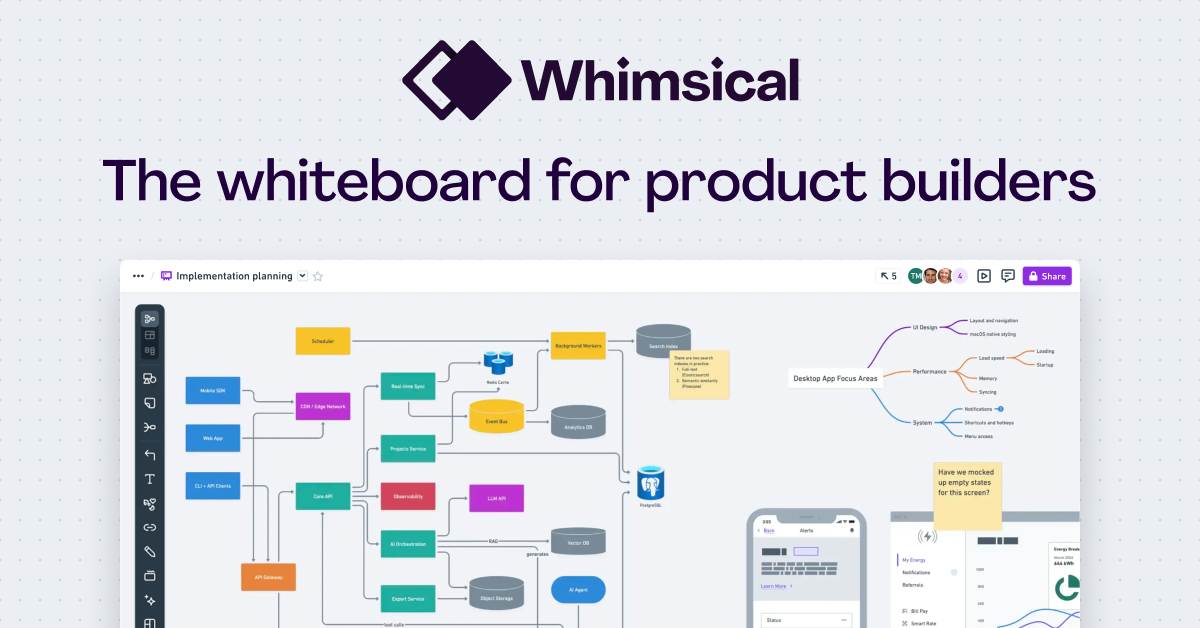
Whimsical AI is the AI layer of Whimsical, a visual collaboration platform built around flowcharts, mind maps, wireframes, diagrams, and sticky-note boards. Its two headline features are Flowchart AI, which generates user flows and process diagrams from a text prompt, and Mind Map AI, which expands a seed idea into a structured brainstorm you can keep editing on the canvas. There is also a desktop MCP server that lets coding agents like Claude and Cursor read and write directly into a Whimsical workspace, so an agent can sketch a codebase map or a wireframe as part of its output.
The pitch is aimed at product teams, designers, and engineering leads who already live in tools like FigJam, Miro, or Lucidchart and want the diagram step to take seconds rather than half an hour. Whimsical's strength has always been speed and clean visual defaults, and the AI features lean into that: you get something presentable on the first try, then refine. Pricing follows the main Whimsical plans, with a free tier and paid Pro/Organization seats; the AI generations sit inside those existing plans rather than as a separate add-on.
It is not a general-purpose AI writing or image tool, and the AI is narrowly scoped to the diagram and mind-map shapes Whimsical already supports. If your team is not already a Whimsical user, the value proposition is really 'collaborative visual workspace + AI shortcuts,' not 'best-in-class AI diagrammer.'
Whimsical's AI features are a sensible, narrow application of LLMs: generate a first-draft diagram, then let humans refine it on a canvas that was already good at this. The MCP integration with coding agents is the more interesting bet long-term. Don't expect a model leap; expect a faster Whimsical.
— The AI Tool Bible editorial team
Pros
- ✅ Turns text prompts into editable flowcharts and mind maps in seconds
- ✅ MCP server lets Claude and Cursor draw directly into your workspace
- ✅ Clean visual defaults; output looks presentable without manual styling
- ✅ Sits inside an existing collaborative canvas with boards and wireframes
Cons
- ⚠️ AI is scoped to diagrams and mind maps, not broader content generation
- ⚠️ Underlying model is not disclosed
- ⚠️ Best value only if you already use Whimsical as your visual workspace
Use cases
Frequently asked
- What specific diagram types can Whimsical AI generate?
- Whimsical AI generates user flows, process diagrams, mind maps, wireframes, and codebase maps. The AI is narrowly scoped to the diagram and mind-map shapes supported by the platform.
- Does Whimsical AI support integration with coding agents?
- Yes, it includes a desktop MCP server that allows coding agents like Claude and Cursor to read and write directly into a Whimsical workspace. This enables agents to sketch diagrams or wireframes as part of their output.
- Is the AI feature available on the free plan?
- Yes, the AI generations are included within the existing Whimsical plans rather than as a separate add-on. This includes the Free tier ($0), Pro ($10), and Business ($20) options.
- Who is the best target audience for this tool?
- It is best for product teams, designers, and engineering leads who already use Whimsical as their visual workspace. It helps them draft flowcharts and mind maps from prompts instead of dragging elements by hand.
Explore related
Compare with similar tools
All in Writing →Claude
FeaturedAnthropic's flagship assistant for long-form writing, analysis, and coding.
GPT-4o
FeaturedOpenAI's multimodal flagship behind ChatGPT.
Gemini Advanced
Google's flagship — strong at math, long context, and Workspace integration.
Llama 3
Meta's open-weights LLM family that put serious frontier-adjacent models in everyone's hands.
Qwen
Alibaba's open-weight foundation model family covering chat, vision, image generation, translation, and safety classification.
Jan
Open-source desktop ChatGPT alternative that runs local LLMs and routes to cloud providers from one app.