
Genmo
✓ Editorially verifiedOpen-source text-to-video model (Mochi 1) with a hosted playground for turning prompts into short clips.
In short
Genmo provides Mochi 1, an open-source text-to-video model with weights available on Hugging Face. It includes a free hosted playground for prototyping short clips. Best for teams needing self-hostable, reproducible video generation without vendor lock-in.
Pick Genmo if you want a genuinely open-source text-to-video model you can self-host or fine-tune, with a hosted playground to prototype before committing.
Skip it if you need long, high-resolution finished clips, fine-grained camera and character control, or a mature paid API with SLAs.
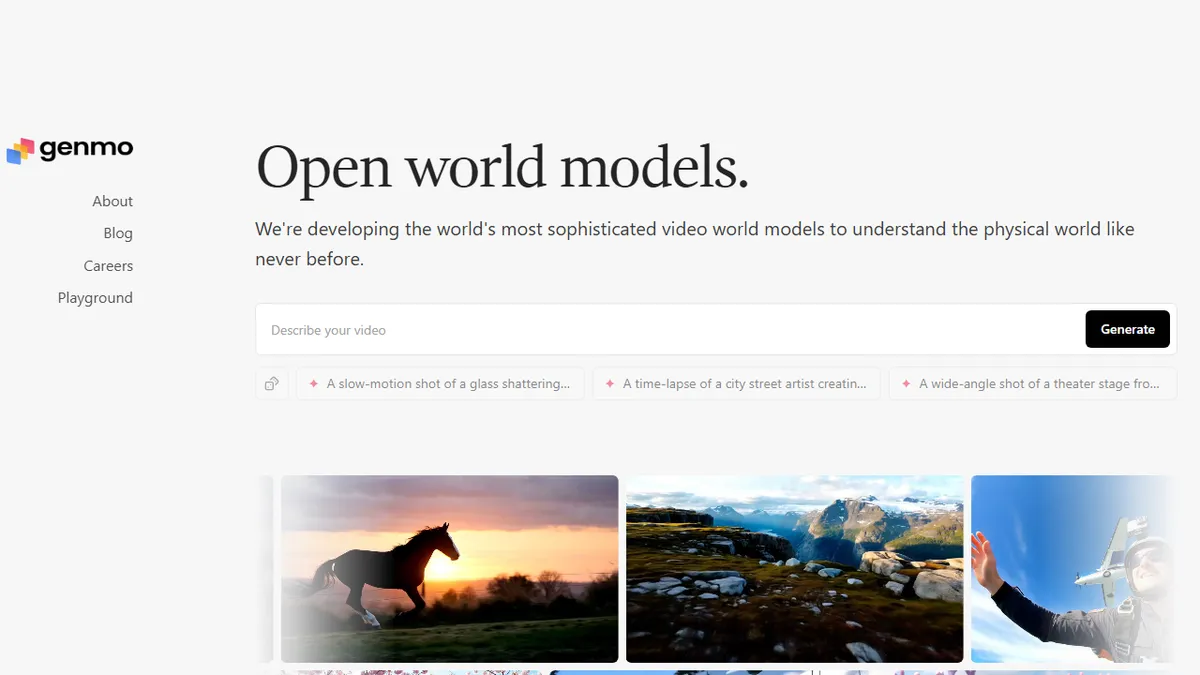
Genmo is the AI video lab behind Mochi 1, an open-source text-to-video model released with weights on Hugging Face and a companion hosted playground at genmo.ai. The site pitches the model as a state-of-the-art open alternative for turning written prompts into short generative video, with an emphasis on physical-world understanding and motion coherence rather than still-frame animation.
What makes Genmo notable is the openness angle: unlike Runway, Pika, or Sora, the underlying weights are downloadable and can be run locally on sufficiently beefy GPUs, which is attractive to researchers, indie tool builders, and studios that need to keep prompts and outputs in-house. The playground offers a free way to try it in the browser without provisioning hardware, though heavy generation is naturally gated. Pricing on the marketing page is thin, so expect the hosted side to move toward credits or a paid tier as the product matures.
It sits in the same conversation as Open-Sora and CogVideoX for teams evaluating open video generators, and pairs well with an image model plus an upscaler if you want longer, higher-resolution finals. Clip length, resolution, and fine control still lag closed leaders, so treat it as a rapidly moving research-grade tool rather than a finished production pipeline.
Genmo's Mochi 1 is one of the more credible open text-to-video releases and worth watching if you care about not being locked into Runway or Sora. Treat it as research-grade for now — great for experimentation and self-hosted pipelines, not yet a drop-in replacement for a commercial video API.
— The AI Tool Bible editorial team
Pros
- ✅ Open weights on Hugging Face and GitHub — self-hostable
- ✅ Free in-browser playground to try before installing
- ✅ Strong motion quality for an open text-to-video model
- ✅ Attractive to researchers who need reproducible pipelines
Cons
- ⚠️ Local inference needs serious GPU horsepower
- ⚠️ Clip length and resolution trail closed competitors like Runway and Sora
- ⚠️ Pricing and rate limits on the hosted playground are opaque
- ⚠️ No documented public API tier at launch
Use cases
Frequently asked
- Is Genmo's video model open source?
- Yes, Mochi 1 is an open-source text-to-video model with weights released on Hugging Face and GitHub. This allows users to download and run the model locally on sufficiently powerful GPUs.
- Can I use Genmo without installing local hardware?
- Yes, Genmo offers a companion hosted playground at genmo.ai. This allows users to try the model in the browser for free without provisioning their own hardware, though heavy generation may be gated.
- Who is Genmo best suited for?
- It is best for researchers, indie tool builders, and studios that need to keep prompts and outputs in-house. It is ideal for those who want a self-hostable or fine-tunable open-source alternative to closed systems like Runway or Sora.
- Does Genmo offer a public API?
- No, there is no documented public API tier at launch. The tool is currently positioned as a research-grade option for experimentation and self-hosted pipelines rather than a finished production API.
- What are the limitations of Genmo compared to closed competitors?
- Clip length and resolution currently trail closed competitors like Runway and Sora. Additionally, local inference requires significant GPU horsepower, and the hosted playground's pricing and rate limits are not fully detailed.
Explore related
Compare with similar tools
All in Video →Runway
FeaturedPro-grade AI video editor and Gen-4 generation.
Sora
FeaturedOpenAI's flagship text-to-video model.
Luma Dream Machine
Fast, accessible text-to-video with strong camera control.
HeyGen
Avatar video + lip-sync translation at scale.
Google Veo
Google DeepMind's flagship text-to-video model with native audio generation and cinematic camera control.
Higgsfield
AI video and image generation suite that aggregates 30+ frontier models under one workflow.