
EKHOS AI
Offline Windows transcription app with speaker diarization, GPU acceleration, and 98-language support.
In short
EKHOS AI converts audio and video to text entirely on-device for Windows users. It is best for lawyers, medical scribes, and journalists who require confidential transcription without cloud uploads.
Pick EKHOS AI if you need confidential, unlimited transcription on a Windows workstation without sending audio to a cloud service.
Skip it if you work on macOS or Linux, need an API for batch pipelines, or want a transparent open-source engine like Whisper.
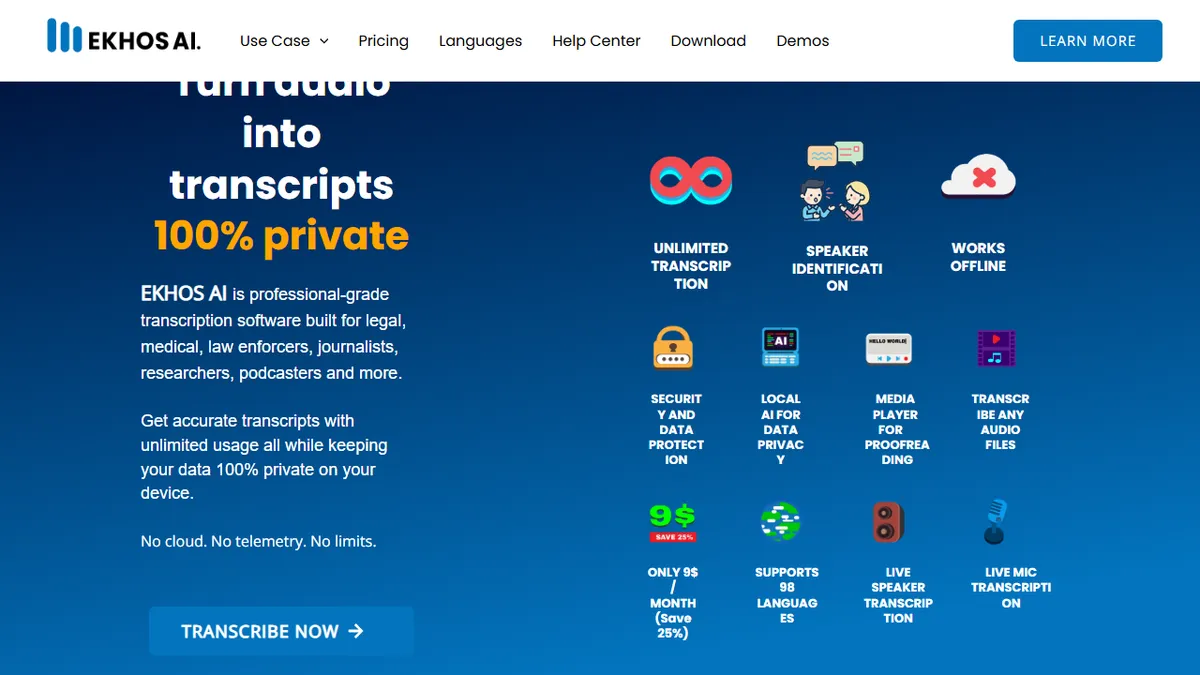
EKHOS AI is a desktop transcription tool for Windows that converts audio and video files into editable text entirely on-device. It does speaker identification, real-time microphone and system-audio capture, and ships with a built-in media player and transcript editor that exports to Word, PDF, and plain text. Three model tiers (Intermediate, Advanced, Expert) trade speed against accuracy, and NVIDIA GPU acceleration is supported for users with a discrete card.
The pitch is privacy: nothing leaves the machine, transcripts are stored with local password protection, and the company says it collects no telemetry beyond signup. That makes it a reasonable fit for lawyers, medical scribes, law enforcement, and journalists who can't legally send recordings to a cloud API. Pricing is $9/month for the premium tier with a free tier available, and the app is distributed through the Microsoft Store.
Caveats: it's Windows-only, there's no public API or scripting hook, and the underlying engine is unnamed proprietary local models rather than a known open-weights system like Whisper. If you need a cloud workflow, batch API processing, or macOS/Linux support, look elsewhere.
A sensible pick for regulated-industry users who genuinely cannot upload recordings to the cloud, and the $9/mo unlimited pricing is fair. The proprietary local model and Windows-only distribution are real limits though, and power users will probably be happier self-hosting whisper.cpp or WhisperX.
— The AI Tool Bible editorial team
Pros
- ✅ Fully offline processing keeps sensitive audio on-device
- ✅ Unlimited transcriptions with no file-size cap at $9/mo
- ✅ Speaker diarization and 98-language coverage built in
- ✅ Optional NVIDIA GPU acceleration for faster runs
Cons
- ⚠️ Windows-only via Microsoft Store
- ⚠️ No public API or automation hooks
- ⚠️ Underlying model is unspecified and proprietary
- ⚠️ Real-time accuracy depends heavily on local hardware
Use cases
Frequently asked
- Does EKHOS AI send my audio data to the cloud?
- No, EKHOS AI processes audio entirely on-device. The company states that nothing leaves the machine and transcripts are stored with local password protection.
- What operating systems are supported by EKHOS AI?
- EKHOS AI is Windows-only and is distributed through the Microsoft Store. It does not support macOS or Linux.
- How much does the premium tier of EKHOS AI cost?
- The premium tier costs $9 per month and offers unlimited transcriptions with no file-size cap. A free tier is also available.
- Does EKHOS AI support speaker identification and multiple languages?
- Yes, the app includes built-in speaker diarization and supports 98 languages. It also features real-time microphone and system-audio capture.
- Is there an API available for EKHOS AI?
- No, EKHOS AI does not have a public API or scripting hooks for automation. It is a desktop application designed for direct user interaction.
Explore related
Compare with similar tools
All in Audio →ElevenLabs
FeaturedThe gold standard for AI voice cloning and TTS.
Suno
FeaturedText-to-song AI — full vocal tracks from a prompt.
Udio
Suno's main rival for AI-generated full songs.
AssemblyAI
Speech-to-text API with diarisation, summarisation, and topic detection.
Chorus by ZoomInfo
Enterprise conversation intelligence bundled with ZoomInfo's B2B data graph
Whisper
OpenAI's open-source speech-to-text — the de-facto baseline.