
AnkiDecks AI
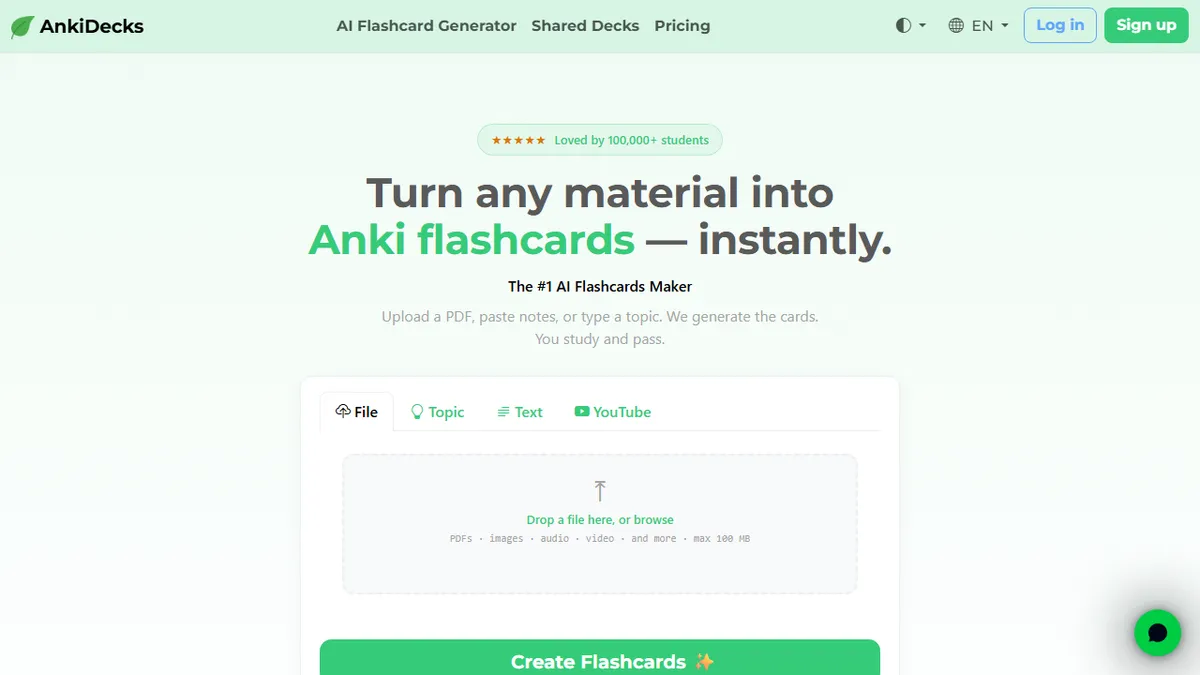
AI flashcard generator that turns PDFs, slides, YouTube videos and handwritten notes into Anki-ready decks.
In short
AnkiDecks AI automates flashcard creation by extracting concepts from various file types and YouTube videos. It generates multiple card formats, including image occlusion, for export to Anki. It is best for students who want to skip manual card authoring.
Pick AnkiDecks AI if you're a med student, language learner or exam-prepper who lives in Anki and wants to skip hours of manual card authoring.
Skip it if you need an API, on-prem deployment, transparency about the underlying model, or you're not already invested in the Anki ecosystem.
AnkiDecks AI is a study tool that automates the most tedious part of spaced-repetition learning: making the cards. Upload a PDF, PowerPoint, Word doc, EPUB, YouTube video, image, audio clip or handwritten page and the platform extracts key concepts, transcribes audio when needed, and emits Question-Answer, Cloze, Multiple Choice or Image Occlusion cards. Output can be exported as .apkg for Anki desktop/iOS/Android, or studied in-browser with an FSRS scheduler.
It's clearly aimed at med students, language learners and exam-heavy academic disciplines where deck-building is the bottleneck. The free plan caps users at 4 decks per month with no credit card required; a Pro tier lifts file-size limits and deck quotas (specific prices live behind the pricing page). Differentiators worth noting: 50+ language generation/translation, automatic YouTube transcription, and an image-occlusion mode that auto-detects labels in anatomy diagrams - a feature most generic flashcard generators don't ship.
There's no public API or open-source code, and the underlying LLM is not disclosed. For solo learners that's fine; for teams or LMS integrations it's a limitation. The .apkg export keeps you portable, which is the right call given the unknowns.
A focused, well-scoped tool that does one thing real Anki users actually want. The image-occlusion and YouTube-transcription paths are genuine time-savers for med and language learners. We'd like to see the model disclosed and an API offered, but the .apkg export keeps you portable enough to try it without risk.
— The AI Tool Bible editorial team
Pros
- ✅ Accepts a wide range of inputs: PDFs, slides, YouTube, audio, handwritten notes
- ✅ Generates four card formats including image occlusion for anatomy diagrams
- ✅ Exports native .apkg files so you keep your decks in Anki
- ✅ 50+ language support with cross-language translation
- ✅ Free tier with no credit card needed
Cons
- ⚠️ No public API for automation or integration
- ⚠️ Underlying AI model is not disclosed
- ⚠️ Free plan capped at 4 decks per month
- ⚠️ Closed source, so no self-hosting option
Use cases
Frequently asked
- What file types can I upload to AnkiDecks AI?
- You can upload PDFs, PowerPoint, Word docs, EPUBs, YouTube videos, images, audio clips, and handwritten pages. The platform extracts key concepts and transcribes audio when needed.
- Does AnkiDecks AI support image occlusion cards?
- Yes, it includes an image-occlusion mode that auto-detects labels in diagrams, such as anatomy charts. This feature is designed to help with visual learning tasks.
- How do I export my decks from AnkiDecks AI?
- Decks can be exported as .apkg files for use on Anki desktop, iOS, or Android. You can also study them in-browser using an FSRS scheduler.
- Is there a free plan available?
- Yes, the free plan allows up to 4 decks per month and does not require a credit card. Paid tiers include Basic at $10 and Pro at $20.
- Does AnkiDecks AI offer an API for integration?
- No, there is no public API or open-source code available. The tool is closed-source and does not support on-prem deployment or self-hosting.
Explore related
Compare with similar tools
All in Writing →Claude
FeaturedAnthropic's flagship assistant for long-form writing, analysis, and coding.
GPT-4o
FeaturedOpenAI's multimodal flagship behind ChatGPT.
Gemini Advanced
Google's flagship — strong at math, long context, and Workspace integration.
Llama 3
Meta's open-weights LLM family that put serious frontier-adjacent models in everyone's hands.
Qwen
Alibaba's open-weight foundation model family covering chat, vision, image generation, translation, and safety classification.
Jan
Open-source desktop ChatGPT alternative that runs local LLMs and routes to cloud providers from one app.