
Vidu
✓ Editorially verifiedMultimodal AI video generator with strong reference-image consistency for characters and props.
In short
Vidu generates short AI videos from text, images, or reference clips with a focus on maintaining character and prop consistency. It is best for creators needing recurring characters in social media content or short-form animations.
Pick Vidu if you need short AI video clips where a specific character, outfit, or product has to stay recognizable across multiple shots.
Skip it if you need long-form narrative video, frame-accurate editorial control, or a self-hostable open model.
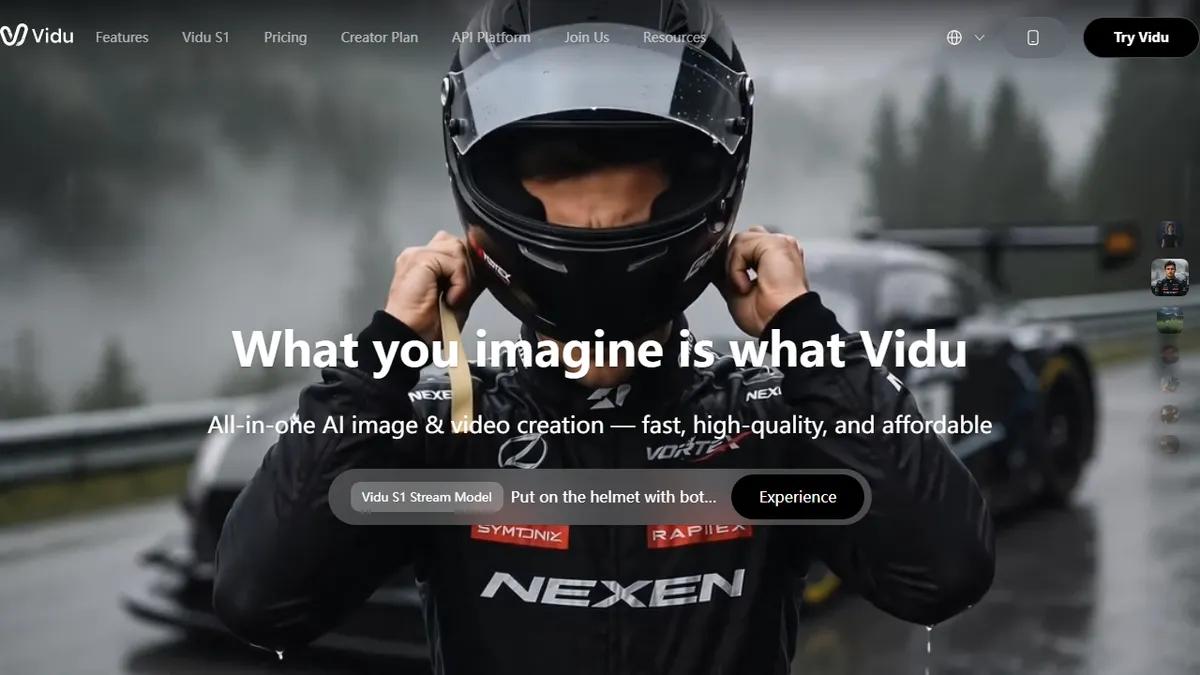
Vidu is an AI video generation platform from ShengShu Technology that turns text prompts, still images, or reference clips into short videos at up to 1080p. Its headline feature is 'Reference to Video,' which lets you upload multiple reference images so a character, outfit, or prop stays consistent across shots — a persistent weak point for most text-to-video models.
Where Vidu tries to differentiate is speed and control: fast generation, first/last-frame conditioning for image-to-video, a 'My References' library for reusable assets, and a template gallery aimed at viral social formats (hugs, kisses, effects). Pricing is freemium — every account gets complimentary credits, there's a Creator Plan for regular users, a Creative Partner Program for pros, and an 'Off-Peak Mode' that grants unlimited free generations during quiet hours. A separate API platform (platform.vidu.com) exposes the models for developers.
The product is closed-source and, like most of the current text-to-video crop, is geared toward short clips rather than long-form narrative work. It competes directly with Runway, Kling, Pika, and Hailuo, and its strongest pitch is the reference-driven consistency workflow for creators building recurring characters.
Vidu's reference-to-video workflow is genuinely useful — character consistency is where most rivals still fumble. The off-peak unlimited tier makes it one of the friendlier text-to-video services to actually learn on. It's not going to replace Runway for pro post, but for creators iterating on a recurring character it earns its slot.
— The AI Tool Bible editorial team
Pros
- ✅ Multi-reference input keeps characters and props consistent across clips
- ✅ Free credits plus unlimited off-peak generation lower the cost of experimenting
- ✅ First/last-frame control on image-to-video for tighter shot direction
- ✅ Public API available for developers via platform.vidu.com
Cons
- ⚠️ Closed-source with limited transparency about underlying model
- ⚠️ Short clip lengths — not built for long-form narrative video
- ⚠️ Credit-based pricing can get expensive at production volumes
Use cases
Frequently asked
- What is Vidu's main differentiating feature?
- Its 'Reference to Video' capability allows users to upload multiple reference images to keep characters, outfits, or props consistent across different shots.
- How does Vidu's pricing model work?
- Vidu uses a freemium model with free credits on signup, paid Creator and Creative Partner plans, and unlimited off-peak generations during quiet hours.
- Can developers integrate Vidu into their applications?
- Yes, Vidu offers a public API platform that exposes its models for developer use.
- Is Vidu suitable for long-form narrative video production?
- No, Vidu is designed for short clips and is not built for long-form narrative work or frame-accurate editorial control.
Explore related
Compare with similar tools
All in Video →Runway
FeaturedPro-grade AI video editor and Gen-4 generation.
Sora
FeaturedOpenAI's flagship text-to-video model.
Luma Dream Machine
Fast, accessible text-to-video with strong camera control.
HeyGen
Avatar video + lip-sync translation at scale.
Google Veo
Google DeepMind's flagship text-to-video model with native audio generation and cinematic camera control.
Higgsfield
AI video and image generation suite that aggregates 30+ frontier models under one workflow.