
Velda
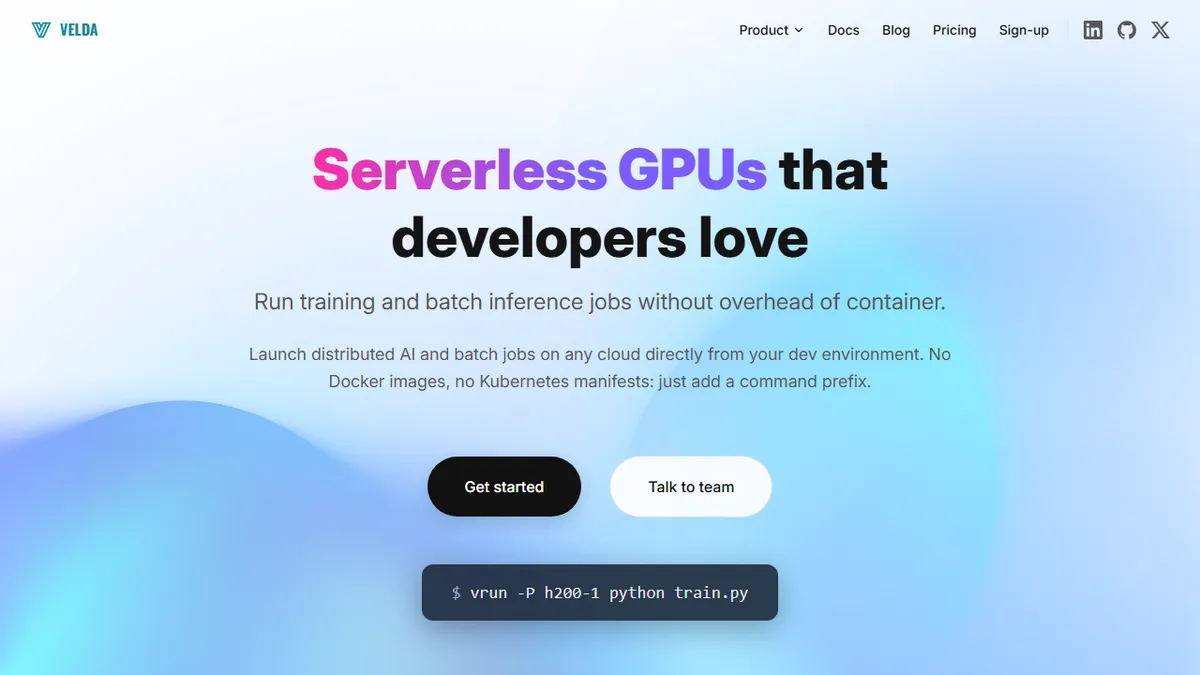
Serverless GPU orchestration that runs AI training and batch jobs without Docker or Kubernetes.
In short
Velda orchestrates distributed GPU training and batch jobs without requiring Docker or Kubernetes. It uses simple commands to provision compute and schedule workloads for ML teams.
Pick Velda if you run distributed PyTorch training or batch GPU jobs and refuse to maintain a Kubernetes stack to do it.
Skip it if you only need single-GPU notebooks or a hosted model API rather than orchestration over your own workloads.
Velda is a workload orchestration platform built for AI, ML, and data-intensive jobs that lets developers run distributed GPU workloads by prefixing commands with vrun (interactive) or vbatch (background). Instead of authoring Dockerfiles, Helm charts, or Kubernetes manifests, you point it at a script and it provisions compute, schedules the job, and handles distribution across nodes. It ships with a browser-based VS Code environment, prebuilt PyTorch templates, and gang scheduling for coordinated multi-node training.
The target user is the ML engineer or research team that wants Slurm-grade orchestration without becoming a DevOps shop. There are two tiers: a managed Velda Cloud with monthly free credits aimed at individuals and small teams, and an Enterprise tier that runs on dedicated or self-hosted infrastructure with premium support. Pricing is pay-per-use compute on the cloud tier; enterprise terms are quote-based.
Use cases extend beyond training to hyperparameter sweeps, ETL pipelines, distributed compilation, and CI/CD. The main caveat is that it is not an AI model or agent itself, it is the runtime under your AI workloads, so the value depends on how often you actually launch distributed GPU jobs.
Velda sits in a useful gap between raw cloud GPUs and full MLOps platforms, trading SDK depth for a vrun-prefix experience that just runs. Worth a look for small ML teams who want distributed training without becoming Kubernetes specialists, but evaluate the cloud catalog and pricing against Modal and RunPod before committing.
— The AI Tool Bible editorial team
Pros
- ✅ No Dockerfile or Kubernetes manifests needed to launch GPU jobs
- ✅ Gang scheduling and sharded jobs for true multi-node training
- ✅ Browser VS Code with GPU access lowers onboarding friction
- ✅ Same tool covers training, batch inference, and CI workloads
Cons
- ⚠️ Infrastructure layer, not a model or agent product
- ⚠️ Limited public detail on supported clouds and SDK surface
- ⚠️ Cloud tier pricing specifics aren't published
Use cases
Frequently asked
- How much does Velda cost?
- Velda offers a freemium model. Velda Cloud provides free monthly credits for individuals and small teams, with pay-per-use compute pricing. Enterprise pricing is quote-based for dedicated or self-hosted infrastructure with premium support.
- Do I need to know Kubernetes or Docker to use Velda?
- No. Velda is designed to run workloads without authoring Dockerfiles, Helm charts, or Kubernetes manifests. You simply point it at a script using vrun or vbatch commands, and it handles provisioning and scheduling.
- What specific AI workloads can Velda handle?
- It supports distributed PyTorch training, batch inference, hyperparameter sweeps, ETL pipelines, distributed compilation, and CI/CD. It includes prebuilt PyTorch templates and gang scheduling for coordinated multi-node training.
- Is Velda suitable for single-GPU notebook users?
- No. Velda is best for distributed GPU workloads. If you only need single-GPU notebooks or a hosted model API rather than orchestration over your own workloads, you should skip it.
- What is the learning curve like for new users?
- The interface is simplified for ML engineers who want Slurm-grade orchestration without becoming a DevOps shop. It ships with a browser-based VS Code environment and simple command prefixes like vrun and vbatch.
Explore related
Compare with similar tools
All in Fine-tuning →Together AI
FeaturedFine-tune & serve open-weight models (Llama, Mistral, DeepSeek).
Modal
Serverless GPUs and infra for training & serving ML.
Replicate
One-API platform for running and fine-tuning open-source models.
OpenAI Fine-tuning
Fine-tune GPT-4o-mini and friends on your own data.
Llama
Meta's open-weight LLM family covering 1B mobile models up to 405B frontier and natively multimodal 10M-context Llama 4 variants.
RunPod
On-demand GPU cloud and serverless inference platform built specifically for AI workloads.