
Superset
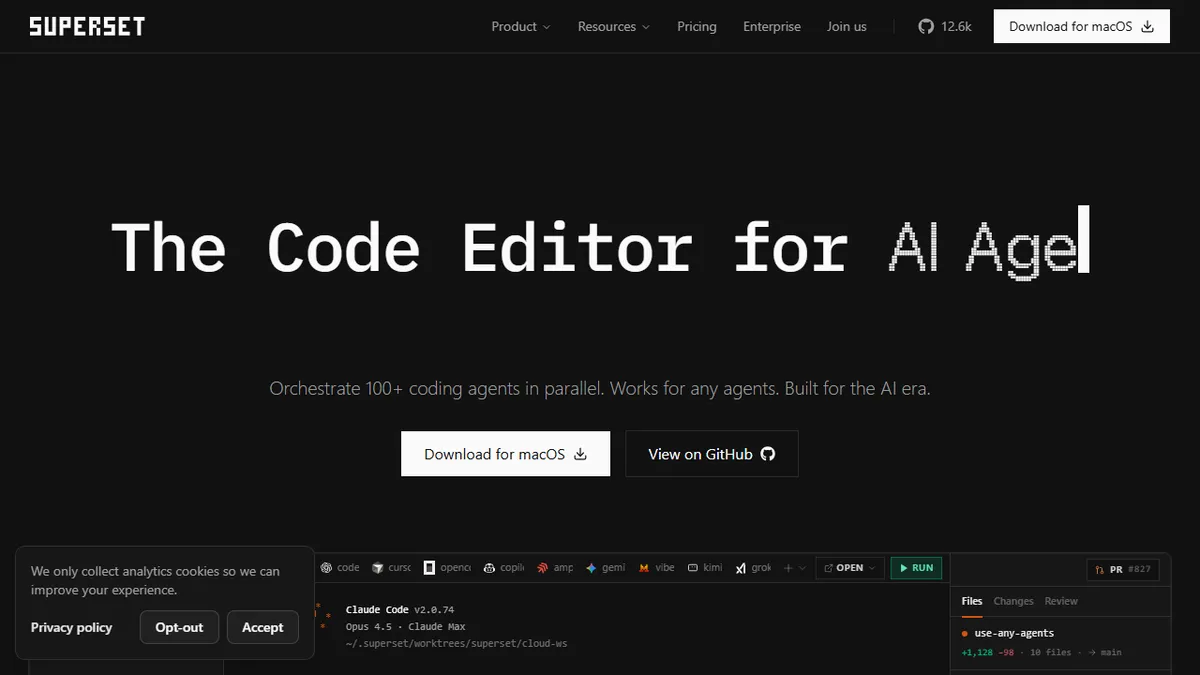
Desktop code editor that orchestrates many AI coding agents in parallel using isolated Git worktrees.
In short
Superset is a macOS editor that orchestrates multiple AI coding agents in parallel using isolated Git worktrees, enabling side-by-side diff review and one-click IDE handoff.
Pick Superset if you already drive multiple CLI coding agents and want to run a dozen of them in parallel without worktree chaos.
Skip it if you are not on macOS, do not already use CLI coding agents, or want a single integrated AI coding assistant rather than an orchestrator.
Superset is a macOS code editor built around the idea that you should be running many AI coding agents at once rather than babysitting one. Each agent gets its own Git worktree so dozens of Claude Code, Cursor, OpenCode, or Gemini sessions can work in parallel without stepping on each other's branches, and the app surfaces diff review, commit history, and one-click handoff into VS Code, Cursor, Xcode, JetBrains IDEs, or a terminal.
It is aimed at developers who have already adopted CLI coding agents and are hitting the natural ceiling of one-agent-at-a-time workflows. The free tier covers a single user with local workspaces and GitHub integration; Pro is $15/user/month yearly ($20 monthly) and adds unlimited users, remote workspaces, and Linear integration; Enterprise adds SSO, audit logs, and SLAs. The companion repo at superset-sh/superset sits around 12k stars, though the product itself is distributed as a desktop download rather than something you self-host.
This is firmly a meta-tool: it does not ship its own model and brings no value if you are not already paying for (or running) an underlying coding agent. The payoff is workflow density for people who want to fan out a refactor, a bug hunt, and a feature spike across three agents simultaneously and then review the diffs side by side.
Superset is a sharp answer to a problem only heavy agent users have: one Claude Code window is no longer enough. The worktree-per-agent model is the right primitive, and pricing is honest. Just be clear-eyed that this is a conductor, not the orchestra.
— The AI Tool Bible editorial team
Pros
- ✅ Runs many coding agents in parallel via per-agent Git worktrees
- ✅ Agent-agnostic: Claude Code, Cursor, OpenCode, Gemini all supported
- ✅ One-click open into VS Code, Cursor, Xcode, JetBrains, or terminal
- ✅ Free tier is usable for solo developers, not just a trial
Cons
- ⚠️ macOS desktop only at launch; mobile is 'coming soon'
- ⚠️ Brings no model of its own; you still pay for the underlying agents
- ⚠️ Value depends entirely on already running CLI coding agents
Use cases
Frequently asked
- How much does Superset cost?
- Superset offers a free tier for single users with local workspaces. Pro costs $20 monthly or $15/user/month yearly, adding unlimited users and remote workspaces. Enterprise pricing is custom and includes SSO and audit logs.
- Which AI coding agents does Superset support?
- Superset supports multiple CLI coding agents, including Claude Code, Cursor, OpenCode, and Gemini. It acts as an orchestrator for these existing tools rather than providing its own underlying AI model.
- Is Superset available on Windows or Linux?
- No, Superset is a macOS-only application. The documentation explicitly advises skipping it if you are not on macOS, as it is distributed as a desktop download for that specific operating system.
- Does Superset replace my existing IDE?
- It is designed as a meta-tool for orchestrating agents, not a full replacement. It offers one-click handoff to VS Code, Cursor, Xcode, JetBrains IDEs, or a terminal for further development after reviewing diffs.
- What is the main benefit of using Git worktrees?
- Git worktrees allow dozens of AI agent sessions to work in parallel without stepping on each other's branches. This isolation prevents conflicts when running multiple agents simultaneously on different tasks.
Explore related
Compare with similar tools
All in Agents →LangGraph
FeaturedStateful, graph-based agent orchestration from LangChain.
CrewAI
FeaturedPython framework for multi-agent orchestration.
Ernie Bot
Baidu's Mandarin-first ChatGPT rival, powered by the ERNIE model family
Moveworks
The enterprise AI assistant that searches, answers, and takes action across your business systems
AWS Bedrock
Build and scale generative AI applications with foundation models
Claude Agent SDK
Anthropic's official SDK for building autonomous Claude agents.