Seede AI
AI-first graphic design suite that turns prompts into polished marketing visuals without opening a canvas.
In short
Seede AI is a browser-based design suite that turns text prompts into finished marketing visuals. It targets solo operators needing quick social posts and ads without learning complex design tools.
Pick Seede AI if you're a solo operator or small team who needs decent social posts, ads, and product graphics generated from a sentence rather than built from scratch.
Skip it if you need precise typographic control, multi-page brand systems, an API, or a transparent model stack for production pipelines.
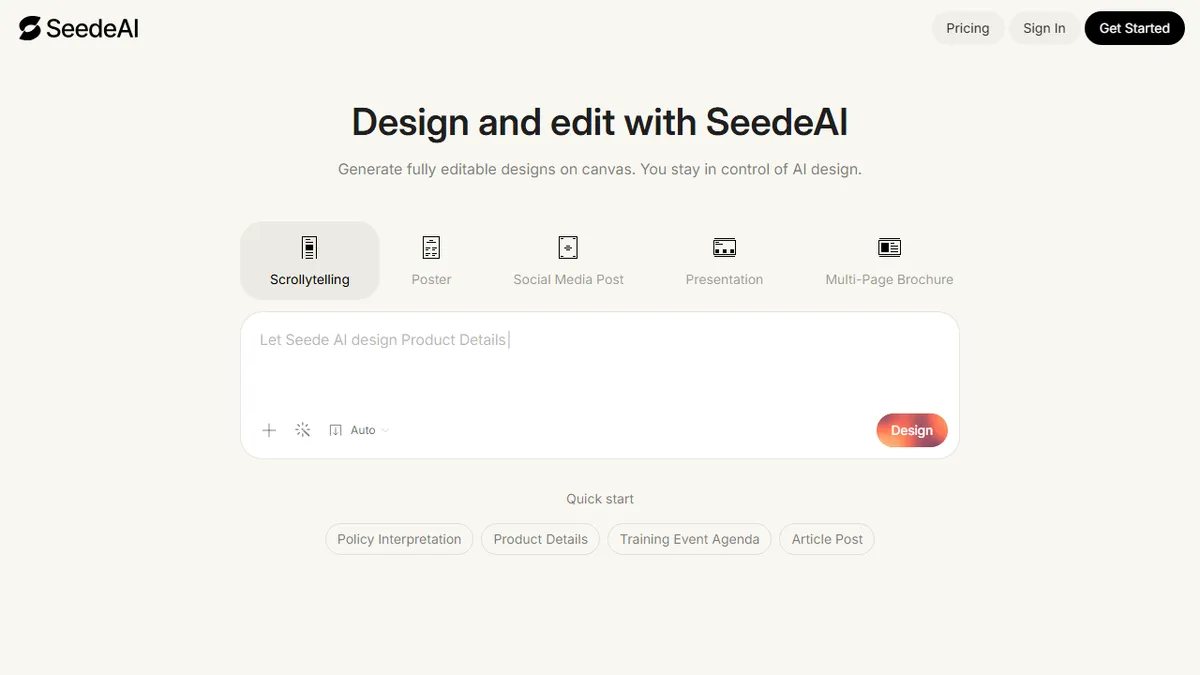
Seede AI is a browser-based graphic design platform built around AI assistance rather than traditional drag-and-drop editing. The headline pitch is that you describe what you want (a poster, an ad, a social post) and Seede generates a finished, on-brand design, with a bundled toolkit of utilities like an AI image generator, background remover, image resizer, photo border tool, and a template library to keep iterating from.
It is squarely aimed at solo founders, small marketing teams, e-commerce sellers, and creators who want Canva-style output without learning Canva. The differentiation is the prompt-to-design flow: instead of starting with a blank template, you let the model do the layout, typography, and image selection, then nudge the result. Pricing isn't itemised on the landing page beyond a pricing section, but the product behaves like a typical freemium SaaS with a try-before-you-buy generator and paid tiers for export volume and premium features.
There is no public API or self-hosting story, and the underlying image model isn't disclosed, so treat it as a hosted black box. For anyone who needs production-grade brand systems, multi-page documents, or fine typographic control, a real design tool will still beat it; for fast, disposable marketing assets it's a credible Canva-lite alternative.
Seede AI is one of a growing crop of 'describe it, get a design' tools chasing the Canva crowd from the AI-first side. It's competent for quick marketing output but undifferentiated enough that switching costs are low, so the platform that wins this niche will be the one with the cleanest brand-kit and team workflow, not the prettiest demo.
— The AI Tool Bible editorial team
Pros
- ✅ Prompt-to-design flow skips the blank-canvas problem entirely
- ✅ Bundles useful utilities (background remover, resizer, borders) in one place
- ✅ Template library accelerates social and ad creative
- ✅ Low learning curve for non-designers and small teams
Cons
- ⚠️ Underlying image model is undisclosed
- ⚠️ No public API or self-hosted option
- ⚠️ Not a substitute for a full design tool on complex brand work
- ⚠️ Pricing specifics aren't surfaced clearly on the landing page
Use cases
Frequently asked
- How much does Seede AI cost?
- Seede AI uses a freemium model. The Free tier costs $0. Paid options include Plus at $29, Pro at $99, and Ultra at $199. Specific feature limits per tier are not detailed in the provided documentation.
- Is Seede AI suitable for professional brand systems?
- No. The documentation advises skipping Seede AI if you need precise typographic control, multi-page brand systems, or an API. It is better suited for fast, disposable marketing assets rather than production-grade brand systems.
- Does Seede AI offer an API for developers?
- No, there is no public API or self-hosting story available. The platform operates as a hosted black box, meaning the underlying image model is not disclosed and it cannot be integrated into external production pipelines via API.
- What specific design tools are included in the suite?
- The suite includes an AI image generator, background remover, image resizer, photo border tool, and a template library. These utilities allow users to iterate on designs generated from initial text prompts.
- Who is the target audience for Seede AI?
- It is aimed at solo founders, small marketing teams, e-commerce sellers, and creators. It is designed for users who want Canva-style output without learning the software, specifically for generating social posts and ads from sentences.
Explore related
Compare with similar tools
All in Image Generation →Midjourney
FeaturedThe gold standard for aesthetic AI image generation.
Flux
FeaturedBlack Forest Labs' open-weights image model — rivals Midjourney quality.
Stable Diffusion
Open-source image generation — run anywhere, fine-tune anything.
Nano Banana (Gemini Image)
Google DeepMind's Gemini-powered image generation and conversational editing model family
DALL·E 3
OpenAI's image model — strong on prompt adherence and text-in-image.
Canva Magic Studio
Canva's all-in-one AI creative suite for design, image, video, copy, and presentations