Recraft
✓ Editorially verifiedAI image and vector generator built for designers who actually need editable, brand-consistent output.
In short
Recraft generates editable vectors and brand-consistent images using its V4.1 model. It offers a design workspace with tools for mockups and upscaling, ideal for professional designers.
Pick Recraft if you need on-brand vector and raster assets with editable output and a real design UI rather than a raw prompt box.
Skip it if you want open-source weights, local generation, or the freewheeling NSFW/experimental output that community SD forks allow.
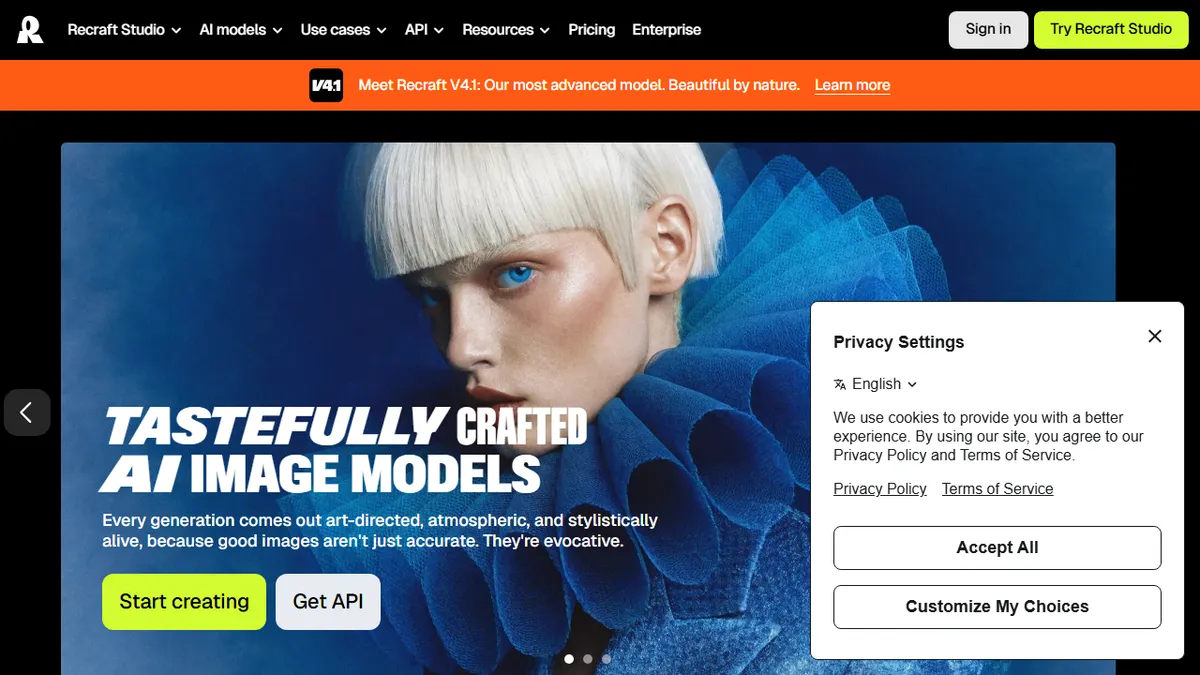
Recraft is an AI design platform that generates raster images, editable vector graphics, and design-ready typography from text prompts. Built around its in-house Recraft V4.1 model, it pairs frontier text-to-image quality with a real design workspace, Recraft Studio, that includes background removal, upscaling, mockups, an eraser, and a vectorizer. The headline trick is producing genuine SVG-style vector output and letting users define reusable custom styles from reference images, no fine-tuning required.
It's aimed squarely at working designers, marketplace sellers, and brand teams who need consistent visual systems rather than one-off art pieces. There's a free tier inside Recraft Studio, paid subscriptions for heavier use, and a documented API for developers who want to wire generation into pipelines or storefronts. Pricing climbs into enterprise territory for teams that need higher volume, commercial rights, and seat management.
The ecosystem is straightforward: web app plus REST API, with integrations into common design workflows. Caveats are typical for closed-model image platforms, the underlying weights are proprietary, generation credits meter usage, and very specific brand likenesses still need careful prompting or style references to stay on-model.
Recraft is one of the few image platforms that takes designers seriously, vectors and typography are first-class outputs, not afterthoughts. The custom-style feature is genuinely useful for brand work. Pricing is the catch: heavy commercial use will push you into the paid tiers fast.
— The AI Tool Bible editorial team
Pros
- ✅ Generates true editable vector graphics, not just raster images
- ✅ Custom styles from reference images without fine-tuning
- ✅ Integrated design tools (upscale, erase, background removal, mockups)
- ✅ Public API for production pipelines
- ✅ Strong typography and design composition output
Cons
- ⚠️ Proprietary model with no open weights
- ⚠️ Credit-metered usage can get expensive at scale
- ⚠️ Less community ecosystem than Stable Diffusion-based tools
Use cases
Frequently asked
- How much does Recraft cost?
- Recraft uses a freemium model. A free tier is available in Recraft Studio. Paid subscriptions exist for heavier use, and enterprise tiers offer higher volume, commercial rights, and seat management for teams.
- Can I edit the generated images?
- Yes. Recraft produces genuine SVG-style vector output and raster images. The Recraft Studio workspace includes tools like background removal, upscaling, an eraser, and a vectorizer to help you refine assets.
- Is Recraft suitable for maintaining brand consistency?
- Yes. It allows users to define reusable custom styles from reference images without fine-tuning. This helps brand teams and designers create consistent visual systems rather than just one-off art pieces.
- Does Recraft have an API for developers?
- Yes, there is a documented REST API. Developers can use it to wire generation into pipelines or storefronts. The ecosystem includes a web app and integrations into common design workflows.
- What are the limitations of Recraft?
- The underlying model weights are proprietary, so it is not open-source. Usage is metered by generation credits. Additionally, very specific brand likenesses may require careful prompting or style references to stay on-model.
Explore related
Compare with similar tools
All in Image Generation →Midjourney
FeaturedThe gold standard for aesthetic AI image generation.
Flux
FeaturedBlack Forest Labs' open-weights image model — rivals Midjourney quality.
Stable Diffusion
Open-source image generation — run anywhere, fine-tune anything.
Nano Banana (Gemini Image)
Google DeepMind's Gemini-powered image generation and conversational editing model family
DALL·E 3
OpenAI's image model — strong on prompt adherence and text-in-image.
Canva Magic Studio
Canva's all-in-one AI creative suite for design, image, video, copy, and presentations