PearAI
✓ Editorially verifiedOpen-source AI code editor — a VS Code fork with Continue baked in
In short
PearAI is an open-source AI code editor built as a VS Code fork with Continue integrated for native chat and inline edits. It is best for individual developers and small teams who want a familiar, model-agnostic environment with the freedom to use their own API keys or local models.
Individual developers and small startup teams who want a VS Code-native, open-source alternative to Cursor with the freedom to plug in their own model keys.
Large enterprises that need SSO, SOC2, deep admin controls, or the mature tab-completion and agent quality of GitHub Copilot or Cursor.
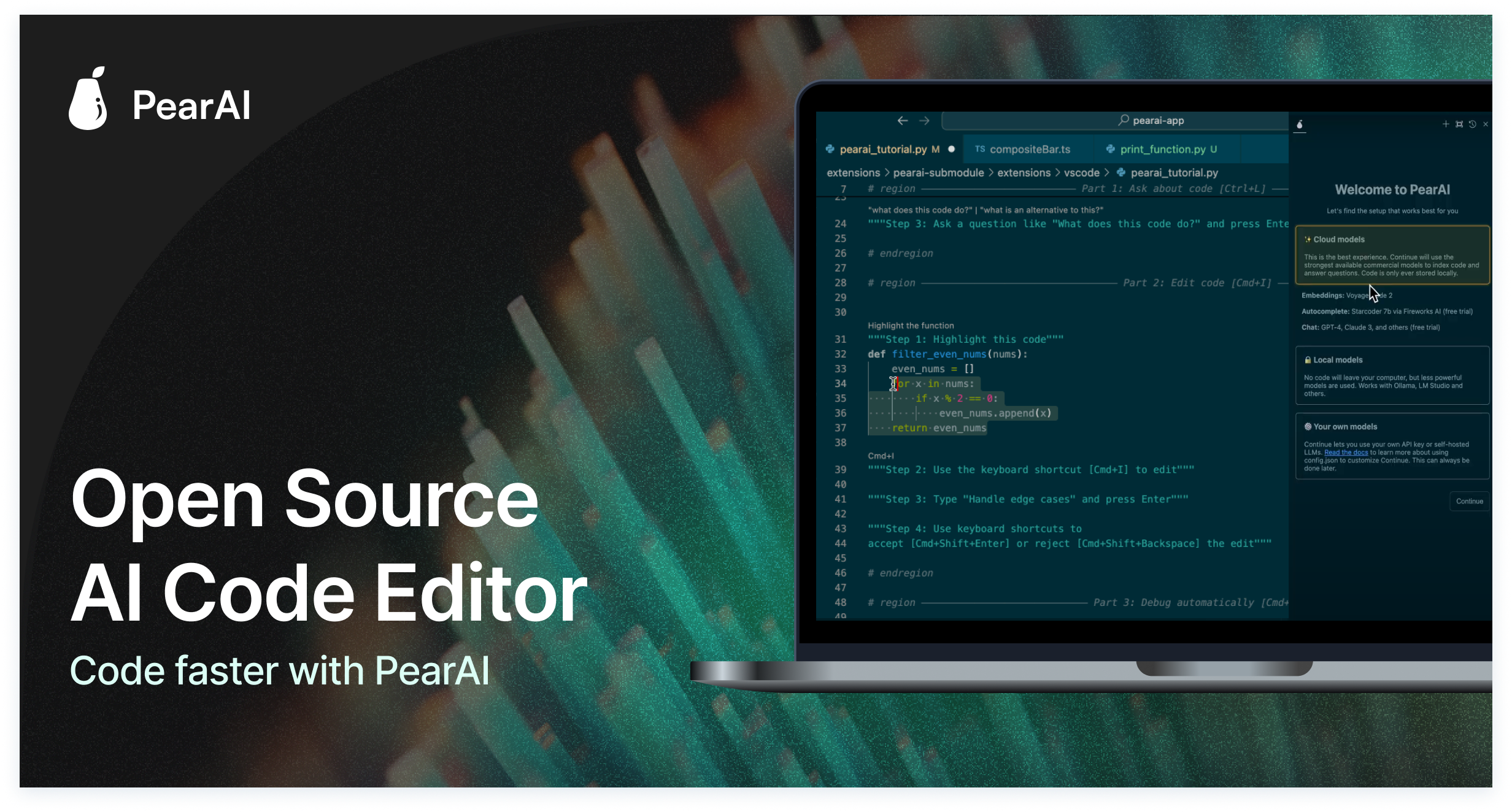
PearAI is an open-source, AI-powered code editor built as a fork of Visual Studio Code, with the AI functionality layered on top of a fork of Continue. It ships as a native Electron desktop app that looks and feels like VS Code — same keybindings, extension marketplace, settings sync — but bakes chat, inline edits, and codebase-aware assistance directly into the sidebar so developers do not have to install and configure a separate copilot extension.
The editor's headline features include a chat panel that has context on the local codebase, inline code generation and refactor prompts, terminal command generation, and a growing set of agent-style workflows for multi-file edits. Because the AI layer is based on Continue, users can point the editor at a wide range of underlying models — OpenAI (GPT-4o and successors), Anthropic Claude (Sonnet/Opus), Google Gemini, open-source models via Ollama, and Groq, among others — either by supplying their own API keys for free use or by subscribing to PearAI's hosted plan that bundles model access for a flat monthly fee.
Typical workflows include: asking questions about an unfamiliar repo, generating boilerplate for a new component, refactoring or renaming across multiple files, writing unit tests for a selected function, translating code between languages or frameworks, and driving small autonomous edits from a natural-language brief. It is aimed at individual developers and small teams who want a VS Code-native, wallet-friendly alternative to Cursor or GitHub Copilot without giving up the ability to inspect and modify the source.
PearAI is the most credible open-source answer to Cursor right now — a familiar VS Code shell with Continue's flexible model layer bolted in. It is not yet as fast or as polished as the paid incumbents, but for developers who care about openness, portability, and BYO-key economics, it is genuinely worth trying as a daily driver.
— The AI Tool Bible editorial team
Pros
- ✅ Fully open source under Apache 2.0 — the entire editor and AI layer can be inspected, self-hosted, and modified
- ✅ Native VS Code fork, so existing extensions, themes, keybindings, and settings-sync workflows carry over unchanged
- ✅ Model-agnostic: bring your own key for OpenAI, Anthropic, Gemini, Groq, Ollama, or any Continue-compatible provider
- ✅ Codebase-aware chat with local indexing keeps repository context on-device
- ✅ Cheaper hosted tier than most commercial competitors when the bundled subscription is used
- ✅ Active community and roadmap around agent-style multi-file editing
Cons
- ⚠️ Younger and less polished than Cursor or Copilot — features like tab-completion and agent flows lag the leaders
- ⚠️ Being a VS Code fork means it can drift from upstream and requires a separate install rather than an extension
- ⚠️ Documentation and enterprise features (SSO, audit logs, admin controls) are still thin
- ⚠️ Best-in-class model access requires either your own paid API keys or the hosted subscription
- ⚠️ Occasional stability and update-cadence issues as the project rapidly iterates
Use cases
Frequently asked
- Is PearAI compatible with existing VS Code extensions and settings?
- Yes, PearAI is a native VS Code fork, so existing extensions, themes, keybindings, and settings-sync workflows carry over unchanged.
- Which AI models can I use with PearAI?
- Users can connect to OpenAI, Anthropic Claude, Google Gemini, Groq, or local models via Ollama by supplying their own API keys or using the hosted subscription.
- What is the pricing structure for PearAI?
- PearAI offers a free Intern tier, a Maker plan at $15/month, and an Enterprise plan available upon contact.
- Is PearAI suitable for large enterprises requiring strict compliance?
- It is not recommended for large enterprises needing SSO, SOC2, or deep admin controls, as these features are currently thin.
Explore related
Compare with similar tools
All in Coding →Cursor
FeaturedAI-first VS Code fork — chat, edit, and agentic coding in one IDE.
GitHub Copilot
FeaturedThe original AI pair programmer, now with chat and agents.
Replit Agent
FeaturedBuild & deploy a full app from a single prompt.
Warp
The agentic development environment, from the terminal up
Cline
Open-source agentic coding assistant that plans, edits, and runs code inside your IDE
Aider
Terminal-based AI pair programmer that writes commits.