NightCafe
✓ Editorially verifiedMulti-model AI art generator with a heavy social-network bent and daily community challenges.
In short
NightCafe is a browser-based AI generator that aggregates top image and video models like Flux and DALL-E 3 behind a single credit system. It is best for creative hobbyists who want to experiment with various models and participate in daily community challenges without managing multiple accounts.
Pick NightCafe if you want to sample many top image and video models in one freemium UI with a built-in community to share work in.
Skip it if you need API access, fine-grained ControlNet-style controls, or a self-hosted pipeline.
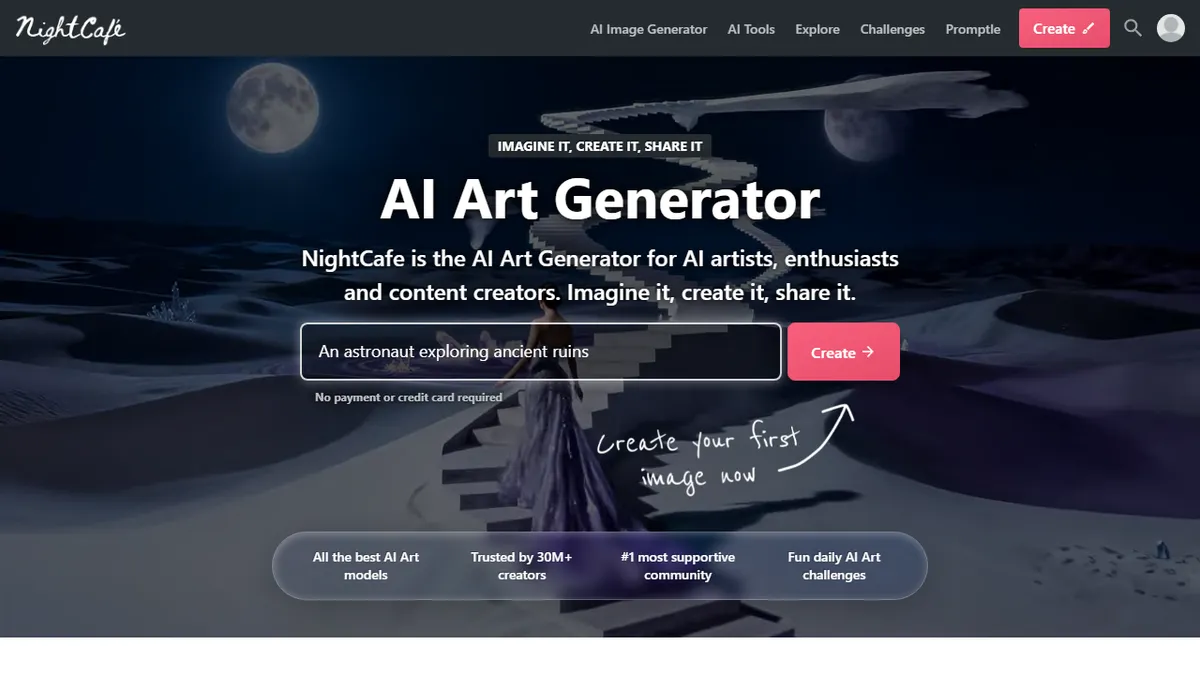
NightCafe is a browser- and mobile-based AI image (and now video) generator that wraps a rotating roster of third-party models behind one credit-based interface. Founded in 2019 and self-described as the original text-to-image generator, it now offers Flux, DALL-E 3, Ideogram, SDXL, Google Imagen/Nano Banana, Seedream, plus Runway, Kling and Seedance for video. You get a few free credits per day, can edit existing images, build consistent characters, and queue jobs without installing anything.
What actually differentiates NightCafe from the pile of Stable Diffusion frontends is the community layer: daily themed challenges with thousands of entries, public galleries, comments and likes, and creator chat rooms. It is built for people who want to make AI art as a social hobby rather than a production pipeline. Pricing is freemium - a free tier with daily credits, then PRO subscriptions for more credits and access to the heavier models. There is no documented public API, so it is a consumer creative tool, not a backend.
If you already use Midjourney or run ComfyUI locally, NightCafe will feel light on power-user controls. But for newcomers who want to try Flux and DALL-E 3 side by side without juggling six accounts, and who enjoy the gallery/challenge format, it is one of the friendlier on-ramps available.
NightCafe is the closest thing to a friendly all-you-can-eat buffet of hosted image models, with a real community wrapped around it. It is not where serious production teams go, but for hobbyists and people learning what each model does well, it is hard to beat at the free tier.
— The AI Tool Bible editorial team
Pros
- ✅ Many premium models (Flux, DALL-E 3, Ideogram, Imagen) under one account
- ✅ Genuinely free daily credits, no card required to start
- ✅ Strong community layer with daily challenges and galleries
- ✅ Includes video models (Runway, Kling, Seedance) alongside image models
- ✅ Cross-device web and mobile access
Cons
- ⚠️ No public API, so unsuitable for automation or integration
- ⚠️ Credit-gated heavy models can get expensive vs running SDXL locally
- ⚠️ Fewer power-user controls than ComfyUI or Automatic1111
- ⚠️ Closed-source, model lineup can change without notice
Use cases
Frequently asked
- Which AI models are available in NightCafe?
- The platform includes a rotating roster of third-party models such as Flux, DALL-E 3, Ideogram, SDXL, and Google Imagen for images. It also supports video generation using Runway, Kling, and Seedance.
- Is NightCafe free to use?
- Yes, NightCafe operates on a freemium model. Users receive a few free credits per day without needing a credit card, while paid Pro subscriptions offer more credits and access to heavier models.
- Does NightCafe offer a public API for developers?
- No, there is no documented public API. NightCafe is designed as a consumer creative tool for direct user interaction rather than a backend service for automation or integration.
- What makes NightCafe different from other AI art tools?
- Its primary differentiator is the community layer, which features daily themed challenges, public galleries, comments, and creator chat rooms. This makes it suitable for users who view AI art as a social hobby.
- Can I use NightCafe for professional production pipelines?
- It is not recommended for production teams requiring fine-grained controls or API access. The tool lacks the power-user controls found in local setups like ComfyUI and is better suited for newcomers and hobbyists.
Explore related
Compare with similar tools
All in Image Generation →Midjourney
FeaturedThe gold standard for aesthetic AI image generation.
Flux
FeaturedBlack Forest Labs' open-weights image model — rivals Midjourney quality.
Stable Diffusion
Open-source image generation — run anywhere, fine-tune anything.
Nano Banana (Gemini Image)
Google DeepMind's Gemini-powered image generation and conversational editing model family
DALL·E 3
OpenAI's image model — strong on prompt adherence and text-in-image.
Canva Magic Studio
Canva's all-in-one AI creative suite for design, image, video, copy, and presentations