iColoring AI
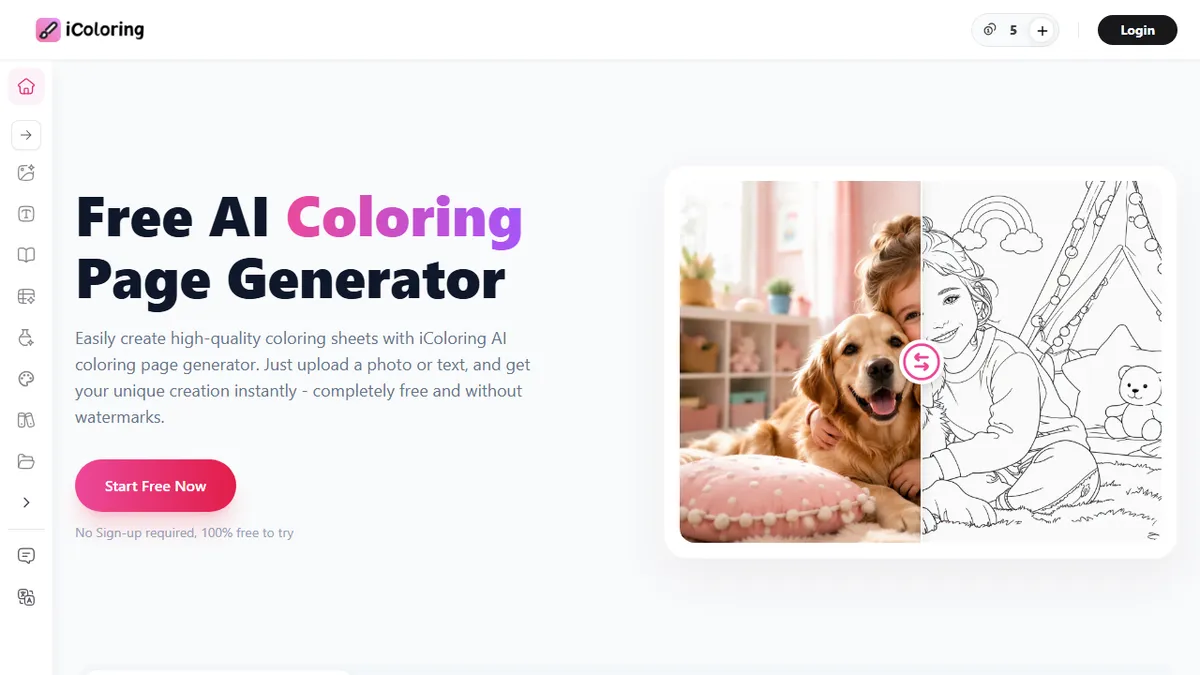
AI generator that turns photos and text prompts into printable coloring pages.
In short
iColoring AI generates printable black-and-white coloring sheets from photos or text prompts in Classic, Cartoon, or Pencil Sketch styles. It is best for parents, teachers, and small publishers who need quick, watermark-free downloads without complex workflows.
Pick iColoring AI if you need quick, printable coloring pages from a photo or prompt without learning Midjourney or paying per render.
Skip it if you're an illustrator who needs fine stylistic control, a public API, or the ability to fine-tune line weight and composition.
iColoring AI is a browser-based coloring-page generator that converts photographs, text descriptions, or existing line art into printable black-and-white coloring sheets. It outputs in Classic, Cartoon, or Pencil Sketch styles and exports watermark-free PNG and PDF files, with controls for background, size, and artistic style. No account is required to try the basic flow, which lowers the barrier for parents and teachers who just want a quick page before craft time.
The target audience is broad but narrow in intent: parents and kids, classroom teachers, adult colorists chasing stress relief, and small-run coloring-book publishers who need bulk line art. The free tier covers casual use, while a paid subscription unlocks 'more advanced features' and, importantly, commercial usage rights, which matters for anyone planning to sell finished books on Amazon KDP or Etsy. The underlying tech is described only as in-house 'large models' for semantic recognition and image understanding, with no public API.
It sits in a crowded niche alongside ColoringBookAI, Hello Coloring, and Midjourney-plus-Photoshop workflows. iColoring's pitch is convenience and zero-friction downloads rather than artistic ceiling, so professional illustrators will outgrow it quickly, but it's a credible default for the photo-to-coloring-page use case.
A focused, single-purpose AI tool that does one thing competently: turn an input into a clean coloring page. The free tier is generous enough to evaluate honestly, and the commercial-rights upgrade is the right hook for the KDP crowd. Don't expect a creative tool, expect a utility, and on that bar it delivers.
— The AI Tool Bible editorial team
Pros
- ✅ Generates printable coloring pages from photos or text prompts in seconds
- ✅ Free downloads with no watermark in PNG and PDF
- ✅ No signup required for basic use
- ✅ Paid tier grants commercial rights for KDP-style publishing
Cons
- ⚠️ Underlying model is undisclosed and not user-selectable
- ⚠️ No public API for batch or programmatic generation
- ⚠️ Style range limited to Classic, Cartoon, Pencil Sketch
- ⚠️ Output ceiling lower than custom Midjourney/SD workflows
Use cases
Frequently asked
- What file formats does iColoring AI export?
- The tool exports watermark-free PNG and PDF files. Users can also control background, size, and artistic style before exporting.
- Is an account required to use iColoring AI?
- No, no account is required to try the basic flow. This allows users to generate pages quickly without a signup barrier.
- Can I use iColoring AI for commercial projects?
- Yes, paid subscriptions unlock commercial usage rights. This is suitable for users planning to sell finished books on platforms like Amazon KDP or Etsy.
- What styles are available for generated coloring pages?
- iColoring AI outputs in three specific styles: Classic, Cartoon, and Pencil Sketch. The underlying model is proprietary and not user-selectable.
Explore related
Compare with similar tools
All in Image Generation →Midjourney
FeaturedThe gold standard for aesthetic AI image generation.
Flux
FeaturedBlack Forest Labs' open-weights image model — rivals Midjourney quality.
Stable Diffusion
Open-source image generation — run anywhere, fine-tune anything.
Nano Banana (Gemini Image)
Google DeepMind's Gemini-powered image generation and conversational editing model family
DALL·E 3
OpenAI's image model — strong on prompt adherence and text-in-image.
Canva Magic Studio
Canva's all-in-one AI creative suite for design, image, video, copy, and presentations