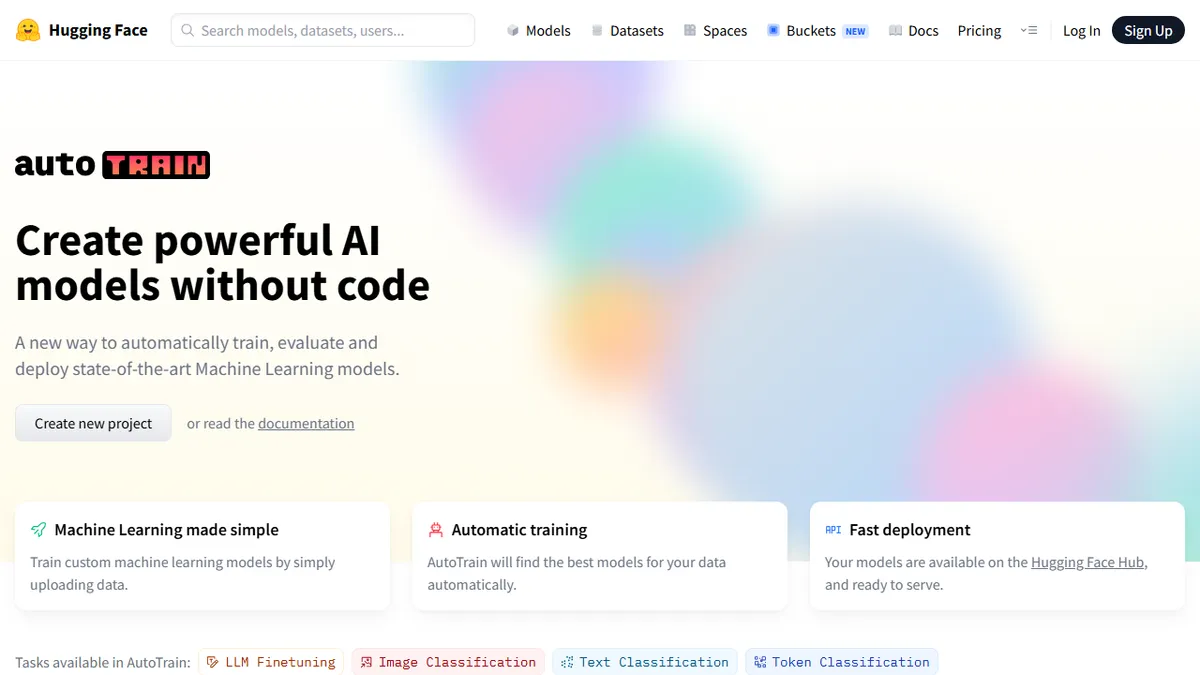

Hugging Face AutoTrain
✓ Editorially verifiedNo-code fine-tuning and training pipeline that spins up state-of-the-art models on the Hugging Face Hub.
In short
Hugging Face AutoTrain offers a no-code pipeline for fine-tuning LLMs and classic ML models. It handles training and publishes artifacts directly to the HF Hub.
Pick Hugging Face AutoTrain if you want to fine-tune LLMs or classic ML models on your own data without writing training code, and you already publish to the HF Hub.
Skip it if you need deep control over training loops, custom architectures, or a fine-tuning workflow decoupled from Hugging Face's infrastructure.
AutoTrain is Hugging Face's no-code AutoML service for training, evaluating, and deploying models across a broad range of tasks: LLM fine-tuning, image and text classification, token classification, extractive question answering, translation, summarization, and tabular regression or classification. You point it at your dataset (CSV, TSV, JSON, or ZIP), pick a task, and it handles model selection, hyperparameter search, and training, then publishes the resulting artifact to your Hugging Face account so it can be served through the Inference API or downloaded like any other Hub model.
It sits in an interesting spot between hosted vendors like Google Vertex AI AutoML and DIY notebooks: cheaper and more model-agnostic than the cloud giants, but with less abstraction than something like Together or Replicate's fine-tuning endpoints. Billing is per-minute on the hardware tier you select (CPU or various GPU sizes), which is honest but means costs can climb quickly on large LLM runs. It's best suited to product teams, researchers, and analysts who want fine-tuned models without writing PyTorch, and who are already living inside the Hugging Face ecosystem.
The underlying trainer is open source (the `autotrain-advanced` package on GitHub and PyPI can be self-hosted for free), but the managed Spaces-based UI on huggingface.co/autotrain is the paid, hosted product. Data transfers are encrypted and datasets can be kept private, and multilingual support covers everything the Hub does.
AutoTrain is the most credible no-code fine-tuning entry point in the open ecosystem, largely because it inherits the entire Hub's model zoo and serving story. The managed version is fine for prototyping, but heavy users should run `autotrain-advanced` on their own GPUs. Treat the per-minute pricing as a real number and cap your runs.
— The AI Tool Bible editorial team
Pros
- ✅ No-code UI covers LLMs, vision, NLP, and tabular tasks in one place
- ✅ Trained models land directly on the Hub and can be served via the Inference API
- ✅ Underlying trainer is open source and self-hostable for free
- ✅ Automatic model selection and hyperparameter search
Cons
- ⚠️ Per-minute GPU billing can escalate quickly on large LLM fine-tunes
- ⚠️ Less transparent than writing your own training loop for advanced tuning
- ⚠️ Heavily tied to the Hugging Face ecosystem
Use cases
Frequently asked
- How much does Hugging Face AutoTrain cost?
- The managed service uses per-minute billing based on your selected hardware tier (CPU or GPU). However, the underlying open-source trainer is free to self-host, allowing you to avoid these hosted costs if you manage your own infrastructure.
- Do I need to write code to use AutoTrain?
- No, AutoTrain is a no-code AutoML service. You simply point it at your dataset, pick a task, and it handles model selection, hyperparameter search, and training automatically without requiring you to write PyTorch or other training code.
- What types of models and tasks can I train?
- It supports LLM fine-tuning, image and text classification, token classification, extractive question answering, translation, summarization, and tabular regression or classification. It uses models from the Hugging Face Hub and supports multilingual data.
- Where are the trained models stored?
- The resulting model artifacts are published directly to your Hugging Face account. From there, they can be served through the Inference API or downloaded like any other model available on the Hub.
- Is AutoTrain better than DIY notebooks or cloud vendors?
- It is positioned between hosted vendors like Google Vertex AI and DIY notebooks. It is more model-agnostic and cheaper than cloud giants but offers less abstraction than some fine-tuning endpoints. It is best for teams already in the HF ecosystem.
Explore related
Compare with similar tools
All in Fine-tuning →Together AI
FeaturedFine-tune & serve open-weight models (Llama, Mistral, DeepSeek).
Modal
Serverless GPUs and infra for training & serving ML.
Replicate
One-API platform for running and fine-tuning open-source models.
OpenAI Fine-tuning
Fine-tune GPT-4o-mini and friends on your own data.
Llama
Meta's open-weight LLM family covering 1B mobile models up to 405B frontier and natively multimodal 10M-context Llama 4 variants.
RunPod
On-demand GPU cloud and serverless inference platform built specifically for AI workloads.