
Explainpaper
AI reading companion that decodes dense academic papers by highlighting and chatting with the PDF.
In short
Explainpaper wraps an LLM around PDF reading to explain dense academic papers. It is best for researchers who want inline explanations and chat without leaving the document.
Pick Explainpaper if you read a lot of dense academic papers and want an inline highlight-to-explain workflow rather than juggling chatbot tabs.
Skip it if you need an API, on-prem deployment, or a general document-Q&A tool that handles contracts, reports, and code as well as papers.
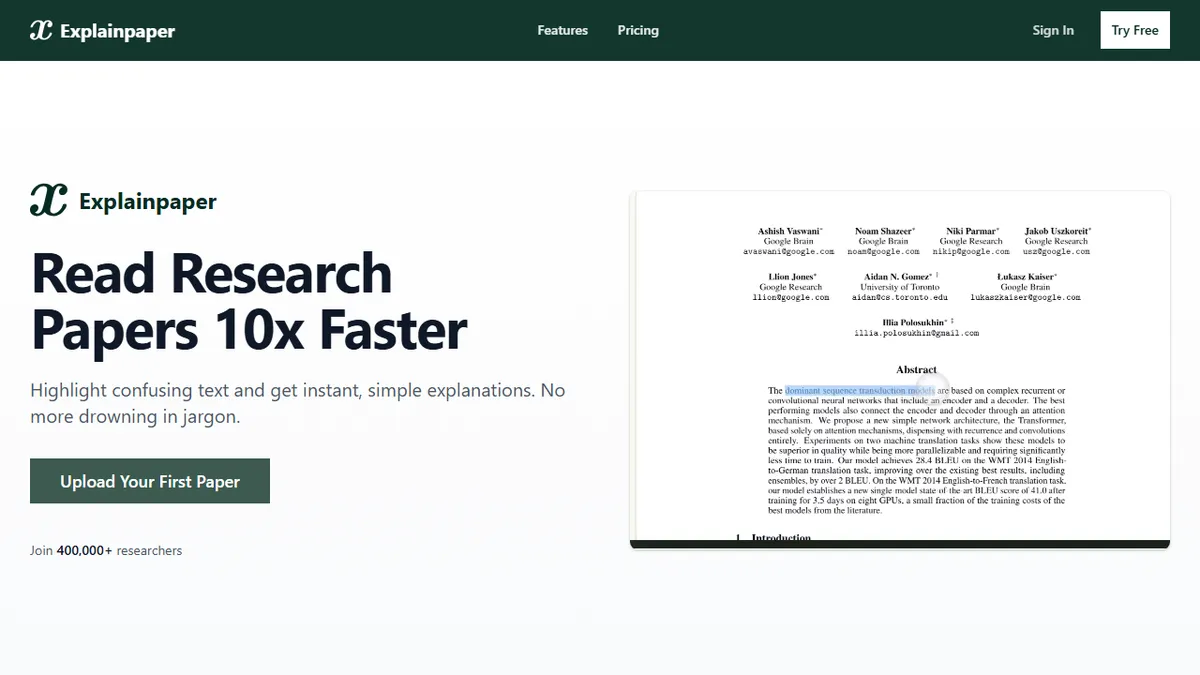
Explainpaper is a research paper reader that wraps an LLM around the PDF reading experience. Upload an academic paper, highlight any confusing passage, and the tool returns a plain-language explanation tuned to a complexity level you choose (beginner through expert). You can also chat with the full paper, ask follow-up questions in context, and pull auto-generated outlines and key points instead of grinding through the abstract and methods sections cold.
It is aimed squarely at grad students, researchers crossing into adjacent fields, and curious non-specialists trying to keep up with arXiv. The free tier covers unlimited highlight explanations and follow-ups, while the $16/month Pro plan unlocks advanced models, full-paper summaries, saved highlights, and translations across 50+ languages. There's a 7-day Pro trial that doesn't ask for a card up front.
It is a closed, hosted SaaS with no public API or self-hosting story, and the site is coy about which underlying models power the free vs. Pro tiers. If you already live in a more general AI workspace (NotebookLM, ChatGPT with PDFs, Claude Projects), Explainpaper's edge is the inline highlight-to-explain UX rather than raw model quality.
Explainpaper nails one job: making arXiv-grade prose readable without leaving the PDF. It's a nice-to-have rather than a must-have now that Claude Projects and NotebookLM can do similar work on any document, but the highlight-first UX is still the most natural way to read a hard paper.
— The AI Tool Bible editorial team
Pros
- ✅ Highlight-to-explain UX is faster than copy-pasting into a chatbot
- ✅ Adjustable complexity from beginner to expert
- ✅ Generous free tier with unlimited highlight explanations
- ✅ Supports 50+ languages for explanations and summaries
Cons
- ⚠️ No public API or self-hosting option
- ⚠️ Underlying models are not disclosed
- ⚠️ Narrow scope: only works for academic PDFs
- ⚠️ General-purpose chatbots increasingly replicate the workflow
Use cases
Frequently asked
- How does Explainpaper help with reading academic papers?
- It allows users to highlight confusing passages for plain-language explanations and chat with the full paper. It also generates outlines and key points to assist with literature reviews.
- What are the pricing options for Explainpaper?
- The service offers a free tier with unlimited highlight explanations. The Pro plan costs $16 per month and includes advanced models, summaries, and translations. Teams pricing requires contacting the vendor.
- Does Explainpaper support multiple languages?
- Yes, the Pro plan supports explanations and summaries in over 50 languages.
- Is there an API or self-hosting option available?
- No, Explainpaper is a closed, hosted SaaS with no public API or self-hosting story.
- Who is the target audience for this tool?
- It is aimed at grad students, researchers crossing into adjacent fields, and non-specialists trying to keep up with academic literature.
Explore related
Compare with similar tools
All in RAG →Pinecone
FeaturedManaged vector database for production-scale similarity search.
LlamaIndex
FeaturedData framework for connecting LLMs to your data.
Elasticsearch Vector Search
Hybrid vector + keyword search in the enterprise-grade Elasticsearch engine
Snowflake Cortex
Generative AI and RAG built into the Snowflake data cloud
DataStax Astra DB
Serverless vector and document database for production RAG and AI agents
MongoDB Atlas Vector Search
Vector search built into the operational database you're already using.