Code to Flow
AI-powered converter that turns code snippets into flowcharts, sequence diagrams, and class diagrams.
In short
Code to Flow converts code snippets into interactive flowcharts, sequence, and class diagrams with AI explanations. It is a browser-based tool for developers and students to visualize logic without manual diagramming.
Pick Code to Flow if you want a quick web tool to turn an unfamiliar function or class into a readable diagram without setting up Mermaid or PlantUML by hand.
Skip it if you need to diagram whole repositories, integrate generation into CI, or call it from your own application via an API.
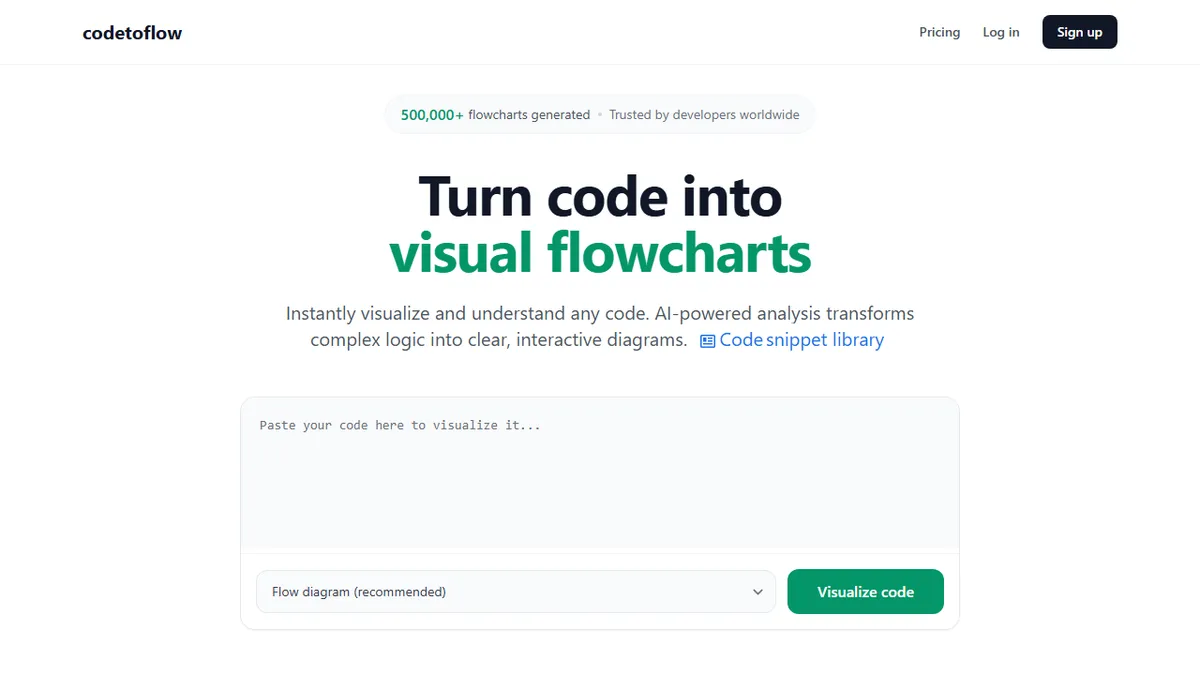
Code to Flow (codetoflow.com) is a browser-based visualization tool that ingests a code snippet and renders it as an interactive diagram, with flowcharts, sequence diagrams, class diagrams, tech concept explainers, and user journey maps all on offer. It accepts the usual suspects (Python, JavaScript, Java, C++, Go, Rust, and other mainstream languages) and pairs the visual output with an AI-generated explanation of what the code is doing.
It is squarely aimed at developers onboarding to unfamiliar codebases, CS students trying to understand control flow, and engineers building documentation or running code reviews. Pricing is modest: 3 free flowcharts per day, $9.99/mo for unlimited generations with an 8k token cap per diagram, or a $66.99 lifetime deal. The vendor claims code is processed in-memory and never stored, which is reassuring for anyone tempted to paste in proprietary source.
The site does not name the underlying model, expose a public API, or publish source. Exports are limited to PNG, SVG, and PDF with shareable links, and there is no IDE plugin or Git integration on offer today, so it sits as a standalone web utility rather than a piece of dev tooling that lives inside your workflow.
A useful one-trick utility that scratches a real itch for anyone reading code they did not write. The lifetime price is fair, but the 8k token cap and absence of an API or IDE plugin keep it firmly in the side-tool category rather than something you would build a documentation pipeline around.
— The AI Tool Bible editorial team
Pros
- ✅ Handles all mainstream languages with one paste-and-go interface
- ✅ Multiple diagram types beyond flowcharts (sequence, class, journey)
- ✅ Cheap lifetime tier removes recurring cost for solo devs
- ✅ Claims zero code retention, useful for sensitive snippets
- ✅ Exports to PNG, SVG, and PDF with shareable links
Cons
- ⚠️ No API, IDE plugin, or Git integration
- ⚠️ Underlying model is not disclosed
- ⚠️ 8k token cap limits diagrams of larger files
- ⚠️ Closed source with no self-host option
Use cases
Frequently asked
- How much does Code to Flow cost?
- Code to Flow offers a freemium model with 3 free flowcharts per day. Paid options include a Pro Subscription at $9.99/month, a Starter plan for $26.99 one-time, and an Unlimited plan for $66.99 one-time.
- Which programming languages are supported?
- The tool accepts mainstream languages including Python, JavaScript, Java, C++, Go, and Rust. It processes these snippets to generate visual diagrams and AI-generated explanations of the code's functionality.
- Does Code to Flow offer an API or IDE integration?
- No, the site does not expose a public API, nor does it offer an IDE plugin or Git integration. It functions as a standalone web utility rather than a tool integrated into your development workflow.
- Is my code data stored on their servers?
- The vendor claims that code is processed in-memory and never stored. This approach is designed to reassure users who might be tempted to paste proprietary source code into the tool.
- What file formats can I export?
- Exports are limited to PNG, SVG, and PDF formats. The tool also provides shareable links for the generated diagrams, allowing you to distribute the visualizations easily.
Explore related
Compare with similar tools
All in Coding →Cursor
FeaturedAI-first VS Code fork — chat, edit, and agentic coding in one IDE.
GitHub Copilot
FeaturedThe original AI pair programmer, now with chat and agents.
Replit Agent
FeaturedBuild & deploy a full app from a single prompt.
Warp
The agentic development environment, from the terminal up
Cline
Open-source agentic coding assistant that plans, edits, and runs code inside your IDE
Aider
Terminal-based AI pair programmer that writes commits.