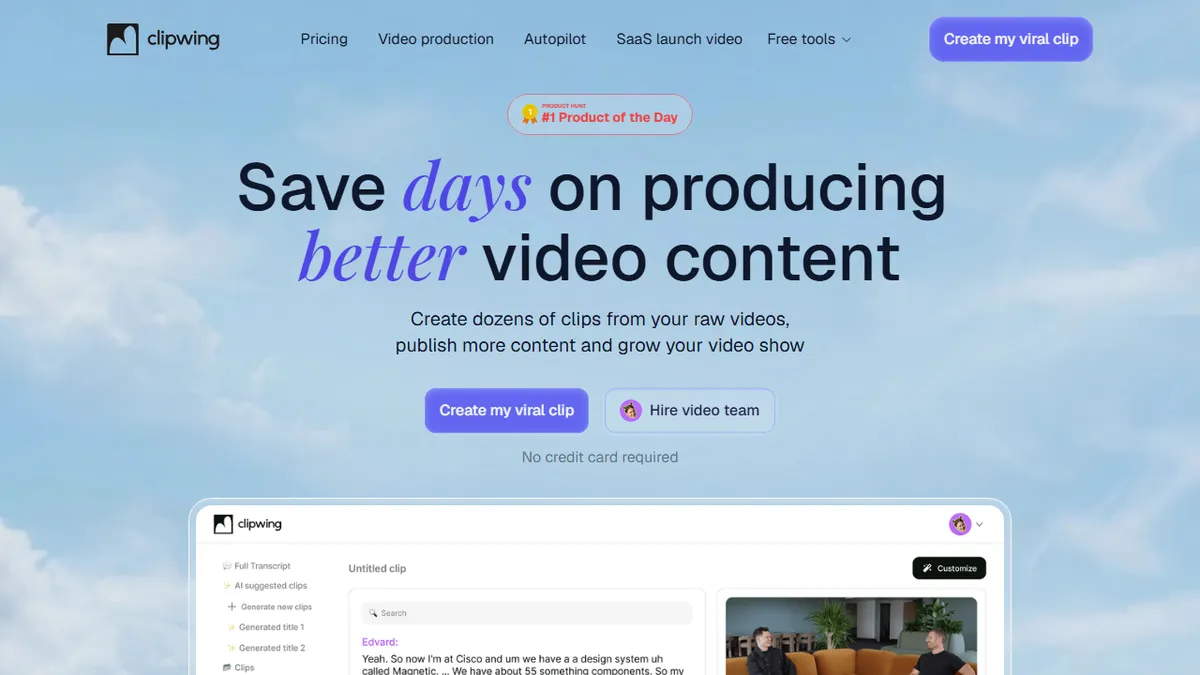

Clipwing
AI clipper that turns long talking-head videos into captioned vertical shorts.
In short
Clipwing transcribes long-form videos and allows users to select highlights to render captioned clips for vertical, square, or landscape formats. It is best for solo creators needing daily shorts without high costs, featuring a free tier and a Pro plan at $29.99/month.
Pick Clipwing if you're a podcaster or interviewer who wants transcript-based clipping and auto-captioned vertical exports without paying Opus Clip prices.
Skip it if you need API access, programmatic batch processing, or AI editing for non-talking footage like gameplay or b-roll-heavy content.
Clipwing is a browser-based video repurposing tool that transcribes long-form recordings, lets you select highlight passages from the transcript, and renders captioned clips reformatted for vertical, square, or landscape delivery. The headline trick is its 'Magic Crop' reframing plus auto-placed subtitles that respect the safe areas of TikTok, Reels, and Shorts UI.
It sits in the same lane as Opus Clip and Vizard, but undercuts most competitors on the entry tier: a free plan with one hour of monthly uploads and no credit card, then Pro at $29.99/month for 20 hours of uploads, unlimited exports, 1080p, and no watermark. The 'Studio' plan at $2,999.99/month is really a managed editing service, not software, so most solo creators will live on Free or Pro. It's aimed at podcasters, interviewers, educators, and product-demo creators who need to feed daily shorts without hiring an editor.
The AI does transcription, highlight detection, and subtitle styling; the human still picks the moments by selecting transcript text. Nine-language support is respectable but not exhaustive, and there's no public API or third-party integration story to speak of, so it lives or dies inside its own web UI.
Clipwing is a competent, cheaper alternative to the big-name podcast clippers, and the free tier is unusually honest. The lack of an API and undisclosed model stack keep it out of serious production pipelines, but for a solo creator shipping daily shorts it gets the job done.
— The AI Tool Bible editorial team
Pros
- ✅ Generous no-credit-card free tier with real export quota
- ✅ Transcript-driven clipping gives precise control over highlights
- ✅ Magic Crop reframes with subtitle-safe-area awareness
- ✅ Pro tier is cheaper than most podcast-clipping rivals
Cons
- ⚠️ No public API or documented integrations
- ⚠️ Free tier capped at 720p with a 7-day storage window
- ⚠️ Studio plan pricing is steep and really a done-for-you service
- ⚠️ Underlying transcription/LLM stack is undisclosed
Use cases
Frequently asked
- How does Clipwing handle video reframing for social media?
- It uses a 'Magic Crop' feature to reframe content and places subtitles that respect the safe areas of TikTok, Reels, and Shorts UI.
- What are the pricing options for Clipwing?
- Clipwing offers a free plan with one hour of monthly uploads, a Pro plan at $29.99/month for 20 hours, and a Studio plan starting at $2,999.99/month which acts as a managed service.
- Who is Clipwing designed for?
- It is aimed at podcasters, interviewers, educators, and product-demo creators who need to produce daily shorts without hiring an editor.
- Does Clipwing offer an API for integration?
- No, Clipwing does not have a public API or third-party integration story, meaning it operates entirely within its own web UI.
- What are the limitations of the free plan?
- The free tier is capped at 720p resolution with a 7-day storage window, though it allows one hour of monthly uploads without a credit card.
Explore related
Compare with similar tools
All in Video →Runway
FeaturedPro-grade AI video editor and Gen-4 generation.
Sora
FeaturedOpenAI's flagship text-to-video model.
Luma Dream Machine
Fast, accessible text-to-video with strong camera control.
HeyGen
Avatar video + lip-sync translation at scale.
Google Veo
Google DeepMind's flagship text-to-video model with native audio generation and cinematic camera control.
Higgsfield
AI video and image generation suite that aggregates 30+ frontier models under one workflow.