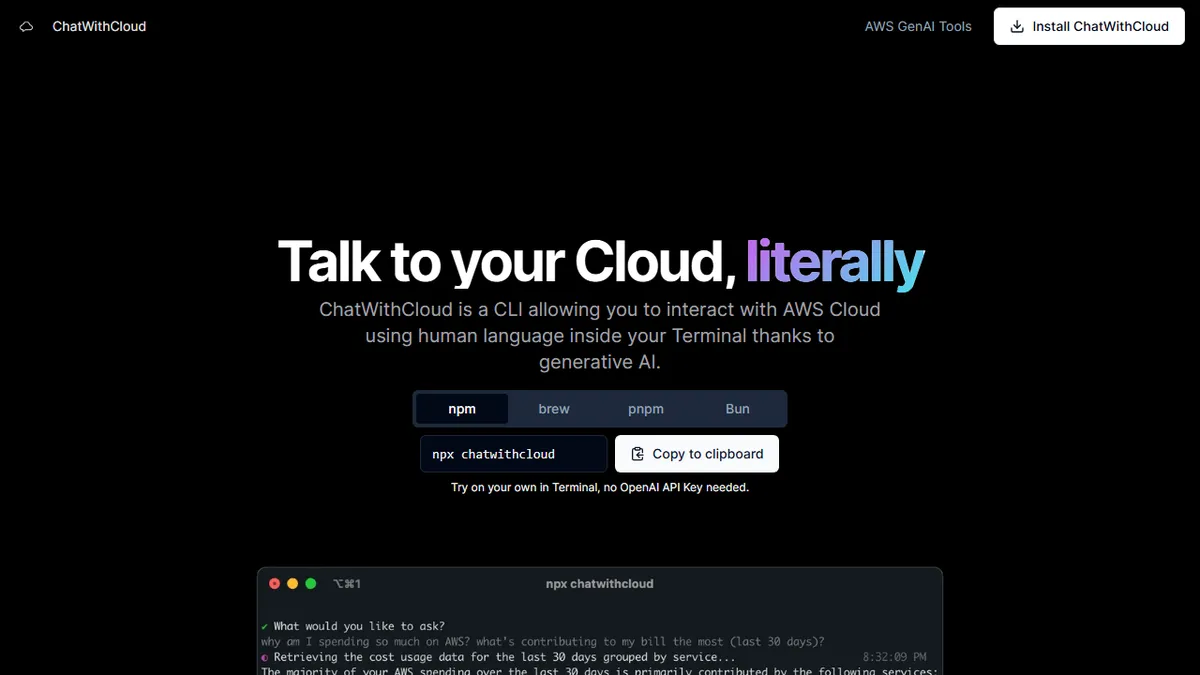

ChatWithCloud
Natural-language CLI for managing, troubleshooting, and fixing AWS infrastructure.
In short
ChatWithCloud is a natural-language CLI for AWS that explains and fixes infrastructure issues. It offers a $39 lifetime license or $19/month plan for developers and SREs.
Pick ChatWithCloud if you live in the AWS CLI and want a conversational copilot that can both explain and remediate cost, security, and reliability issues.
Skip it if you run on GCP or Azure, need an audited closed-loop automation pipeline, or want an API to embed in your own tooling.
ChatWithCloud is a command-line tool that lets you talk to your AWS account in plain English. Instead of context-switching between docs, the console, and `aws` CLI flags, you ask questions like 'why is my Lambda failing' or 'what's driving last month's bill', and the agent introspects your account, explains what it finds, and can apply fixes when you give it the go-ahead. It covers cost analysis, security and IAM review, troubleshooting, and remediation.
It's aimed at solo developers, SREs, and small platform teams who live in the terminal and don't want a heavyweight FinOps or CSPM suite. Pricing is unusually friendly for a DevOps tool: a $39 one-time lifetime license (capped supply) or a $19/month managed subscription, with a free trial baked into the CLI. The lifetime tier expects you to bring your own OpenAI key, which keeps recurring costs to whatever your LLM usage runs.
It's a closed-source product with no public API; the surface area is the CLI itself, which talks to AWS via your local credentials. Worth noting it can mutate resources, so you'll want to scope IAM carefully before letting it loose on production.
A pragmatic, terminal-native take on the 'AI for cloud ops' pitch — narrower than something like k8sgpt or Steampipe AI, but the BYO-key lifetime license is a refreshingly honest deal. Treat the auto-fix feature with the same caution you'd give any agent with IAM write access.
— The AI Tool Bible editorial team
Pros
- ✅ Conversational AWS troubleshooting straight from the terminal
- ✅ Can both diagnose and apply fixes, not just read state
- ✅ Cheap lifetime license option with BYO OpenAI key
- ✅ Covers cost, security, and ops in one tool
Cons
- ⚠️ Closed-source with no public API
- ⚠️ AWS-only — no GCP or Azure support
- ⚠️ Write access to AWS resources demands careful IAM scoping
- ⚠️ Underlying model details and limits aren't documented
Use cases
Frequently asked
- How much does ChatWithCloud cost?
- Pricing includes a free trial, a $39 lifetime license (BYO OpenAI key), or a $19/month managed subscription. The lifetime tier is capped in supply and requires you to bring your own OpenAI key for LLM usage.
- Which cloud providers does ChatWithCloud support?
- ChatWithCloud is designed specifically for AWS. The documentation advises skipping it if you run on GCP or Azure, as it is a command-line tool that talks to AWS via your local credentials.
- Can ChatWithCloud modify my AWS resources?
- Yes, the tool can apply fixes and mutate resources when you give it the go-ahead. Because it can change infrastructure, the description recommends scoping IAM carefully before using it on production environments.
- Is there a public API for ChatWithCloud?
- No, ChatWithCloud is a closed-source product with no public API. The primary interface is the CLI itself, which is intended for users who live in the terminal rather than those needing an API for embedding.
- Who is ChatWithCloud best suited for?
- It is best for solo developers, SREs, and small platform teams who use the AWS CLI and want a conversational copilot. It is not recommended for those needing audited closed-loop automation pipelines or heavyweight FinOps suites.
Explore related
Compare with similar tools
All in Coding →Cursor
FeaturedAI-first VS Code fork — chat, edit, and agentic coding in one IDE.
GitHub Copilot
FeaturedThe original AI pair programmer, now with chat and agents.
Replit Agent
FeaturedBuild & deploy a full app from a single prompt.
Warp
The agentic development environment, from the terminal up
Cline
Open-source agentic coding assistant that plans, edits, and runs code inside your IDE
Aider
Terminal-based AI pair programmer that writes commits.