
ChatPDF
Conversational Q&A over PDFs and other documents with citation-backed answers.
In short
ChatPDF offers conversational Q&A over documents with citations, using GPT-4o models. It is ideal for students and researchers needing quick, cited answers from PDFs without building a RAG stack.
Pick ChatPDF if you regularly need to interrogate long PDFs and want cited answers without building your own RAG stack.
Skip it if you need on-prem document handling, large enterprise compliance guarantees, or anything beyond OpenAI-quality answers.
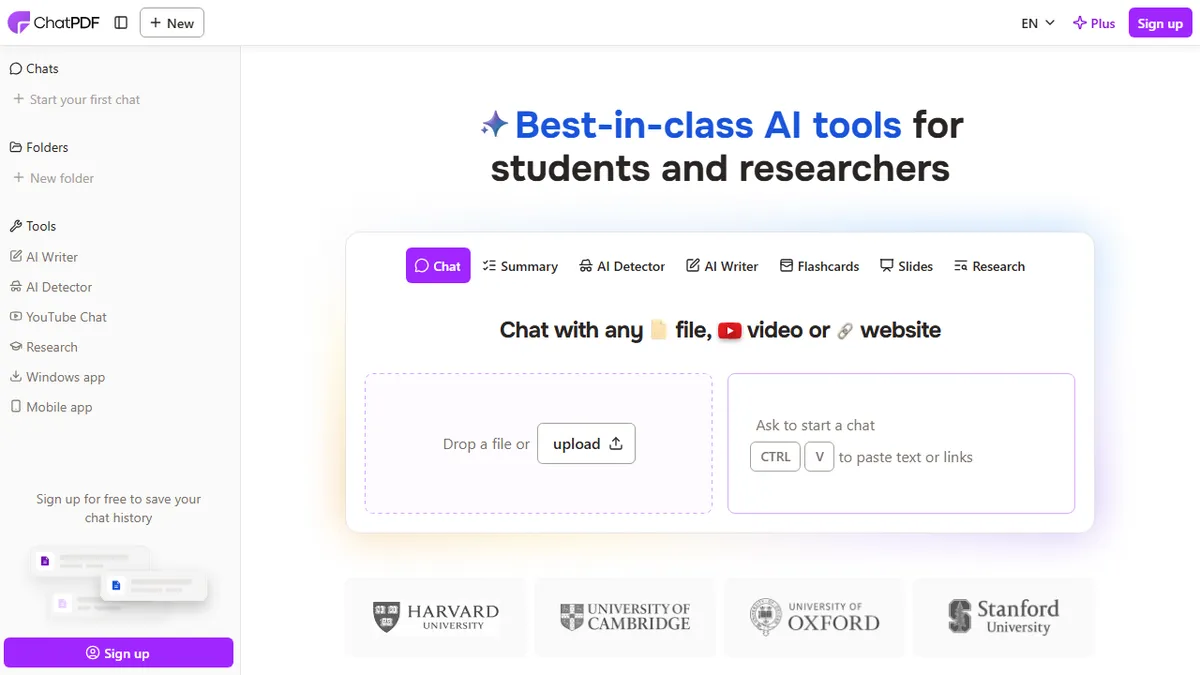
ChatPDF is a document-chat tool that lets you upload PDFs, Word files, PowerPoints, and plain text, then ask questions in natural language and get answers with citations back to the source pages. It handles summarization, cross-document Q&A across folders, and translation, and shows the document side-by-side with the chat so you can verify claims as you read.
Under the hood it routes queries dynamically between GPT-4o and GPT-4o-mini to balance latency and quality, which means it has no proprietary model edge and effectively competes on UX and pricing. It is aimed at students, researchers, and knowledge workers who deal with academic papers, contracts, or long reports and want a faster path to the answer than skimming. The free tier covers 2 documents per day with no signup; a Plus plan removes the limits and unlocks longer documents and multi-doc folders.
A developer API is offered for embedding the chat-with-PDF flow into other apps, which makes it a reasonable plug-in option for SaaS teams that don't want to build their own retrieval pipeline. The obvious caveat: it's a wrapper over OpenAI models, so anything sensitive (legal, medical, internal IP) is going through a third party on top of OpenAI's infrastructure.
ChatPDF is one of the cleanest implementations of the chat-with-docs pattern, with citations and a usable free tier. It's a wrapper, not a moat, so the real question is whether the polished UX and API are worth paying for over rolling your own retrieval against GPT-4o. For most students and analysts, the answer is yes.
— The AI Tool Bible editorial team
Pros
- ✅ Citations link back to the exact page in the source document
- ✅ Free tier works with no signup for casual use
- ✅ Supports PDFs, Word, PowerPoint, and text plus multi-doc folders
- ✅ Public API for embedding into other products
Cons
- ⚠️ Thin wrapper over OpenAI models with no proprietary IP
- ⚠️ Free tier capped at 2 documents per day
- ⚠️ Sensitive documents traverse a third party on top of OpenAI
Use cases
Frequently asked
- How much does ChatPDF cost?
- ChatPDF uses a freemium model. The Basic plan costs $10, Pro is $20, and Enterprise requires contacting sales. A free tier allows 2 documents per day without signup, while Plus removes limits and unlocks longer documents.
- What file types can I upload?
- You can upload PDFs, Word files, PowerPoints, and plain text files. The tool supports cross-document Q&A across folders, summarization, and translation, displaying the document side-by-side with the chat for verification.
- Does ChatPDF have an API for developers?
- Yes, a developer API is available for embedding the chat-with-PDF flow into other applications. This makes it a suitable plug-in option for SaaS teams that prefer not to build their own retrieval pipeline.
- Is ChatPDF suitable for sensitive legal or medical documents?
- The documentation notes a caveat: it is a wrapper over OpenAI models. Therefore, sensitive data like legal, medical, or internal IP goes through a third party on top of OpenAI's infrastructure, which may be a concern for strict compliance.
- What AI models power ChatPDF?
- ChatPDF dynamically routes queries between GPT-4o and GPT-4o-mini to balance latency and quality. It does not use a proprietary model, competing instead on user experience and pricing rather than unique model capabilities.
Explore related
Compare with similar tools
All in RAG →Pinecone
FeaturedManaged vector database for production-scale similarity search.
LlamaIndex
FeaturedData framework for connecting LLMs to your data.
Elasticsearch Vector Search
Hybrid vector + keyword search in the enterprise-grade Elasticsearch engine
Snowflake Cortex
Generative AI and RAG built into the Snowflake data cloud
DataStax Astra DB
Serverless vector and document database for production RAG and AI agents
MongoDB Atlas Vector Search
Vector search built into the operational database you're already using.