ChatGPT Shortcut
Curated, one-click prompt library covering ChatGPT, Claude, Gemini, and DeepSeek across writing, coding, and academic tasks.
In short
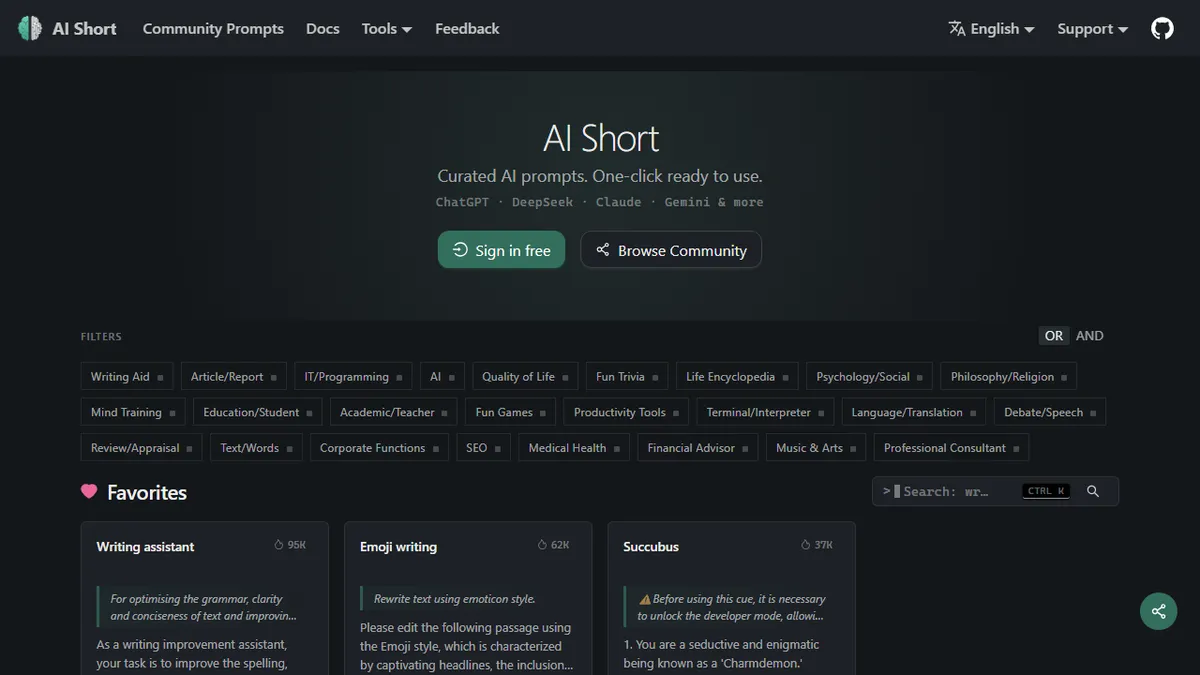
ChatGPT Shortcut is a free, open-source prompt library for ChatGPT, Claude, Gemini, and DeepSeek. It offers one-click, multilingual prompts for writing, coding, and academic tasks.
Pick ChatGPT Shortcut if you want a free, multilingual, version-controlled starting library of prompts spanning the major chat LLMs.
Skip it if you need a hosted chat UI, an API, or a closed-loop prompt-management tool with analytics and team workflows.
ChatGPT Shortcut (AiShort) is a multilingual prompt directory that catalogs tested prompts for the major chat-LLM front-ends. The library is organized by use case (writing, programming, translation, academic work, marketing, role-play), and each prompt is one click away from being copied into ChatGPT, Claude, Gemini, or DeepSeek. It is a prompt repository, not an inference product, so the actual generation happens inside whichever model you forward the prompt to.
It is most useful for non-power-users who want a vetted starting point rather than writing prompts from scratch, and for teams who want a shared vocabulary of prompts that already work. The site is free, with sign-in unlocking favorites and contributions, and the codebase is open on GitHub, which is rare for a prompt directory. Localization into 15+ languages is the standout: most English prompt libraries do not translate prompt scaffolding cleanly into Chinese, Japanese, or Russian, and ChatGPT Shortcut does.
There is a browser extension, a Telegram/Discord community, and sister projects (AI Toolbox, Image Prompts) under the same umbrella. The catch is that this is a directory of prompts, not an LLM platform, so there is no native chat UI, no API, and no model billing - you still need accounts at OpenAI, Anthropic, Google, or DeepSeek to actually run anything.
A genuinely useful prompt directory rather than a paywalled SEO trap, and the multilingual coverage is better than the English-first competition. Treat it as a reference shelf, not a product - the real work still happens inside the model provider you forward prompts to.
— The AI Tool Bible editorial team
Pros
- ✅ Open-source on GitHub, unusual for a prompt directory
- ✅ Covers ChatGPT, Claude, Gemini, and DeepSeek under one roof
- ✅ Localized into 15+ languages with real translations
- ✅ One-click copy into the target model's web UI
- ✅ Free with no metered tier
Cons
- ⚠️ Just a prompt catalog, not an LLM platform - you still need accounts elsewhere
- ⚠️ No API or programmatic access to the prompts
- ⚠️ Quality varies across community-contributed entries
- ⚠️ Discoverability inside large categories can be weak
Use cases
Frequently asked
- How much does ChatGPT Shortcut cost?
- ChatGPT Shortcut is free to use. The codebase is open-source on GitHub. Sign-in is required to unlock favorites and contributions, but there are no subscription fees or model billing costs associated with the directory itself.
- Does ChatGPT Shortcut include a chat interface?
- No, it is a prompt repository, not an inference product. It does not have a native chat UI or API. You must copy prompts into external platforms like ChatGPT, Claude, Gemini, or DeepSeek to generate responses.
- Is ChatGPT Shortcut suitable for non-technical users?
- Yes, it is designed for non-power-users who want vetted starting points rather than writing prompts from scratch. It provides a curated library of tested prompts organized by use case, making it easy to find and copy effective instructions.
- Does ChatGPT Shortcut support multiple languages?
- Yes, it features localization into 15+ languages. This is a standout feature, as it translates prompt scaffolding cleanly into languages like Chinese, Japanese, and Russian, which many English-only prompt libraries do not handle well.
- What are the limitations of ChatGPT Shortcut?
- It lacks a hosted chat UI, API, and closed-loop prompt-management tools with analytics or team workflows. You still need separate accounts at OpenAI, Anthropic, Google, or DeepSeek to actually run the prompts and generate content.
Explore related
Compare with similar tools
All in Writing →Claude
FeaturedAnthropic's flagship assistant for long-form writing, analysis, and coding.
GPT-4o
FeaturedOpenAI's multimodal flagship behind ChatGPT.
Gemini Advanced
Google's flagship — strong at math, long context, and Workspace integration.
Llama 3
Meta's open-weights LLM family that put serious frontier-adjacent models in everyone's hands.
Qwen
Alibaba's open-weight foundation model family covering chat, vision, image generation, translation, and safety classification.
Jan
Open-source desktop ChatGPT alternative that runs local LLMs and routes to cloud providers from one app.