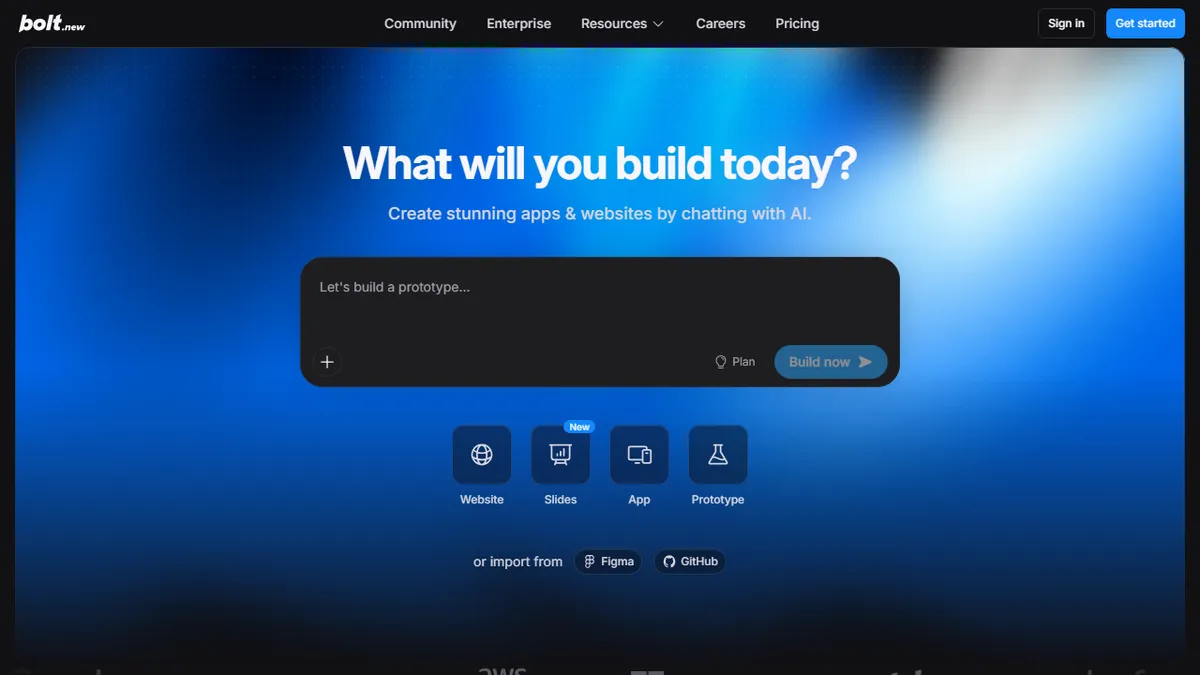
Bolt.new
✓ Editorially verifiedPrompt, run, edit, and deploy full-stack web apps from a browser tab
In short
Bolt.new enables users to generate, edit, and deploy full-stack web applications directly from a browser using natural language prompts. It is best for rapidly prototyping MVPs, landing pages, and internal tools using JavaScript frameworks like Next.js and React.
Founders, PMs, designers, and agency builders who need to turn a rough idea into a working, deployed full-stack JavaScript prototype in an afternoon without touching a local dev environment.
Teams maintaining large production codebases, backend engineers working in Python/Go/Rust/Java, or developers who need deterministic control over which model writes each line of code.
Bolt.new is a browser-based, AI-driven full-stack development environment from StackBlitz that lets you go from a natural-language prompt to a running, deployed web app without leaving the tab. You describe what you want, and the Bolt Agent scaffolds a project (React, Next.js, Astro, Svelte, Vue, Remix and others are all fair game), writes and edits files in a live WebContainer, runs npm installs, boots dev servers, and shows the preview inline. When you iterate, it edits the code in place rather than regenerating from scratch, and you can jump into the built-in editor or terminal at any point to intervene directly. It ships integrated backend primitives — Supabase-backed databases, authentication, file storage, and one-click deploy to Netlify with custom domains — so a solo builder can stand up a working SaaS-style prototype end-to-end without wiring up services manually. The Bolt Agent handles model routing automatically, delegating to different frontier models depending on the task (planning vs. code edits vs. debugging) rather than forcing you to pick. Typical workflows include spinning up landing pages and marketing sites, prototyping internal tools and dashboards, building MVPs for founder demos, generating campaign micro-sites for marketing teams, and teaching students to ship something real without local toolchain setup. It's aimed at product managers, founders, designers-who-code, agencies scaling output, and developers who want a fast sandbox for throwaway experiments.
Bolt is the most convincing 'prompt to deployed app' product I've used — the WebContainer-plus-Netlify pipeline makes the demo feel real rather than staged. But it's a prototyping and MVP tool, not a place to grow a production codebase; the token meter and JS-only runtime are the ceilings you'll hit, and you should plan to eject to a real repo before the project matters.
— The AI Tool Bible editorial team
Pros
- ✅ Zero local setup — the entire Node.js runtime executes in-browser via WebContainers, so no Docker, no nvm, no ports to forward
- ✅ Prompt-to-deployed-app loop is genuinely fast; you can go from idea to a shareable URL on Netlify in minutes
- ✅ Integrated Supabase and auth mean prototypes can persist real data and log real users without stitching services
- ✅ Full editor and terminal are exposed, so you can fix what the agent gets wrong rather than being locked into pure chat
- ✅ Supports a wide range of JavaScript/TypeScript frameworks out of the gate (Next.js, Astro, Remix, Svelte, Vue, Vite)
- ✅ Automatic model routing removes the 'which model should I pick' decision for non-technical users
- ✅ Token rollover on paid plans softens the sting of a slow week
Cons
- ⚠️ Token-metered pricing burns fast on non-trivial projects — complex refactors can chew through a month's allowance in a couple of sessions
- ⚠️ WebContainer runtime is Node/JS-only; you can't build a Python, Go, or Rust backend in Bolt itself
- ⚠️ Generated code quality degrades on larger codebases; the agent can loop on the same bug or overwrite working code
- ⚠️ No true offline or self-hosted mode — you're bound to the browser IDE and Bolt's hosted infrastructure
- ⚠️ Model choice is opaque, which frustrates power users who want to force a specific frontier model for hard problems
- ⚠️ Deploy target is effectively Netlify; teams already committed to Vercel, Cloudflare, or AWS will need to export and rehost
Use cases
Frequently asked
- What technologies does Bolt.new support for building web apps?
- Bolt.new supports a wide range of JavaScript and TypeScript frameworks, including React, Next.js, Astro, Svelte, Vue, and Remix. It runs entirely in-browser using WebContainers, so it is limited to Node.js and JavaScript runtimes.
- How does Bolt.new handle backend services and deployment?
- The platform integrates Supabase for databases, authentication, and file storage. It offers one-click deployment to Netlify with custom domains, allowing users to go from prompt to a live URL without manually wiring up services.
- Who is Bolt.new designed for?
- It is aimed at product managers, founders, designers, and agency builders who need to turn ideas into working prototypes quickly. It is not recommended for teams maintaining large production codebases or engineers working in Python, Go, Rust, or Java.
- Does Bolt.new require local development environment setup?
- No, Bolt.new requires zero local setup. The entire Node.js runtime executes in the browser via WebContainers, eliminating the need for Docker, nvm, or port forwarding.
- How does the AI agent select models for coding tasks?
- Bolt.new uses automatic multi-model routing where the Bolt Agent delegates to different frontier models depending on the task, such as planning, code edits, or debugging. Users cannot manually force a specific model for every line of code.
Explore related
Compare with similar tools
All in Coding →Cursor
FeaturedAI-first VS Code fork — chat, edit, and agentic coding in one IDE.
GitHub Copilot
FeaturedThe original AI pair programmer, now with chat and agents.
Replit Agent
FeaturedBuild & deploy a full app from a single prompt.
Warp
The agentic development environment, from the terminal up
Cline
Open-source agentic coding assistant that plans, edits, and runs code inside your IDE
Aider
Terminal-based AI pair programmer that writes commits.