Artbreeder
Collaborative image generation playground built on GAN heritage with modern SDXL composer and gene-style splicing.
In short
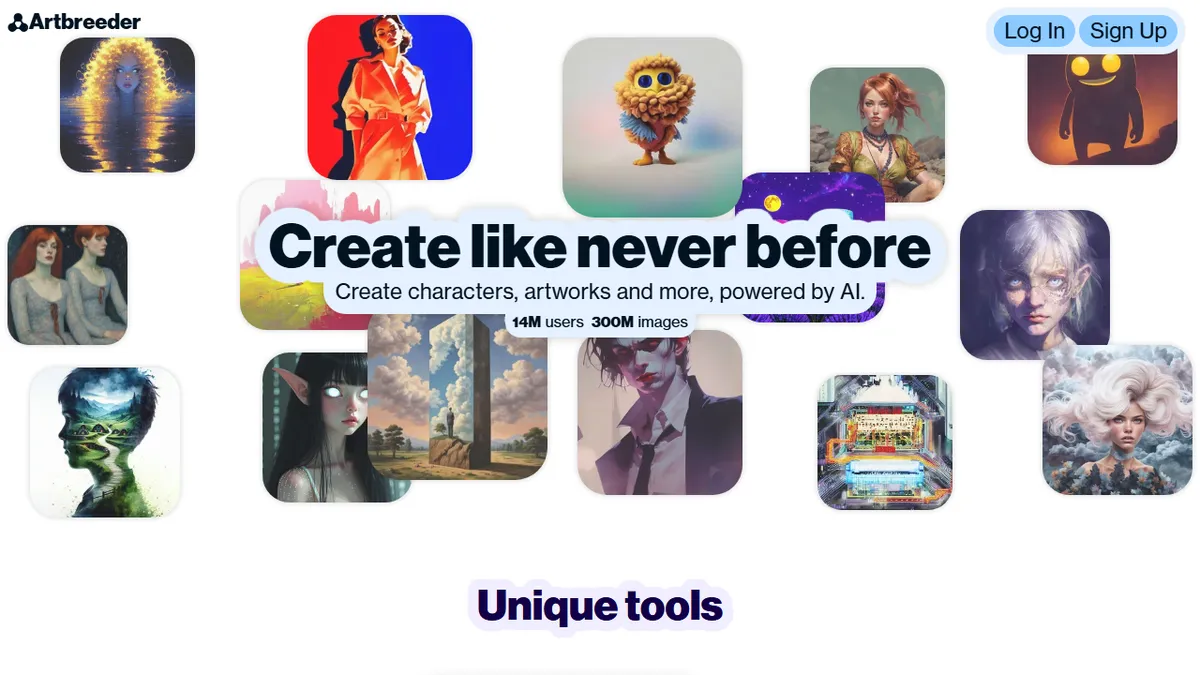
Artbreeder is a browser-based playground for breeding and splicing images using SDXL and GANs. It offers tactile controls for character design and concept art with a strong community gallery.
Pick Artbreeder if you want a playful, browser-based way to breed, splice and remix character portraits and concept art with a community gallery alongside SDXL prompting.
Skip it if you need API access, photoreal commercial-grade output, or the absolute frontier of diffusion model quality.
Artbreeder is one of the longest-running generative image platforms on the web, originally launched as Ganbreeder and built around BigGAN and StyleGAN before pivoting to SDXL-powered tools. Its signature workflow is the Splicer, which lets users 'breed' images by mixing parents and tuning gene-like sliders for traits, alongside a Composer for prompt-driven SDXL generation and a Collager for shape-guided composition.
It is aimed at hobbyist creators, character designers, and worldbuilders who want a tactile, browsing-and-remixing experience rather than a pure prompt box. Pricing is freemium: a free tier exists, with Starter ($7.49/mo), Advanced ($15.99/mo) and Champion ($30.99/mo) plans offering annual credit pools (1,200 to 8,400 credits, roughly 12k to 84k SDXL images), no ads, Google Drive sync, and Splicer fast mode.
The platform has a strong community gallery with specialized models for anime, landscapes, paintings, furry art and science-bio art, plus an open-source BigGAN repo on GitHub. There is no public production API, and the GAN-era models look dated next to modern diffusion-only tools, but the breeding metaphor remains genuinely distinctive.
Artbreeder is a survivor from the pre-diffusion era that has aged into a charming, distinctive tool rather than a frontier one. The Splicer's gene-mixing UX still has no real equivalent elsewhere, but anyone chasing state-of-the-art photoreal output will outgrow it quickly. Best treated as a creative sandbox, not a production pipeline.
— The AI Tool Bible editorial team
Pros
- ✅ Unique 'gene splicing' workflow for blending and mutating images
- ✅ Active community gallery with remixable creations
- ✅ Cheap entry point at $7.49/mo with annual credit pools
- ✅ Multiple specialized tools: Composer, Splicer, Collager
Cons
- ⚠️ No public API for programmatic access
- ⚠️ Legacy GAN models feel dated next to modern diffusion tools
- ⚠️ Credit accounting can be confusing across tiers
- ⚠️ Limited fine-grained control compared to ComfyUI-style stacks
Use cases
Frequently asked
- How much does Artbreeder cost?
- Artbreeder uses a freemium model. Paid plans include Starter at $7.49/month, Advanced at $15.99/month, and Champion at $30.99/month. These tiers provide annual credit pools ranging from 1,200 to 8,400 credits, along with ad-free usage and Google Drive sync.
- What AI models does Artbreeder use?
- The platform utilizes SDXL for prompt-driven generation, alongside legacy BigGAN and StyleGAN models. It features a Splicer for mixing images, a Composer for SDXL prompting, and a Collager for shape-guided composition, supporting various specialized community models.
- Is Artbreeder suitable for professional commercial work?
- It is best for hobbyists and character designers seeking a tactile experience. You should skip it if you need photoreal commercial-grade output, API access, or the absolute frontier of diffusion model quality, as GAN-era models may look dated compared to modern tools.
- Does Artbreeder offer API access for developers?
- No, there is no public production API available. The platform is designed as a browser-based playground for direct user interaction, focusing on a collaborative gallery and tactile editing tools rather than programmatic integration for external applications.
- What are the main use cases for Artbreeder?
- Key use cases include text-to-image generation, character design, image mixing, concept art, and portrait generation. It is particularly useful for worldbuilders and creators who want to browse, remix, and tune traits using gene-like sliders rather than just typing prompts.
Explore related
Compare with similar tools
All in Image Generation →Midjourney
FeaturedThe gold standard for aesthetic AI image generation.
Flux
FeaturedBlack Forest Labs' open-weights image model — rivals Midjourney quality.
Stable Diffusion
Open-source image generation — run anywhere, fine-tune anything.
Nano Banana (Gemini Image)
Google DeepMind's Gemini-powered image generation and conversational editing model family
DALL·E 3
OpenAI's image model — strong on prompt adherence and text-in-image.
Canva Magic Studio
Canva's all-in-one AI creative suite for design, image, video, copy, and presentations