
AI Prompt Genius
Open-source Chrome extension that turns your browser into a searchable, taggable prompt library for any AI chatbot.
In short
AI Prompt Genius is a free, open-source Chrome extension that organizes your prompts into a searchable, taggable library for any web-based AI chatbot.
Pick AI Prompt Genius if you live in ChatGPT or Claude and want a free, local-first prompt library you can search and tag without paying for a SaaS.
Skip it if you need a team prompt-ops platform with versioning, role-based access, or analytics across an organization.
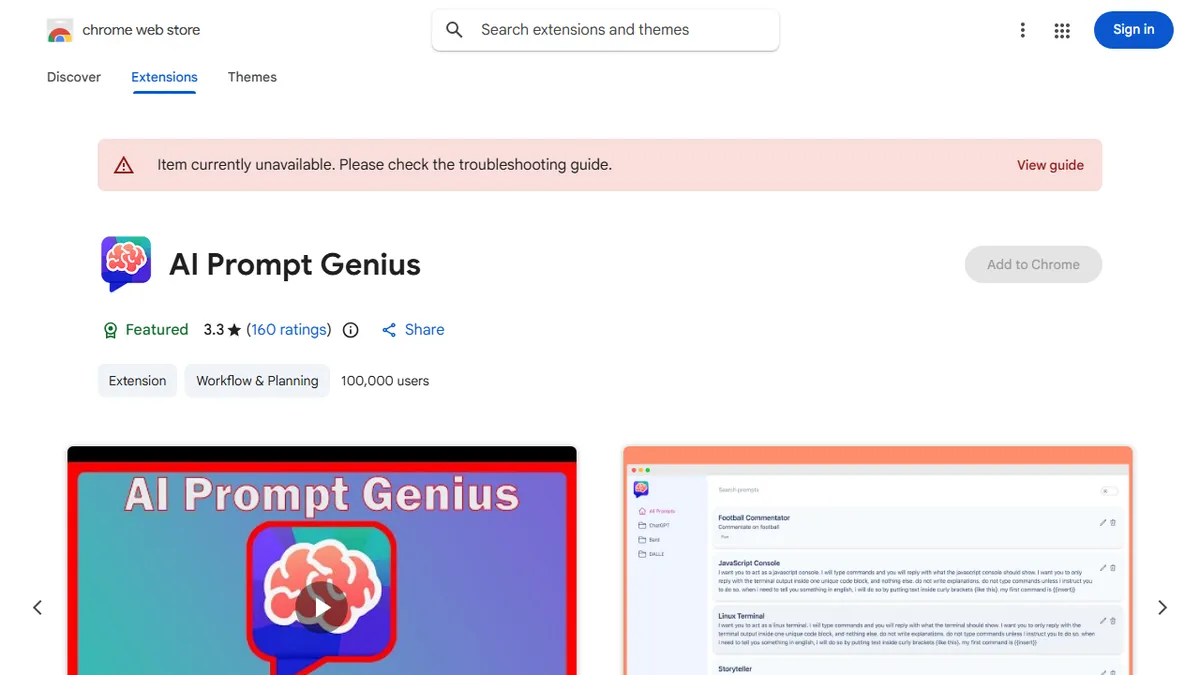
AI Prompt Genius is a free, open-source Chrome extension that lets you build and organize a personal library of prompts you can fire into ChatGPT, Claude, Gemini, or any other web-based chatbot. It handles folders, tags, full-text search, prompt variables for dynamic inserts, keyboard shortcuts, custom themes, and cross-device sync via a Google Sheets backend.
It is squarely aimed at heavy prompt users who have outgrown copy-pasting from a Notes app or Notion page but do not want to pay for a hosted prompt-management SaaS. Because everything runs locally in the browser and syncs through your own Google Sheet, there is no vendor lock-in and no subscription. The 3.3-star Chrome Web Store rating reflects a sometimes-rough UX and the occasional sync hiccup, but with 100,000+ installs and an active GitHub repo (benf2004/AI-Prompt-Genius), it is one of the more credible free options in this niche.
It is platform-agnostic by design, so it works wherever you paste prompts, and the import/export plus 13-language support make it usable for teams sharing prompt collections informally. There is no API, no hosted backend of its own, and no underlying model, it is purely a power-user organizer layered on top of whichever chatbot you already use.
A solid pick for individual power users who want their prompt collection to follow them around the web without a subscription. The Google Sheets sync trick is clever and keeps you in control of your data, but the UX and ratings make clear this is a hobbyist tool, not a polished enterprise product.
— The AI Tool Bible editorial team
Pros
- ✅ Free, open-source, and actively maintained on GitHub
- ✅ Works with any web chatbot (ChatGPT, Claude, Gemini, etc.)
- ✅ Folders, tags, search, variables, and keyboard shortcuts
- ✅ Cross-device sync via your own Google Sheet, no vendor lock-in
Cons
- ⚠️ Modest 3.3-star rating reflects rough edges and sync quirks
- ⚠️ Chrome-only; no Firefox or Safari build
- ⚠️ No team workspace, RBAC, or hosted backend
Use cases
Frequently asked
- How much does AI Prompt Genius cost?
- It is completely free and open-source. There are no subscription fees or vendor lock-in, as the tool runs locally in your browser and syncs via your own Google Sheet.
- Which AI platforms does it support?
- It is platform-agnostic and works with any web-based chatbot, including ChatGPT, Claude, and Gemini. It functions as a power-user organizer layered on top of the chatbot you already use.
- Is there a learning curve for new users?
- The Chrome Web Store rating reflects a sometimes-rough UX and occasional sync hiccups. However, it is designed for heavy prompt users who have outgrown simple copy-pasting from notes apps.
- Can I share prompts with my team?
- Yes, it supports informal team sharing through import/export features and 13-language support. However, it lacks a hosted backend, API, or role-based access controls required for formal enterprise prompt-ops.
- Does it offer advanced features like versioning or analytics?
- No, it does not offer versioning, role-based access, or organizational analytics. It is purely a local-first organizer with folders, tags, full-text search, and prompt variables, lacking a proprietary hosted backend.
Explore related
Compare with similar tools
All in Writing →Claude
FeaturedAnthropic's flagship assistant for long-form writing, analysis, and coding.
GPT-4o
FeaturedOpenAI's multimodal flagship behind ChatGPT.
Gemini Advanced
Google's flagship — strong at math, long context, and Workspace integration.
Llama 3
Meta's open-weights LLM family that put serious frontier-adjacent models in everyone's hands.
Qwen
Alibaba's open-weight foundation model family covering chat, vision, image generation, translation, and safety classification.
Jan
Open-source desktop ChatGPT alternative that runs local LLMs and routes to cloud providers from one app.