
Playground AI
Browser and iOS design studio that wraps multiple image models around print-on-demand and template workflows.
In short
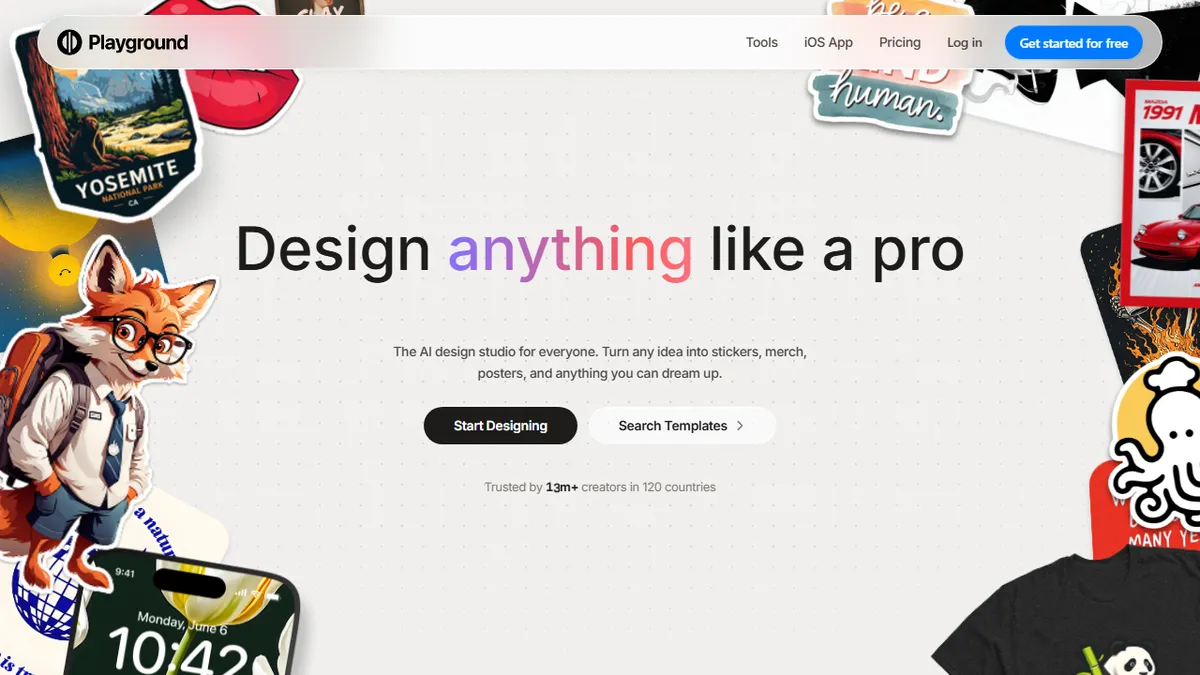
Playground AI is a consumer-facing design platform that routes prompts through various third-party image models to generate stickers, posters, and merch. It is best for non-designers seeking a Canva-style interface with a direct print-on-demand pipeline and mobile access.
Pick Playground AI if you want a Canva-style design surface that can hop between leading image models and push designs straight to merch or social posts.
Skip it if you need API access, fine-tuning, ComfyUI-style node control, or a stable single-model pipeline for production work.
Playground (formerly playgroundai.com, now playground.com) is a consumer-facing AI image generation and design platform aimed at non-designers who want to spin up stickers, posters, merch, and social graphics from text prompts. Rather than building its own foundation model, it routes prompts through a roster of third-party image models including GPT Image 2 (tuned for typography), Nano Banana, Nano Banana Pro, and Seedream, then layers template galleries, background removal, upscaling, style swap, and object removal on top.
What differentiates Playground from raw model playgrounds like Midjourney or Leonardo is the templates-plus-merch pipeline: 24 design template categories feed directly into a print-on-demand workflow for caps, hoodies, tees, bottles, and socks, and the iOS app (4.9 stars) makes it one of the few mobile-first generative design tools. There's a free tier with no credit card required and paid plans behind the pricing page; the company claims 13M+ creators across 120 countries.
There is no public API or open-source offering, so this is firmly an end-user product rather than a developer building block. Treat it as a Canva-style design surface with multi-model AI underneath, not a programmable image API.
Playground has quietly repositioned from a Stable Diffusion playground into a consumer design studio with print-on-demand as the business model. The multi-model approach is pragmatic and the mobile app is unusually good for this category, but the lack of an API caps its appeal for the dev audience that originally found it.
— The AI Tool Bible editorial team
Pros
- ✅ Multi-model routing covers typography (GPT Image 2) and photoreal (Seedream) in one UI
- ✅ Built-in print-on-demand pipeline turns prompts into physical merch
- ✅ Genuine mobile-first workflow with a well-rated iOS app
- ✅ Free tier requires no credit card to evaluate
Cons
- ⚠️ No public API, so unusable as a building block in your own product
- ⚠️ Not open-source and model lineup can change without notice
- ⚠️ Template-and-merch focus means less control than pro tools like ComfyUI
Use cases
Frequently asked
- Who is Playground AI designed for?
- It is aimed at non-designers who want to create stickers, posters, merch, and social graphics from text prompts without needing advanced technical skills.
- Does Playground AI offer API access for developers?
- No, there is no public API or open-source offering, making it an end-user product rather than a developer building block.
- What image models does Playground AI use?
- The platform routes prompts through a roster of third-party models including GPT Image 2, Nano Banana, Nano Banana Pro, and Seedream.
- Can I use Playground AI on mobile devices?
- Yes, it offers an iOS app with a 4.9-star rating, making it one of the few mobile-first generative design tools available.
- Is there a free version of Playground AI?
- Yes, there is a free tier that does not require a credit card to evaluate the platform.
Explore related
Compare with similar tools
All in Image Generation →Midjourney
FeaturedThe gold standard for aesthetic AI image generation.
Flux
FeaturedBlack Forest Labs' open-weights image model — rivals Midjourney quality.
Stable Diffusion
Open-source image generation — run anywhere, fine-tune anything.
Nano Banana (Gemini Image)
Google DeepMind's Gemini-powered image generation and conversational editing model family
DALL·E 3
OpenAI's image model — strong on prompt adherence and text-in-image.
Canva Magic Studio
Canva's all-in-one AI creative suite for design, image, video, copy, and presentations