Playground
✓ Editorially verifiedMulti-model AI image generator wrapped in a template-driven design studio and print-on-demand pipeline.
In short
Playground combines multi-model AI image generation with a template-driven editor and print-on-demand pipeline. It is best for small-business owners and creators who need finished, printable designs without learning professional design software.
Pick Playground if you're a small-business owner, crafter, or social creator who wants finished, printable designs from AI without learning a pro design tool.
Skip it if you need API access, ComfyUI-style node control, fine-tuning, or research-grade reproducibility from your image pipeline.
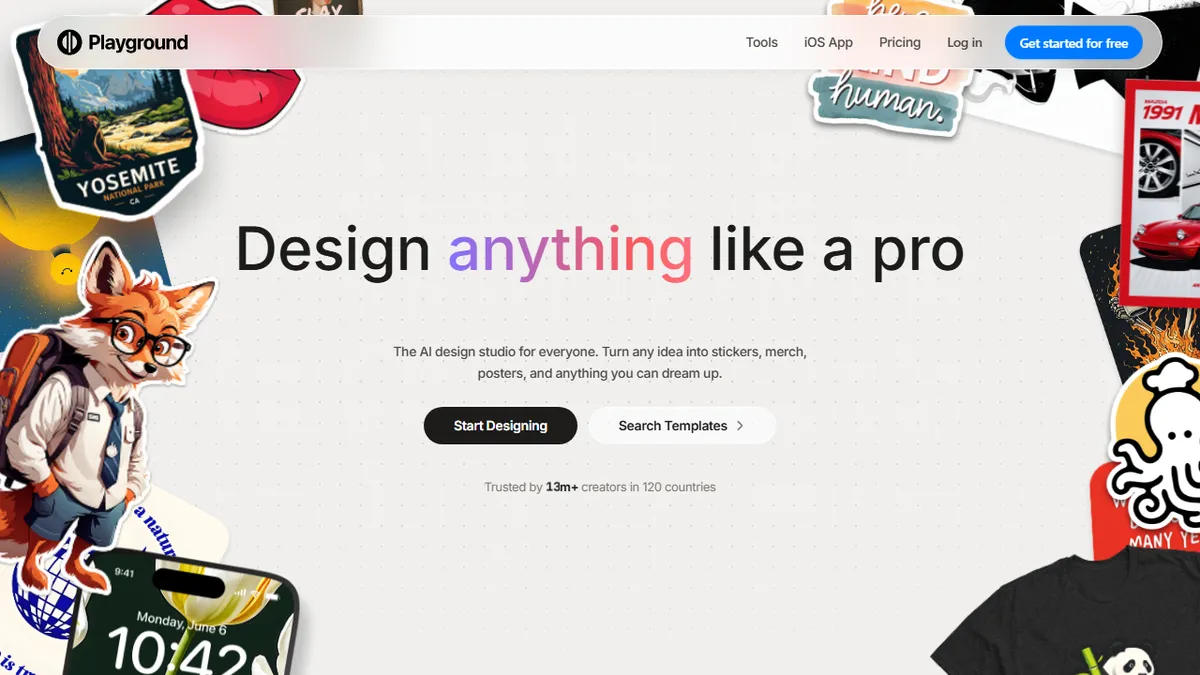
Playground is a browser-based AI design tool that routes prompts through several frontier image models (it currently advertises GPT Image 2, Nano Banana Pro, and Seedream) and packages the output inside a template-led design editor. Beyond raw generation, it offers swap-style, object removal, mockup placement, smart layers, and face-style edits, plus a library of thousands of templates across 24 categories aimed at posters, social posts, merch, and small-business collateral.
The product is squarely aimed at non-designers — hobby crafters, Etsy-style sellers, and small-business owners who want finished assets rather than raw model outputs. Pricing follows a freemium model: free to start with no credit card, then paid tiers for higher volume and premium models. The integrated print-on-demand layer (t-shirts, hoodies, caps, bottles) is the real differentiator versus pure generators like Midjourney or Leonardo, and Playground claims 13M+ users across 120 countries.
It is closed-source and primarily a web app with a well-rated iOS companion. Power users wanting raw API access, ComfyUI-style node graphs, or fine-tuning won't find that here — Playground is opinionated, template-first, and optimised for commerce-ready output rather than research workflows.
Playground has quietly become one of the more pragmatic consumer AI design tools, blending multi-model generation with templates and merch fulfilment. It's not for prompt engineers chasing pixel-perfect control, but for the 'I just need a shirt design by Friday' crowd it's hard to beat. The multi-model strategy is smart hedging in a fast-moving field.
— The AI Tool Bible editorial team
Pros
- ✅ Multi-model routing across frontier image generators in one UI
- ✅ Huge template library lowers the blank-canvas barrier for non-designers
- ✅ Built-in print-on-demand pipeline for merch turns designs into product
- ✅ Generous free tier with no credit card required
- ✅ Polished iOS app with 4.9 rating extends workflow to mobile
Cons
- ⚠️ Template-first UX hides the low-level controls power users want
- ⚠️ No public API or open-weights story for developers
- ⚠️ Premium models likely gated behind higher-tier plans
Use cases
Frequently asked
- Who is Playground designed for?
- It is aimed at non-designers such as hobby crafters, Etsy-style sellers, and small-business owners who want finished assets rather than raw model outputs.
- What image models does Playground use?
- Playground routes prompts through several frontier image models, currently advertising GPT Image 2, Nano Banana Pro, and Seedream.
- Does Playground offer print-on-demand services?
- Yes, it includes an integrated print-on-demand layer for products like t-shirts, hoodies, caps, and bottles.
- Is there a free plan available?
- Yes, Playground follows a freemium model where users can start for free without a credit card.
- Does Playground provide API access?
- No, Playground does not offer a public API or open-weights story for developers.
Explore related
Compare with similar tools
All in Image Generation →Midjourney
FeaturedThe gold standard for aesthetic AI image generation.
Flux
FeaturedBlack Forest Labs' open-weights image model — rivals Midjourney quality.
Stable Diffusion
Open-source image generation — run anywhere, fine-tune anything.
Nano Banana (Gemini Image)
Google DeepMind's Gemini-powered image generation and conversational editing model family
DALL·E 3
OpenAI's image model — strong on prompt adherence and text-in-image.
Canva Magic Studio
Canva's all-in-one AI creative suite for design, image, video, copy, and presentations