PhotoPrism
Self-hosted, AI-powered photo library with face recognition and content-based search.
In short
PhotoPrism is a self-hosted, AI-powered photo management app that runs locally on your hardware. It provides face recognition, content classification, and search without uploading data to third-party clouds. It is best for photographers and homelab users seeking a private Google Photos alternative.
Pick PhotoPrism if you want a self-hosted Google Photos replacement with real face recognition and content search, and you are comfortable running Docker.
Skip it if you want a zero-setup mobile-first cloud photo service or you do not want to manage your own server.
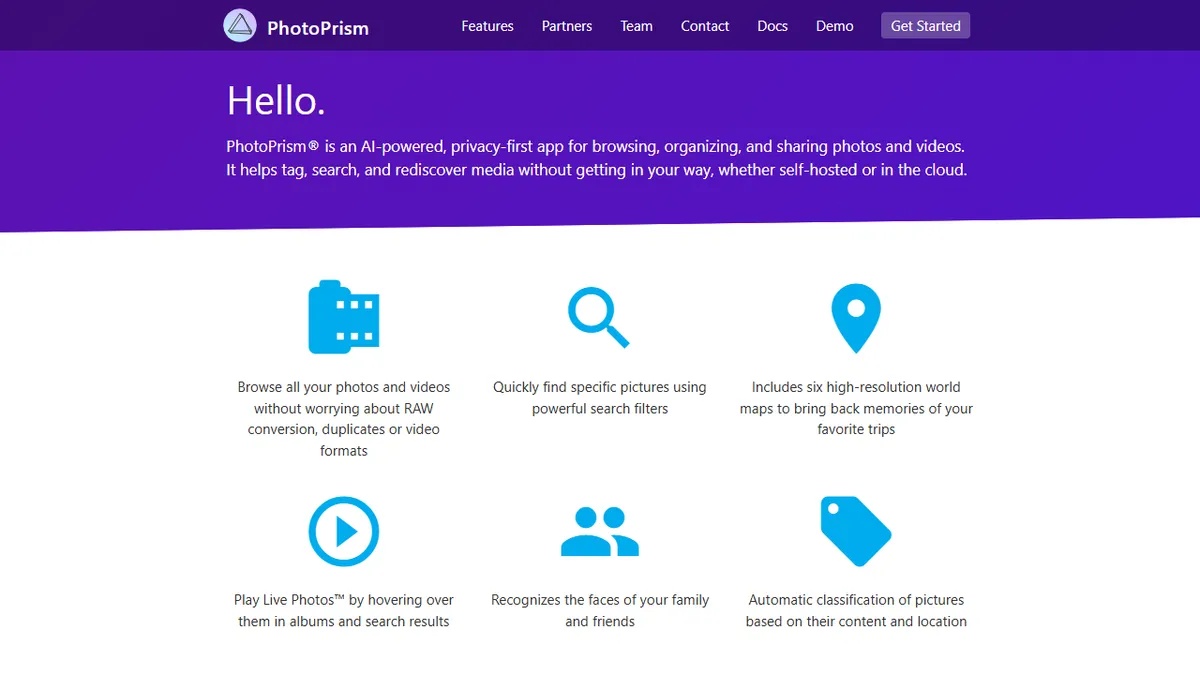
PhotoPrism is an open-source, privacy-first photo and video management app that runs on your own hardware (Docker, NAS, Raspberry Pi, FreeBSD, or a small cloud VM). It uses on-device machine learning to do the things Google Photos and iCloud do in the cloud: face recognition for tagging family and friends, automatic content classification (beach, dog, document, sunset, etc.), location clustering on an interactive world map, and full-text search across that derived metadata. It handles RAW, Live Photos, sidecar files, and duplicate detection out of the box.
It is aimed at photographers, families, and homelab users who want a real alternative to Google Photos without uploading their library to a third party. The core software is free and AGPL-licensed; the project funds itself through a membership program (Silver, Gold, Platinum tiers) that unlocks extras and supports development, plus a separate PhotoPrism Pro for teams. Compared to Immich, the other big contender in this niche, PhotoPrism leans more mature, slightly heavier, and more focused on classification and discovery than on mobile-first backup.
There is a documented REST API, an official mobile app for members, and integrations with WebDAV clients so you can sync from phones and desktops. The main caveats are typical of self-hosting: you are responsible for backups, GPU acceleration is optional but recommended for large libraries, and the indexing pass on a fresh import can be slow on a Pi-class device.
PhotoPrism is one of the two serious open-source answers to Google Photos, alongside Immich, and it has been shipping longer. The AI is unflashy but effective: faces, scenes, and locations get indexed well enough that search actually works. Worth the membership fee if you rely on it.
— The AI Tool Bible editorial team
Pros
- ✅ Genuinely private: all AI runs locally on your own server
- ✅ Open source under AGPL with active development
- ✅ Handles RAW, Live Photos, duplicates, and sidecars cleanly
- ✅ Works on modest hardware including Raspberry Pi and NAS boxes
Cons
- ⚠️ Initial indexing of large libraries is slow without a GPU
- ⚠️ Mobile app and some features gated behind paid membership
- ⚠️ Self-hosting overhead: you own backups, updates, and TLS
Use cases
Frequently asked
- What hardware is required to run PhotoPrism?
- PhotoPrism runs on your own hardware, including Docker, NAS, Raspberry Pi, FreeBSD, or a small cloud VM. While it works on modest hardware, GPU acceleration is recommended for large libraries to speed up indexing.
- Is PhotoPrism completely free to use?
- The core software is free and open-source under the AGPL license. However, the project offers a freemium model with paid membership tiers (Silver, Gold, Platinum) that unlock extras, and a separate PhotoPrism Pro for teams.
- How does PhotoPrism handle privacy and data storage?
- PhotoPrism is privacy-first, meaning all AI processing, such as face recognition and classification, runs locally on your own server. Your photo library is not uploaded to a third-party cloud service.
- What file types and features does PhotoPrism support?
- It handles RAW files, Live Photos, sidecar files, and duplicate detection. Key features include face recognition for tagging, automatic content classification, location clustering on a map, and full-text search across metadata.
- Who should avoid using PhotoPrism?
- It is not suitable for users who want a zero-setup, mobile-first cloud photo service or those who do not want to manage their own server. Users must handle their own backups, updates, and TLS configuration.
Explore related
Compare with similar tools
All in Image Generation →Midjourney
FeaturedThe gold standard for aesthetic AI image generation.
Flux
FeaturedBlack Forest Labs' open-weights image model — rivals Midjourney quality.
Stable Diffusion
Open-source image generation — run anywhere, fine-tune anything.
Nano Banana (Gemini Image)
Google DeepMind's Gemini-powered image generation and conversational editing model family
DALL·E 3
OpenAI's image model — strong on prompt adherence and text-in-image.
Canva Magic Studio
Canva's all-in-one AI creative suite for design, image, video, copy, and presentations