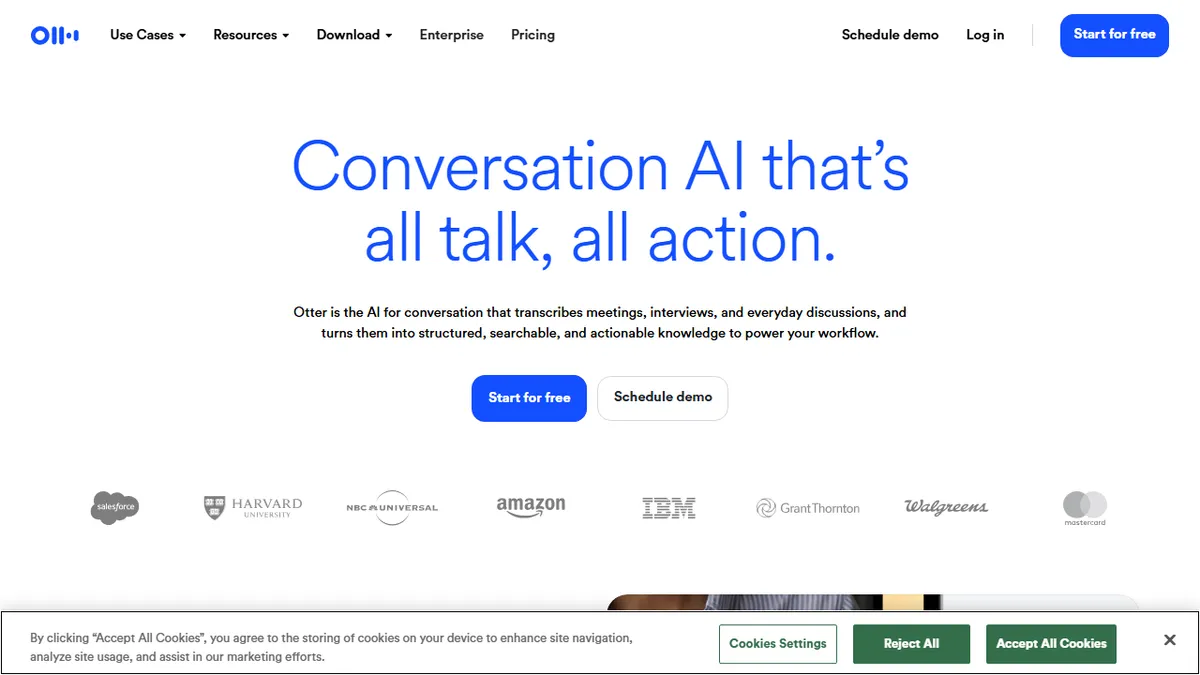

Otter.ai
AI meeting notetaker that transcribes calls, summarizes them, and pulls out action items in real time.
In short
Otter.ai joins Zoom, Meet, and Teams calls to provide real-time transcripts, AI summaries, and action items. It integrates with Slack and CRMs, ideal for sales and operations teams needing automated meeting notes.
Pick Otter.ai if you live in Zoom/Meet/Teams calls and want automatic transcripts, summaries, and action items pushed into Slack or your CRM.
Skip it if you need a programmable speech-to-text API, on-prem deployment, or transcription of pre-recorded archives at scale.
Otter.ai is a meeting transcription and assistant platform that joins (or records) your video calls, produces a speaker-attributed transcript in real time, then layers an AI summary, decision log, and action-item list on top. It hooks into Zoom, Google Meet, and Microsoft Teams as a bot, ships desktop recorders for bot-free capture on Mac and Windows, and exposes everything through an AI chat that can answer questions across your meeting history.
It's aimed squarely at sales teams, recruiters, educators, and operators who live in back-to-back calls and need someone (or something) to take notes. The free Basic plan is genuinely usable for light personal use, and the Business tier at $19.99/user/month unlocks 6,000 transcription minutes, collaborative editing, file uploads, and CRM pushes to Salesforce and HubSpot. Enterprise pricing is custom and adds SSO, admin controls, and tighter compliance.
The integration footprint is the real selling point: Slack, Notion, Jira, Asana, Google Calendar, Dropbox, and an MCP server that lets Claude or ChatGPT query your meeting corpus directly. There is no documented public REST API for general developer use, so if you need programmatic transcription pipelines, a dedicated speech-to-text vendor will fit better than Otter.
Otter is the default consumer-grade meeting notetaker for a reason: the free tier works, the bot integrations are mature, and the AI chat across meeting history is legitimately useful. It's a productivity tool, not a developer platform, so treat it like one and don't expect API hooks.
— The AI Tool Bible editorial team
Pros
- ✅ Genuinely free tier covers casual meeting notes without a trial clock
- ✅ Joins Zoom/Meet/Teams as a bot and ships desktop bot-free recording
- ✅ Strong CRM and workspace integrations (Salesforce, HubSpot, Slack, Notion)
- ✅ MCP server lets Claude/ChatGPT query your meeting history directly
Cons
- ⚠️ No general developer API for programmatic transcription workflows
- ⚠️ Bot-in-meeting model can feel intrusive on sensitive calls
- ⚠️ Accuracy on heavy accents and crosstalk still lags dedicated ASR vendors
Use cases
Frequently asked
- How much does Otter.ai cost?
- Otter.ai offers a freemium model. The Basic plan is $20, Pro is $50, and Enterprise requires contacting sales. The Business tier is listed at $19.99 per user per month, unlocking 6,000 transcription minutes and collaborative editing features.
- Which video conferencing platforms does Otter.ai support?
- Otter.ai hooks into Zoom, Google Meet, and Microsoft Teams as a bot. It also provides desktop recorders for Mac and Windows for bot-free capture, allowing you to record meetings without adding a bot to the call.
- Can Otter.ai integrate with my existing workflow tools?
- Yes, it integrates with Slack, Notion, Jira, Asana, Google Calendar, and Dropbox. It also pushes data to Salesforce and HubSpot. An MCP server allows AI tools like Claude or ChatGPT to query your meeting corpus directly.
- Is there a public API for developers?
- There is no documented public REST API for general developer use. If you need a programmable speech-to-text API or on-prem deployment, the documentation suggests a dedicated speech-to-text vendor may be a better fit than Otter.ai.
- What features are included in the Business tier?
- The Business tier at $19.99 per user per month includes 6,000 transcription minutes, collaborative editing, file uploads, and CRM pushes to Salesforce and HubSpot. Enterprise adds SSO, admin controls, and tighter compliance.
Explore related
Compare with similar tools
All in Audio →ElevenLabs
FeaturedThe gold standard for AI voice cloning and TTS.
Suno
FeaturedText-to-song AI — full vocal tracks from a prompt.
Udio
Suno's main rival for AI-generated full songs.
AssemblyAI
Speech-to-text API with diarisation, summarisation, and topic detection.
Chorus by ZoomInfo
Enterprise conversation intelligence bundled with ZoomInfo's B2B data graph
Whisper
OpenAI's open-source speech-to-text — the de-facto baseline.