MMagic
OpenMMLab's research-grade toolbox for image and video generation, restoration, and editing.
In short
MMagic is OpenMMLab's free PyTorch framework for training and benchmarking generative image and video models. It suits researchers needing reproducible code over consumer UIs.
Pick MMagic if you're a researcher or ML engineer who needs a unified PyTorch framework to train, benchmark, and compare generative image and video models.
Skip it if you want a click-and-generate UI, a hosted API, or the latest community Stable Diffusion workflows.
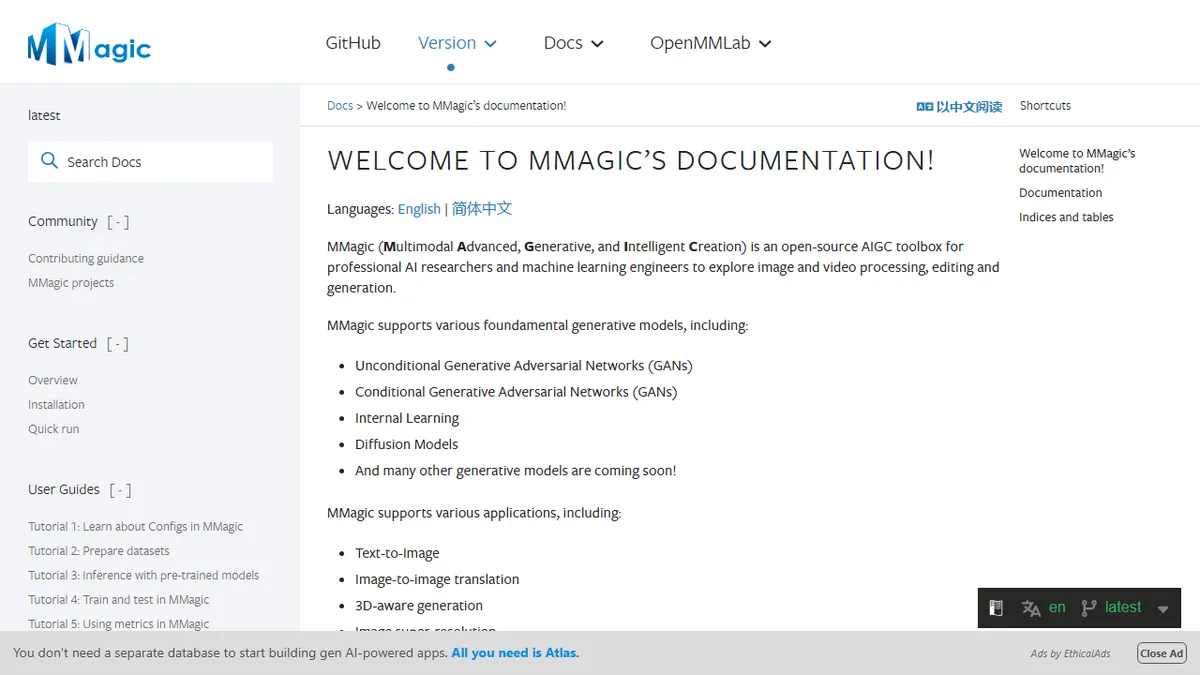
MMagic (Multimodal Advanced, Generative, and Intelligent Creation) is OpenMMLab's open-source AIGC framework aimed at AI researchers and ML engineers who need a unified Python codebase for image and video synthesis. It bundles implementations of dozens of models across unconditional GANs, conditional GANs, diffusion models, and specialised restoration networks, with first-class support for StyleGAN, Stable Diffusion, ControlNet, and friends. Tasks it covers out of the box include text-to-image generation, image-to-image translation, super-resolution, video frame interpolation, inpainting, colorization, and 3D-aware generation.
This is not a hosted product. MMagic ships as a PyTorch library with configs, model zoo weights, and a CLI/Python API; you bring your own GPU. The trade-off versus consumer tools like Automatic1111 or ComfyUI is that MMagic is geared toward reproducible research and benchmarking, with standardised datasets, evaluation metrics, and visualisation tooling, rather than a polished node-based UI. It's the right choice if you're building on top of generative models, training variants, or comparing architectures across the same harness.
As part of the broader OpenMMLab ecosystem (MMDetection, MMSegmentation, MMEditing's successor), MMagic inherits the registry-based config system and integrates with MMEngine. Caveat: the OpenMMLab config style has a learning curve, and community momentum has shifted toward diffusers/ComfyUI for diffusion workflows, so check that the specific model and task you need are actively maintained before committing.
MMagic is one of the more serious academic toolkits for generative vision, but its audience is narrow. If you're publishing papers or building custom pipelines around GANs, diffusion, and restoration nets, it earns its place; if you just want to generate images, diffusers or ComfyUI will be less painful.
— The AI Tool Bible editorial team
Pros
- ✅ Huge zoo of generative and restoration models in one consistent codebase
- ✅ Strong evaluation and benchmarking tooling for research workflows
- ✅ Open source under OpenMMLab with active GitHub project
- ✅ Covers both image and video tasks, including frame interpolation
Cons
- ⚠️ No hosted product or UI; requires PyTorch and a GPU
- ⚠️ OpenMMLab config system has a steep learning curve
- ⚠️ Diffusion community has largely moved to diffusers and ComfyUI
- ⚠️ Some submodules lag behind upstream model releases
Use cases
Frequently asked
- Is MMagic free to use?
- Yes, MMagic is free and open source under the Apache 2.0 license. It is not a hosted product; you must provide your own GPU and run the PyTorch library locally.
- What models does MMagic support?
- It supports multi-model architectures including Stable Diffusion, ControlNet, StyleGAN, and various GANs. It covers tasks like text-to-image, super-resolution, inpainting, and video frame interpolation.
- Who is MMagic best for?
- It is best for researchers and ML engineers who need a unified PyTorch framework to train, benchmark, and compare generative models. It is not suitable for users wanting a click-and-generate UI.
- How does MMagic compare to ComfyUI?
- MMagic is geared toward reproducible research and benchmarking with standardised datasets and metrics, rather than a polished node-based UI. Community momentum for diffusion workflows has shifted toward ComfyUI and diffusers.
- Is there a learning curve?
- Yes, the OpenMMLab config system has a learning curve. It integrates with MMEngine and uses a registry-based config style. Users should verify that specific models are actively maintained before committing.
Explore related
Compare with similar tools
All in Image Generation →Midjourney
FeaturedThe gold standard for aesthetic AI image generation.
Flux
FeaturedBlack Forest Labs' open-weights image model — rivals Midjourney quality.
Stable Diffusion
Open-source image generation — run anywhere, fine-tune anything.
Nano Banana (Gemini Image)
Google DeepMind's Gemini-powered image generation and conversational editing model family
DALL·E 3
OpenAI's image model — strong on prompt adherence and text-in-image.
Canva Magic Studio
Canva's all-in-one AI creative suite for design, image, video, copy, and presentations