Cursor Talk to Figma MCP
Open-source MCP bridge that lets Cursor and Claude Code read and edit Figma files directly from the editor.
In short
Cursor Talk to Figma MCP is a free, open-source tool that allows AI coding agents to modify Figma files via natural language. It is best for developers who want to automate design edits, component swaps, and prototype wiring directly from their code editor.
Pick Cursor Talk to Figma MCP if you live in Cursor or Claude Code and want an AI agent that can actually mutate your Figma file, not just describe it.
Skip it if you want a one-click designer-friendly AI plugin or a hosted SaaS, since this expects you to run a local MCP and WebSocket stack.
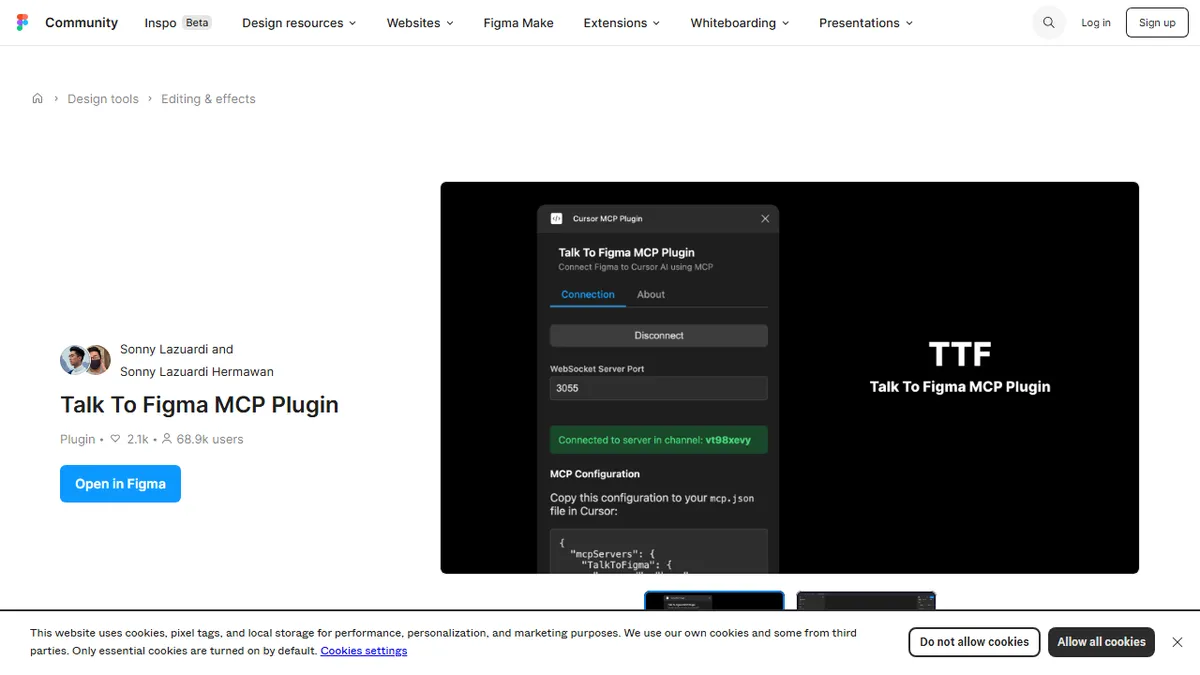
Cursor Talk to Figma MCP is a Figma community plugin paired with a TypeScript MCP server that gives AI coding agents a live, two-way channel into your design canvas. Once installed, Cursor or Claude Code can scan nodes, replace text in bulk, create frames and shapes, tweak auto-layout, swap component instances, propagate overrides, export images, and even wire up prototype reactions, all from natural-language prompts in the editor.
The project, by Sonny Lazuardi, runs entirely on your machine: a Bun-powered WebSocket server brokers messages between the Figma plugin and the MCP server registered in ~/.cursor/mcp.json. That makes it free and self-hosted, with no SaaS layer between your design files and the model. It is aimed squarely at developers and design engineers who want to drive Figma the way they drive a codebase, rather than designers looking for a generative co-pilot inside the canvas.
With roughly 6.9k GitHub stars and an MIT license, it has become one of the de facto reference implementations for Figma-via-MCP workflows. Caveats: setup is fiddlier than a pure plugin (you run a local WS server), and capability is bounded by what the Figma Plugin API exposes, so very large files can hit batching and performance limits.
This is the closest thing to a canonical 'Cursor controls Figma' integration, and the fact that it is MIT and self-hosted is a real differentiator versus closed design-AI plugins. Expect to spend an hour wiring it up, but once it is running the agent feel is genuinely useful for repetitive design surgery.
— The AI Tool Bible editorial team
Pros
- ✅ Genuine two-way Figma control from Cursor or Claude Code via MCP
- ✅ Open-source, MIT-licensed, fully local with no SaaS dependency
- ✅ Broad tool surface: text, components, auto-layout, prototypes, exports
- ✅ Active project with strong GitHub traction (~6.9k stars)
Cons
- ⚠️ Setup requires Bun, a local WebSocket server, and editing mcp.json
- ⚠️ Bound by Figma Plugin API limits on very large or complex files
- ⚠️ Aimed at engineers; non-technical designers will struggle to install
Use cases
Frequently asked
- What can Cursor Talk to Figma MCP do with my Figma files?
- It allows AI agents to scan nodes, replace text in bulk, create frames and shapes, tweak auto-layout, swap component instances, propagate overrides, export images, and wire up prototype reactions.
- Is this tool free to use?
- Yes, it is free and open-source under the MIT license. It runs entirely on your machine without a SaaS layer.
- Who is this tool designed for?
- It is aimed at developers and design engineers who want to drive Figma like a codebase, rather than designers looking for a simple generative co-pilot.
- What are the setup requirements?
- Setup requires running a local Bun-powered WebSocket server and editing the mcp.json file. It is considered fiddlier than a pure plugin and may be difficult for non-technical designers.
- Are there any limitations to its capabilities?
- Capability is bounded by the Figma Plugin API, so very large or complex files may hit batching and performance limits.
Explore related
Compare with similar tools
All in Agents →LangGraph
FeaturedStateful, graph-based agent orchestration from LangChain.
CrewAI
FeaturedPython framework for multi-agent orchestration.
Ernie Bot
Baidu's Mandarin-first ChatGPT rival, powered by the ERNIE model family
Moveworks
The enterprise AI assistant that searches, answers, and takes action across your business systems
AWS Bedrock
Build and scale generative AI applications with foundation models
Claude Agent SDK
Anthropic's official SDK for building autonomous Claude agents.