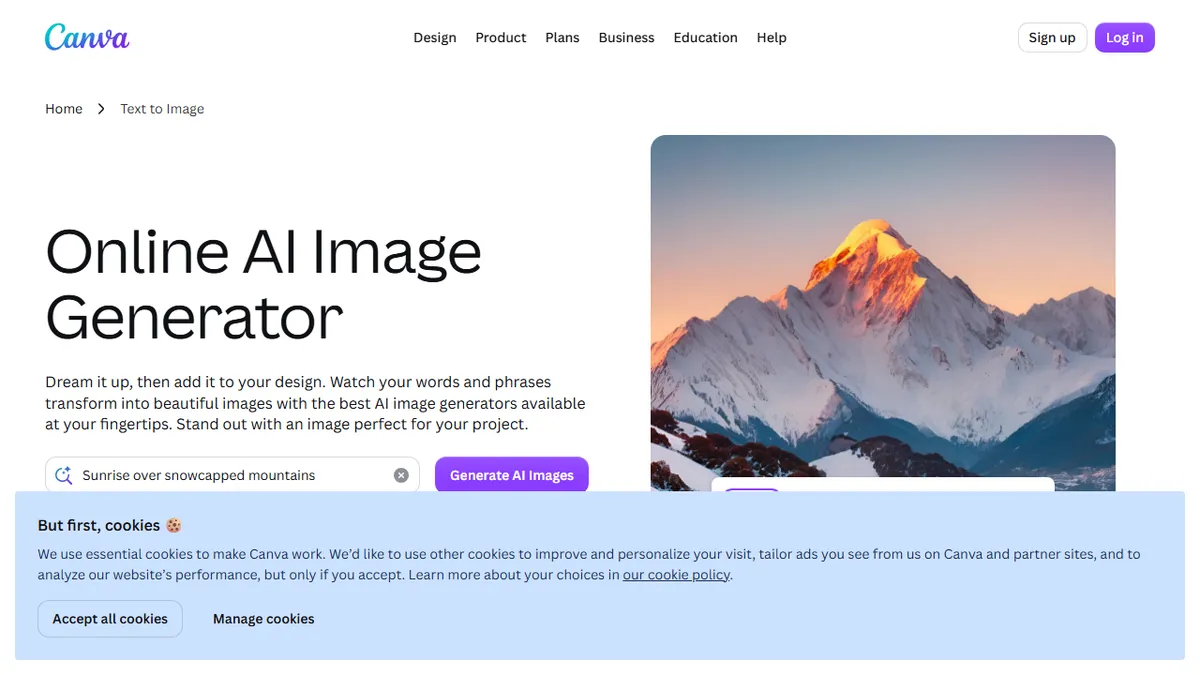
Canva AI
AI image generation baked into the design tool everyone already uses.
In short
Canva AI provides a suite of generative features, including image generation and editing, directly within the Canva design editor. It is best for users who want to create commercial assets without leaving their existing workflow, trading raw model control for convenience and integrated productivity.
Pick Canva AI if you live in Canva and want generative images, edits and copy without leaving the canvas.
Skip it if you need pro-grade control, custom models, batch API access, or uncensored creative work.
Canva AI (marketed under the Magic Studio umbrella, with Magic Media as the image generator) is a suite of generative features inside Canva's browser-based design editor. You type a prompt, pick a style and aspect ratio, and get four images you can drop straight onto a slide, social post, t-shirt mockup, or marketing flyer. It also covers Magic Edit (inpainting), Magic Eraser, background removal, Magic Expand (outpainting), and Magic Write for copy.
The differentiator isn't model quality, it's distribution and workflow. Canva has roughly 200M+ monthly active users who don't want to leave the editor to round-trip through Midjourney or DALL-E, and Canva quietly routes prompts through partner models (historically Stable Diffusion, Google Imagen, OpenAI, and Canva's own fine-tunes) without making the user pick. Free tier includes a small monthly credit allowance; Canva Pro ($15/mo or $120/yr) unlocks much higher limits plus the rest of Magic Studio. There's a Connect API for enterprise/partner integrations, but no general-purpose image-generation API.
Best understood as a productivity layer, not a frontier image lab: outputs are commercially licensable for Canva users, safety filters are aggressive, and you trade raw control (no ControlNet, no LoRAs, limited seed control) for the ability to keep designing without context-switching.
Canva AI isn't trying to beat Midjourney on aesthetics, it's trying to make sure you never have to open Midjourney. For solo marketers, teachers and small businesses already on Canva Pro, the workflow integration alone justifies the seat. Power users and developers should look elsewhere.
— The AI Tool Bible editorial team
Pros
- ✅ Lives inside the editor most marketers and SMBs already use
- ✅ Covers generate, edit, erase, expand and copywriting in one place
- ✅ Commercial use rights bundled with Pro subscription
- ✅ Zero learning curve, sensible style presets
Cons
- ⚠️ No fine-grained control (no ControlNet, LoRAs, or seed locking)
- ⚠️ Aggressive safety filters block lots of benign prompts
- ⚠️ Credit caps even on Pro for heavy generation
- ⚠️ No public image-gen API for developers
Use cases
Frequently asked
- What specific AI features are included in Canva AI?
- The suite includes Magic Media for text-to-image generation, Magic Edit for inpainting, Magic Eraser, background removal, Magic Expand for outpainting, and Magic Write for copywriting.
- How does Canva AI handle image generation models?
- Canva routes prompts through partner models, historically including Stable Diffusion, Google Imagen, OpenAI, and Canva's own fine-tunes, without requiring the user to select a specific model.
- Is there an API available for developers to use Canva AI?
- There is a Connect API for enterprise and partner integrations, but there is no general-purpose public image-generation API available for developers.
- What are the limitations of Canva AI compared to specialized tools?
- Canva AI lacks fine-grained controls such as ControlNet, LoRAs, and seed locking, and it employs aggressive safety filters that may block benign prompts.
- Who is the ideal user for Canva AI?
- It is best for solo marketers, teachers, and small businesses already using Canva who want to generate and edit images without switching to external tools like Midjourney or DALL-E.
Explore related
Compare with similar tools
All in Image Generation →Midjourney
FeaturedThe gold standard for aesthetic AI image generation.
Flux
FeaturedBlack Forest Labs' open-weights image model — rivals Midjourney quality.
Stable Diffusion
Open-source image generation — run anywhere, fine-tune anything.
Nano Banana (Gemini Image)
Google DeepMind's Gemini-powered image generation and conversational editing model family
DALL·E 3
OpenAI's image model — strong on prompt adherence and text-in-image.
Canva Magic Studio
Canva's all-in-one AI creative suite for design, image, video, copy, and presentations