
Atua
✓ Editorially verifiedKeyboard-summoned macOS AI assistant that reads your screen and drives system apps with your own API keys.
In short
Atua is a native macOS app that summons a context-aware AI assistant via hotkey to read screens and execute tasks in system apps. It is best for users who want to use their own API keys across 15+ providers to automate workflows without a subscription.
Pick Atua if you want a hotkey-summoned macOS copilot that can read your screen and drive system apps using your own provider keys.
Skip it if you're on Windows or Linux, need a managed subscription with bundled inference, or want an open-source assistant.
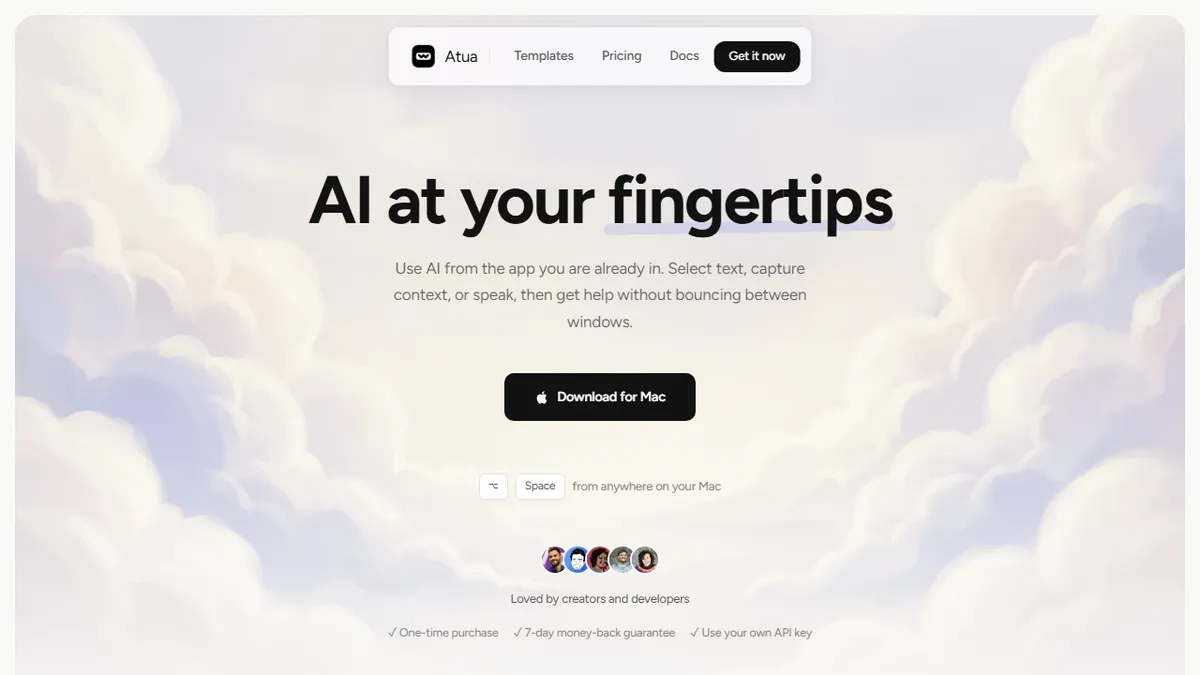
Atua is a native macOS app that puts a context-aware AI assistant one hotkey away. Hit Option-Space from any app and it picks up your selected text, clipboard, a screenshot, OCR'd window content, or voice input, then runs a model of your choice against it. The killer feature is the system tool integration: Atua can drive Calendar, Reminders, Notes, Finder, Shortcuts, the shell, and HTTP, plus MCP servers for GitHub, Postgres, Slack, and Filesystem, so prompts can actually do work rather than just return text.
It's bring-your-own-key across 15+ providers (OpenAI, Anthropic, Groq, Mistral, DeepSeek, and others), which makes it appealing for people who already pay for API credits and don't want yet another subscription. Pricing is a one-time $29 with lifetime updates and a 7-day money-back guarantee. There's no account, no telemetry, and everything except the outbound model calls stays on-device. It's macOS-only and there's no free trial, just the refund window.
If you live in Raycast / Alfred / Shortcuts territory and want a Cmd-K layer that can both reason and take action across your local apps, Atua is a credible alternative to Raycast AI or MacGPT, especially because you pick the model and pay per token rather than per seat.
Atua is the rare BYO-key macOS assistant that takes MCP and system tools seriously instead of just being a text box. The $29 lifetime price makes it an easy bet against Raycast AI's subscription if you already have provider credits. macOS-only and closed-source are the obvious ceilings.
— The AI Tool Bible editorial team
Pros
- ✅ One-time $29 with no subscription and lifetime updates
- ✅ Brings own API key across 15+ providers including Anthropic and OpenAI
- ✅ Hooks into Calendar, Notes, Shell, HTTP and MCP servers to actually act
- ✅ Private by design; no analytics, local voice processing
Cons
- ⚠️ macOS only with no Windows or Linux build
- ⚠️ No free trial, only a 7-day refund guarantee
- ⚠️ Closed source with no public API of its own
- ⚠️ You pay model costs on top of the license
Use cases
Frequently asked
- How much does Atua cost?
- Atua is a one-time purchase of $29 with lifetime updates. It includes a 7-day money-back guarantee but does not offer a free trial.
- Which AI providers does Atua support?
- It supports a bring-your-own-key model across 15+ providers, including OpenAI, Anthropic, Groq, Mistral, and DeepSeek. You pay model costs separately from the license.
- Can Atua perform actions beyond text generation?
- Yes, it integrates with system tools like Calendar, Reminders, Notes, Finder, and the shell. It also supports MCP servers for GitHub, Postgres, Slack, and Filesystem to execute work.
- Is Atua available on Windows or Linux?
- No, Atua is macOS-only. There are no builds for Windows or Linux, and it is not open source.
Explore related
Compare with similar tools
All in Agents →LangGraph
FeaturedStateful, graph-based agent orchestration from LangChain.
CrewAI
FeaturedPython framework for multi-agent orchestration.
Ernie Bot
Baidu's Mandarin-first ChatGPT rival, powered by the ERNIE model family
Moveworks
The enterprise AI assistant that searches, answers, and takes action across your business systems
AWS Bedrock
Build and scale generative AI applications with foundation models
Claude Agent SDK
Anthropic's official SDK for building autonomous Claude agents.