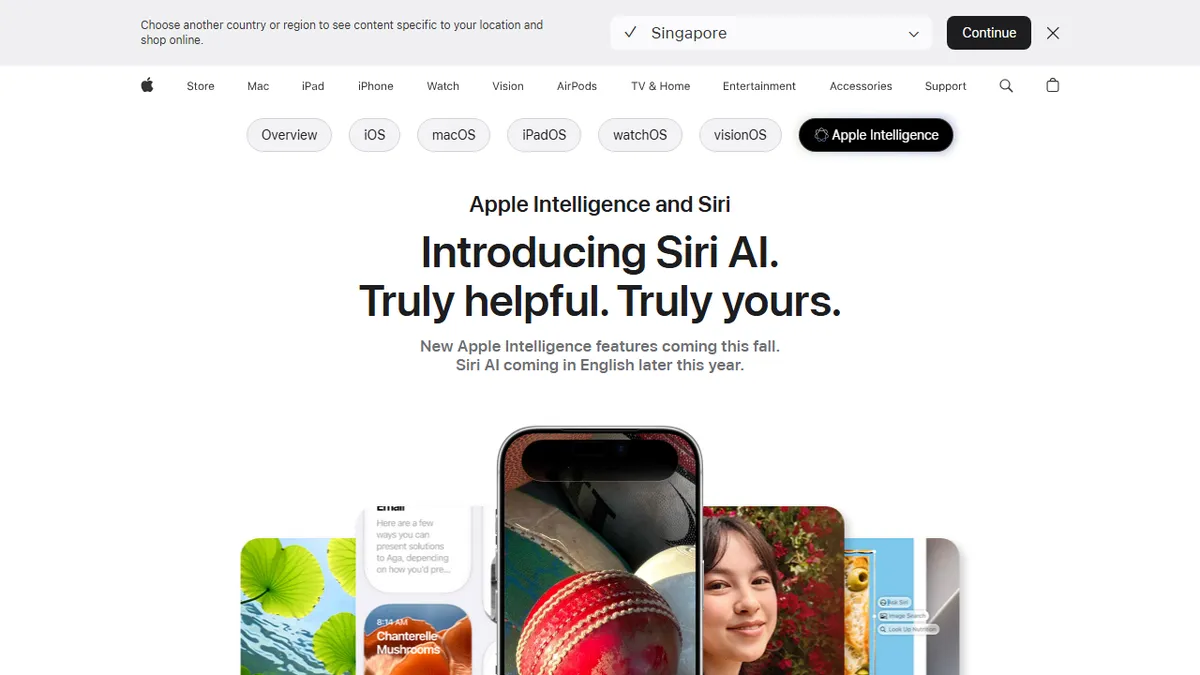

Apple Intelligence
✓ Editorially verifiedApple's on-device AI layer baked into iOS, iPadOS, macOS, and visionOS with a rebuilt Siri, writing tools, and image generation.
In short
Apple Intelligence is a free, on-device AI layer for Apple hardware, offering rebuilt Siri, writing tools, and image generation without a subscription.
Pick Apple Intelligence if you already live in the Apple ecosystem and want private, in-app AI assistance without paying for another subscription.
Skip it if you use Android or Windows, need cutting-edge model quality, or want a scriptable API for building AI features.
Apple Intelligence is the AI system Apple ships as part of iOS, iPadOS, macOS, and visionOS on recent Apple Silicon hardware. It bundles a rebuilt Siri with conversational context and cross-app actions, system-wide Writing Tools (proofreading, rewriting, tone matching, summaries), Image Playground and Genmoji for generated imagery, Visual Intelligence for camera-based lookups, Live Translation, and photo editing features like Clean Up, Extend, and Spatial Reframing. Where the local models can't handle a request, it hands off to Apple's Private Cloud Compute or, with permission, to ChatGPT.
This is not a standalone product you sign up for; it's a hardware-gated OS feature that only runs on iPhone 15 Pro and later, M1+ iPads and Macs, and Apple Vision Pro. There is no separate subscription and no developer API in the third-party sense, though App Intents and the Foundation Models framework let apps plug in. Rollout is staged and heavily gated by region and language, with the EU restricted from several features.
For most users, the appeal is that inference runs on-device by default, personal context stays within Apple's stack, and the features surface inside apps you already use rather than as a chatbot tab. The tradeoff is a walled garden: no Android, no web app, no self-hosting, and feature parity trails dedicated tools like ChatGPT, Claude, or Midjourney.
Apple Intelligence is a competent, privacy-forward AI layer rather than a frontier model, and that's the whole point. If your daily tools are Mail, Messages, and Notes on recent Apple hardware, it quietly earns its keep; if you're chasing the best writing or image model, you'll still open Claude or Midjourney in another tab.
— The AI Tool Bible editorial team
Pros
- ✅ On-device inference for most tasks with Private Cloud Compute fallback
- ✅ System-wide Writing Tools work inside Mail, Notes, Messages, and third-party apps
- ✅ Deeply integrated Siri with personal context across Photos, Mail, and Calendar
- ✅ No extra subscription; included with supported OS versions
- ✅ Optional ChatGPT handoff for harder queries
Cons
- ⚠️ Locked to iPhone 15 Pro / M1+ Macs and iPads only
- ⚠️ Restricted or delayed in the EU and non-English locales
- ⚠️ Writing and image quality trail dedicated tools like Claude or Midjourney
- ⚠️ No public API or cross-platform access
Use cases
Frequently asked
- How much does Apple Intelligence cost?
- It is free with supported Apple hardware. There is no separate subscription required to use the features, as it is built into the operating system for eligible devices.
- Which devices support Apple Intelligence?
- It runs on iPhone 15 Pro and later, M1+ iPads and Macs, and Apple Vision Pro. It is a hardware-gated OS feature and does not work on Android or Windows devices.
- Does Apple Intelligence work with third-party apps?
- Yes, apps can plug in using App Intents and the Foundation Models framework. However, there is no standalone developer API in the traditional sense for building independent AI features.
- Is my data private when using Apple Intelligence?
- Inference runs on-device by default, keeping personal context within Apple's stack. If local models cannot handle a request, it may hand off to Private Cloud Compute or ChatGPT with your permission.
- What writing features are included?
- System-wide Writing Tools provide proofreading, rewriting, tone matching, and summaries. These features surface inside apps you already use, rather than requiring a separate chatbot interface.
- Can I use Apple Intelligence on Android or Windows?
- No. Apple Intelligence is exclusive to the Apple ecosystem. It is not available on Android or Windows, and there is no web app or self-hosting option for non-Apple hardware.
Explore related
Compare with similar tools
All in Writing →Claude
FeaturedAnthropic's flagship assistant for long-form writing, analysis, and coding.
GPT-4o
FeaturedOpenAI's multimodal flagship behind ChatGPT.
Gemini Advanced
Google's flagship — strong at math, long context, and Workspace integration.
Llama 3
Meta's open-weights LLM family that put serious frontier-adjacent models in everyone's hands.
Qwen
Alibaba's open-weight foundation model family covering chat, vision, image generation, translation, and safety classification.
Jan
Open-source desktop ChatGPT alternative that runs local LLMs and routes to cloud providers from one app.