
YouTube Summary with ChatGPT & Claude
Browser extension that pipes YouTube transcripts, articles, and PDFs into ChatGPT, Claude, Gemini, or Mistral for instant summaries.
In short
A Chrome extension that sends YouTube, article, or PDF transcripts to ChatGPT, Claude, Gemini, or Mistral for instant summaries using your existing AI subscription.
Pick YouTube Summary with ChatGPT & Claude if you triage a lot of long videos or articles and already pay for ChatGPT, Claude, or Gemini.
Skip it if you need bulk/batch summarization, an API, or a self-contained tool that doesn't depend on a separate LLM browser session.
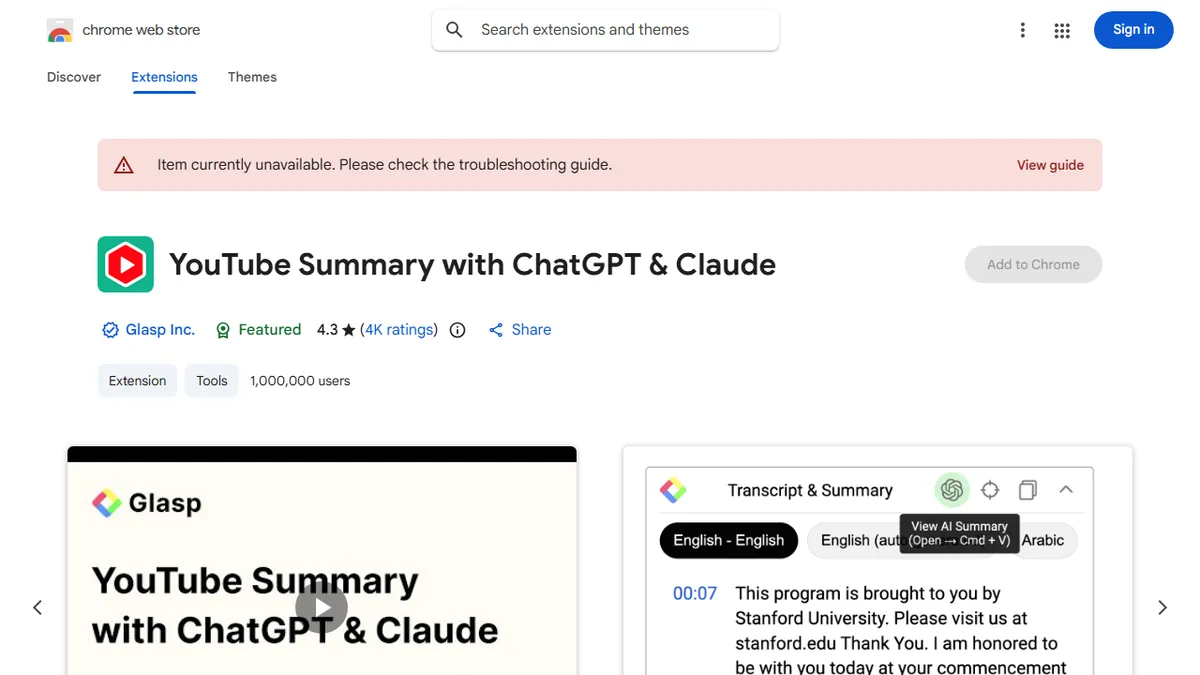
YouTube Summary with ChatGPT & Claude is a Chrome extension from Glasp that scrapes the transcript of whatever video, article, or PDF you're looking at and hands it to a large language model for summarization. A side panel appears on YouTube pages with a one-click summary button plus the raw transcript with clickable timestamps, and the same pipeline works on web articles and PDFs. You can pick between ChatGPT, Claude, Google Gemini, or Mistral as the summarization backend, adjust prompt templates, and copy transcripts to clipboard.
The extension is free with optional in-app upgrades, has over two million users, and sits at roughly 4.3 stars from ~3,900 reviews — making it one of the more battle-tested entries in the crowded YouTube-summarizer category. It's aimed at students, researchers, and anyone triaging long-form video content who already has a ChatGPT or Claude tab open. Because it relies on your own logged-in AI session in another tab (rather than running its own backend), there's no per-summary cost beyond whatever AI subscription you already pay for.
Glasp, the San Francisco company behind it, also ships a highlighter/social-reading product, and this extension ties into that ecosystem if you want to save and share summaries. The trade-off versus dedicated paid summarizers is that quality and length controls are constrained by the host LLM's chat UI, and very long videos can hit context limits.
A pragmatic, free utility that has earned its install base by doing one thing well: getting the transcript out and into whichever LLM you trust. The multi-model toggle is genuinely useful, and Glasp keeps it maintained. It's a browser add-on, not a platform, so don't expect workflow features — but as a daily-driver summarizer it's hard to beat for the price.
— The AI Tool Bible editorial team
Pros
- ✅ Free to install with 2M+ users and a stable 4.3-star track record
- ✅ Switch between ChatGPT, Claude, Gemini, and Mistral as backends
- ✅ Works on YouTube, web articles, and PDFs from one extension
- ✅ Shows full transcript with clickable timestamps, not just the summary
Cons
- ⚠️ Relies on you having an active AI chat session in another tab
- ⚠️ Summary quality is bounded by the host LLM's chat UI limits
- ⚠️ Very long videos can exceed model context windows
- ⚠️ No native API or team/collaboration features
Use cases
Frequently asked
- How much does YouTube Summary with ChatGPT & Claude cost?
- The extension is free with optional upgrades. Paid plans include Basic at $10, Pro at $20, and Enterprise via contact sales. You also need your own AI subscription for the summarization backend.
- Which AI models can I use for summarization?
- You can choose between ChatGPT, Claude, Google Gemini, or Mistral as the backend. The tool relies on your own logged-in AI session in another browser tab rather than running its own backend.
- Does it work on content other than YouTube?
- Yes, the pipeline works on web articles and PDFs in addition to YouTube videos. It scrapes transcripts or text and hands them to the selected large language model for summarization.
- Is there a learning curve to using the extension?
- It is designed for one-click use. A side panel appears on YouTube pages with a summary button and raw transcript. You can adjust prompt templates and copy transcripts to your clipboard easily.
- What are the limitations of this tool?
- Quality and length controls are constrained by the host LLM's chat UI. Very long videos may hit context limits. It is not suitable for bulk summarization, API access, or self-contained workflows without a separate LLM session.
Explore related
Compare with similar tools
All in Writing →Claude
FeaturedAnthropic's flagship assistant for long-form writing, analysis, and coding.
GPT-4o
FeaturedOpenAI's multimodal flagship behind ChatGPT.
Gemini Advanced
Google's flagship — strong at math, long context, and Workspace integration.
Llama 3
Meta's open-weights LLM family that put serious frontier-adjacent models in everyone's hands.
Qwen
Alibaba's open-weight foundation model family covering chat, vision, image generation, translation, and safety classification.
Jan
Open-source desktop ChatGPT alternative that runs local LLMs and routes to cloud providers from one app.