
Yomu AI
AI writing assistant built specifically for students and academic researchers.
In short
Yomu AI is a specialized editor for academic writing that combines drafting, citation management, and plagiarism detection. It is best for students and grad researchers who want to avoid switching between multiple tools for coursework and research papers.
Pick Yomu AI if you're a student or grad researcher who wants drafting, citations, and plagiarism checks in one editor instead of stitching together ChatGPT, Zotero, and Grammarly.
Skip it if you need a general-purpose writing tool for marketing, fiction, or business content, or if you want API access and per-prompt model control.
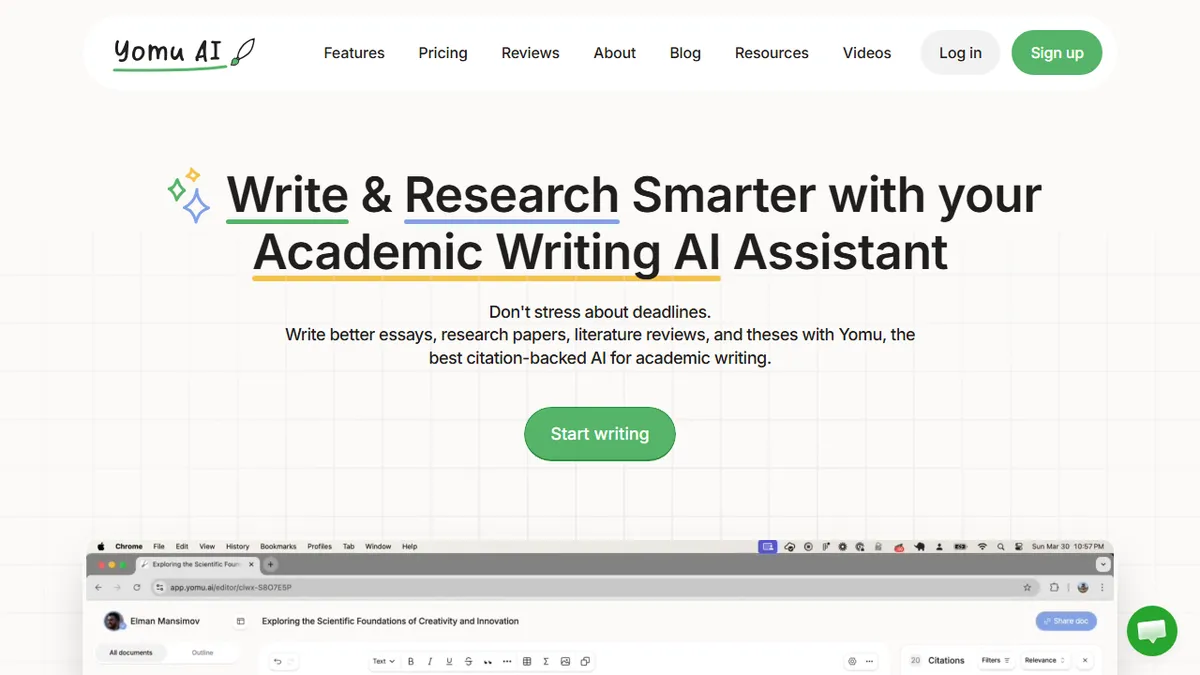
Yomu is an AI-assisted document editor tailored for academic writing: essays, research papers, theses, and the literature review grind that comes with them. It bundles autocomplete, paragraph-level rewrites (paraphrase, expand, shorten, summarize), an inline AI chat for research questions, citation insertion, a personal source library, plagiarism detection, and a grammar checker into one workspace, so students can draft and revise without bouncing between Google Docs, ChatGPT, Zotero, and Grammarly.
What differentiates Yomu from generic AI writers is the academic posture: integrated citation formatting, source management, plagiarism scanning, and a deliberate "responsible use" framing aimed at students worried about getting flagged. Pricing is student-friendly: Pro at $11/mo (annual) routes you through GPT-4o mini, Claude Haiku, and Gemini Flash; Ultra at $18/mo unlocks GPT-4o/5 and Claude Sonnet/Opus plus custom style controls; and a $499 "Believer" lifetime tier exists for the all-in crowd. Free standalone tools (outline generator, paraphraser, essay grader) act as the funnel.
It's part of a small academic-tools family alongside Sourcely (source discovery) and Revise (grammar). There's no public API, and the multi-model lineup means you're trusting Yomu's routing rather than picking the model yourself at the prompt level.
Yomu nails a real niche: the student who wants AI help without leaving an academic editor and without obviously tripping integrity checks. The multi-model lineup at $11-$18/mo is genuinely competitive, though the lack of an API and the inevitable cat-and-mouse around AI-detection caveats keep it firmly a consumer product, not a platform.
— The AI Tool Bible editorial team
Pros
- ✅ Purpose-built for academic writing, not generic prose
- ✅ Citations, sources, and plagiarism check in one editor
- ✅ Access to frontier models (GPT-5, Claude Opus) on Ultra
- ✅ Cheap entry tier and a lifetime deal for heavy users
Cons
- ⚠️ No public API for integration or automation
- ⚠️ Underlying model routing isn't user-selectable per prompt
- ⚠️ Academic-only focus limits use outside coursework/research
- ⚠️ Plagiarism/AI-detection claims are inherently fuzzy
Use cases
Frequently asked
- What specific academic features does Yomu AI include?
- The tool bundles autocomplete, paragraph-level rewrites, an inline AI chat, citation insertion, a personal source library, plagiarism detection, and a grammar checker into a single workspace.
- How much does Yomu AI cost?
- Yomu offers free standalone tools, a Pro plan at $11/month on annual billing, an Ultra plan at $18/month on annual billing, and a $499 lifetime tier.
- Which AI models does Yomu AI use?
- The platform uses a multi-model lineup including GPT-4o mini, Claude Haiku, and Gemini Flash on the Pro tier, while the Ultra tier unlocks GPT-4o/5 and Claude Sonnet/Opus.
- Does Yomu AI offer an API for developers?
- No, Yomu AI does not have a public API, meaning it is not designed for integration or automation outside of its own editor interface.
- Is Yomu AI suitable for non-academic writing?
- It is not recommended for general-purpose writing such as marketing, fiction, or business content, as its features are purpose-built specifically for academic writing and research.
Explore related
Compare with similar tools
All in Writing →Claude
FeaturedAnthropic's flagship assistant for long-form writing, analysis, and coding.
GPT-4o
FeaturedOpenAI's multimodal flagship behind ChatGPT.
Gemini Advanced
Google's flagship — strong at math, long context, and Workspace integration.
Llama 3
Meta's open-weights LLM family that put serious frontier-adjacent models in everyone's hands.
Qwen
Alibaba's open-weight foundation model family covering chat, vision, image generation, translation, and safety classification.
Jan
Open-source desktop ChatGPT alternative that runs local LLMs and routes to cloud providers from one app.