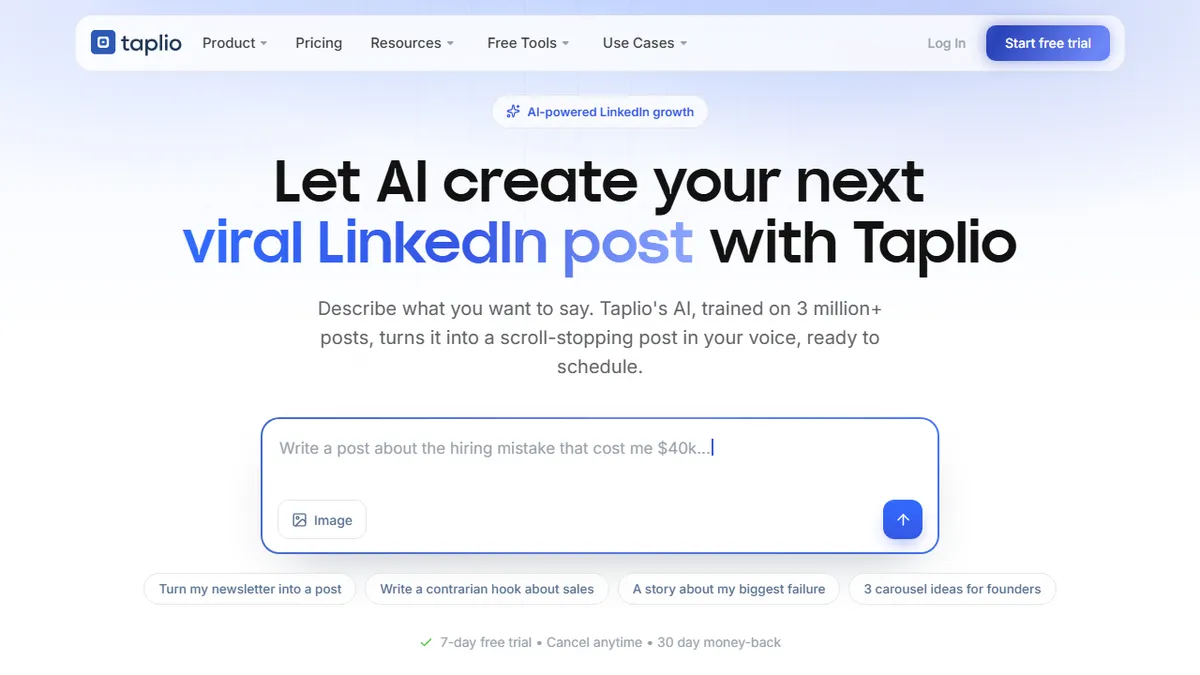

Taplio
AI-powered LinkedIn growth suite for content creation, scheduling, and lead generation.
In short
Taplio is an AI-powered LinkedIn suite for writing, scheduling, and lead gen. It uses a viral-post database to help founders and agencies grow their primary client channel.
Pick Taplio if you're a founder, creator, or agency treating LinkedIn as a primary pipeline and want one tool for writing, scheduling, and outreach.
Skip it if you need a multi-platform scheduler, prefer fully hand-written posts, or want transparent self-serve pricing before signing up.
Taplio is a LinkedIn-focused content and growth platform that pairs an AI writer trained on a corpus of high-performing posts with scheduling, analytics, CRM-style engagement, and an inspiration feed. The core pitch is turning LinkedIn into a primary client channel: draft posts with AI, queue them, track what lands, and systematically interact with the people you actually want to reach.
It's aimed at solo personal-brand builders, B2B founders, agencies running client accounts, and companies rolling out employee advocacy. Pricing isn't shown on the landing page in detail, but Taplio runs a 7-day free trial with a 30-day refund window on paid plans — historically tiered (Starter, Standard, Pro) in the $39-$149/mo range per seat. The differentiator vs. generic schedulers like Buffer is the LinkedIn-native viral-post database and engagement tooling rather than cross-platform breadth.
Integrations include a Chrome extension for LinkedIn analytics, LinkedIn company-page posting, and a newer MCP server that lets you drive Taplio from Claude, ChatGPT, or any MCP-aware client. The trade-off is single-network focus and the usual risks of AI-generated LinkedIn content sounding samey if you lean on the templates too hard.
Taplio is one of the more serious LinkedIn-native AI tools — the viral-post corpus and engagement layer are genuinely useful if LinkedIn is your channel. The MCP integration is a smart bet. Just go in expecting to edit AI drafts heavily; the platform makes it easy to publish, which is also how feeds end up sounding identical.
— The AI Tool Bible editorial team
Pros
- ✅ AI writer trained on a large corpus of high-performing LinkedIn posts
- ✅ End-to-end stack: writing, scheduling, analytics, and engagement in one place
- ✅ MCP server lets you operate it from Claude or ChatGPT
- ✅ Inspiration search across millions of posts by keyword
- ✅ Chrome extension surfaces analytics directly inside LinkedIn
Cons
- ⚠️ LinkedIn-only — no Twitter/X, Threads, or cross-network posting
- ⚠️ Pricing is opaque on the landing page
- ⚠️ Heavy reliance on templates can flatten voice across users
- ⚠️ Per-seat costs add up fast for agencies and teams
Use cases
Frequently asked
- How much does Taplio cost?
- Taplio offers a 7-day free trial and paid plans historically ranging from $39 to $149 per month per seat. A 30-day refund window is available on paid plans, though detailed pricing is not shown on the landing page.
- What AI model does Taplio use?
- Taplio utilizes a multi-model approach trained on a corpus of over 50 million viral LinkedIn posts. This specific training data allows the AI to generate content that aligns with high-performing trends on the platform.
- Does Taplio integrate with other tools?
- Yes, Taplio includes a Chrome extension for LinkedIn analytics and supports company-page posting. It also features a newer MCP server that allows you to drive Taplio from Claude, ChatGPT, or any other MCP-aware client.
- Who is Taplio best for?
- It is ideal for founders, creators, agencies, and companies using employee advocacy who treat LinkedIn as a primary pipeline. It is not recommended for those needing multi-platform scheduling or who prefer fully hand-written posts.
- What are the main limitations of Taplio?
- Taplio focuses exclusively on LinkedIn, lacking cross-platform breadth found in tools like Buffer. Additionally, relying too heavily on AI templates can result in content sounding samey, which is a common risk with AI-generated LinkedIn posts.
Explore related
Compare with similar tools
All in Writing →Claude
FeaturedAnthropic's flagship assistant for long-form writing, analysis, and coding.
GPT-4o
FeaturedOpenAI's multimodal flagship behind ChatGPT.
Gemini Advanced
Google's flagship — strong at math, long context, and Workspace integration.
Llama 3
Meta's open-weights LLM family that put serious frontier-adjacent models in everyone's hands.
Qwen
Alibaba's open-weight foundation model family covering chat, vision, image generation, translation, and safety classification.
Jan
Open-source desktop ChatGPT alternative that runs local LLMs and routes to cloud providers from one app.