
QuillBot
AI paraphrasing and grammar suite that grew into an all-in-one writing toolkit.
In short
QuillBot is a freemium AI suite for paraphrasing, grammar, and summarizing English prose. It targets students and ESL writers seeking a simple, all-in-one writing tab.
Pick QuillBot if you want a single freemium tab for paraphrasing, grammar, and summarizing English prose, especially as a student or ESL writer.
Skip it if you need transparent model provenance, long-form drafting, or a professional editorial workflow with team controls and audit trails.
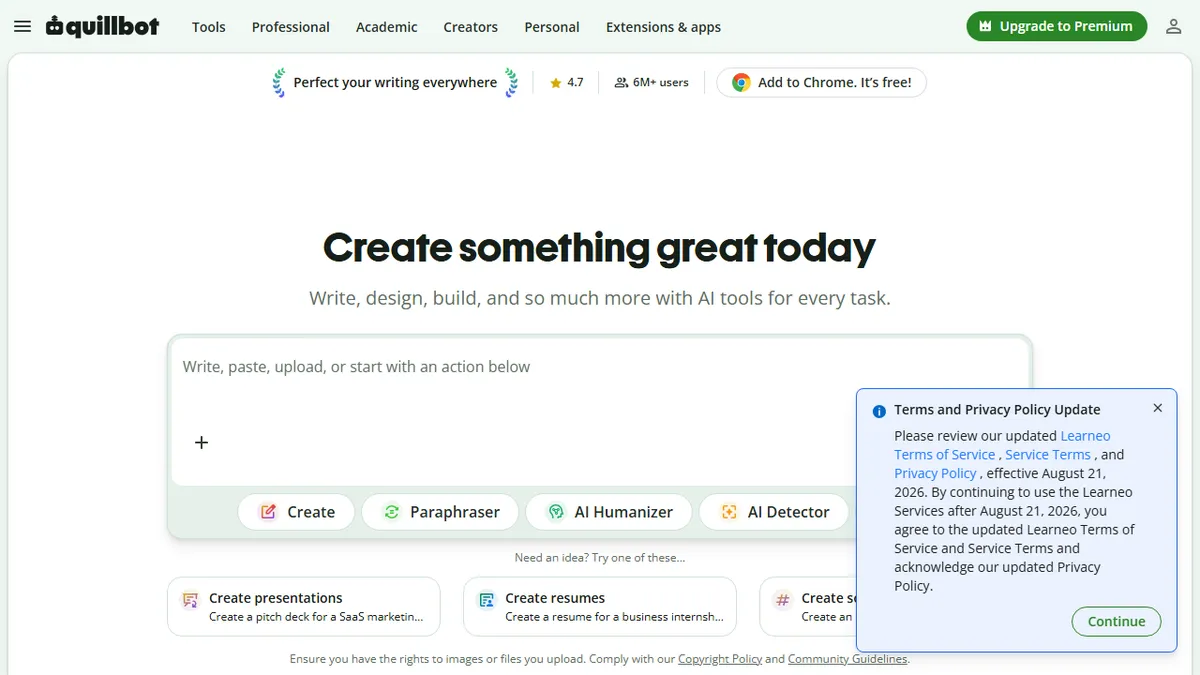
QuillBot started life as an AI paraphraser and has expanded into a sprawling writing productivity suite covering paraphrasing, grammar checking, summarization, translation, citation generation, plagiarism detection, AI content detection, and an "AI humanizer" intended to rewrite machine-generated text into something less detectable. Around that core sit adjacent tools: an AI chat, image generator, presentation builder, document editor, PDF utilities, and browser extensions for Chrome, Word, and Google Docs.
It is squarely aimed at students, academics, ESL writers, and working professionals who want a one-stop tab for tidying up prose rather than a power-user platform like Grammarly Business or a long-form drafting tool like Sudowrite. Pricing is freemium: a generous free tier with word limits on the paraphraser and summarizer, with Premium plans unlocking unlimited length, more rewriting modes (Formal, Creative, Shorten, Expand), and faster processing. The free tier is what most people will actually use, and it is genuinely useful.
QuillBot does not disclose the underlying models, and the breadth of the suite means individual tools are competent rather than best-in-class. The AI detector and "humanizer" pair in particular sit in an arms race with detectors like GPTZero and Turnitin, and results are unreliable. For its original job, paraphrasing English prose, it remains one of the most polished tools on the market.
QuillBot is the default paraphraser for a reason, and the free tier alone earns it a place in any writing toolkit. The newer humanizer and AI-detector bolt-ons feel reactive and we would not trust them in a serious academic-integrity context, but the core rewriting engine remains quietly excellent.
— The AI Tool Bible editorial team
Pros
- ✅ Polished paraphraser with multiple rewriting modes including Formal, Creative, and Shorten
- ✅ Genuinely useful free tier covers the most common student and ESL workflows
- ✅ Deep integration via Chrome, Word, and Google Docs extensions
- ✅ Bundles citation, summarizer, and grammar tools so you rarely leave the tab
Cons
- ⚠️ Does not disclose underlying models or how content is processed
- ⚠️ AI detector and 'humanizer' are unreliable in the detector arms race
- ⚠️ Breadth means individual tools are competent rather than best-in-class
- ⚠️ Free tier word limits push heavier users toward Premium quickly
Use cases
Frequently asked
- How much does QuillBot cost?
- QuillBot uses a freemium model. The Free tier costs €0, while Premium is €8.33. A Team Plan exists, but its specific price is not documented in the provided information.
- Who is QuillBot best suited for?
- It is best for students, academics, ESL writers, and professionals who want a single tab for tidying up English prose. It is not designed for long-form drafting or professional editorial workflows.
- What features are included in the free plan?
- The free tier includes paraphrasing and summarization with word limits. It is described as genuinely useful for most users, though Premium unlocks unlimited length, more rewriting modes, and faster processing.
- Does QuillBot disclose which AI models it uses?
- No, QuillBot does not disclose the underlying models. The technology is proprietary. If you need transparent model provenance, the documentation suggests skipping this tool.
- Can QuillBot integrate with other applications?
- Yes, QuillBot offers browser extensions for Chrome, Microsoft Word, and Google Docs. It also includes a document editor and PDF utilities within its suite.
- Is the AI humanizer feature reliable?
- The AI humanizer and detector pair are described as unreliable. They are part of an arms race with detection tools like GPTZero and Turnitin, and results are not guaranteed.
Explore related
Compare with similar tools
All in Writing →Claude
FeaturedAnthropic's flagship assistant for long-form writing, analysis, and coding.
GPT-4o
FeaturedOpenAI's multimodal flagship behind ChatGPT.
Gemini Advanced
Google's flagship — strong at math, long context, and Workspace integration.
Llama 3
Meta's open-weights LLM family that put serious frontier-adjacent models in everyone's hands.
Qwen
Alibaba's open-weight foundation model family covering chat, vision, image generation, translation, and safety classification.
Jan
Open-source desktop ChatGPT alternative that runs local LLMs and routes to cloud providers from one app.