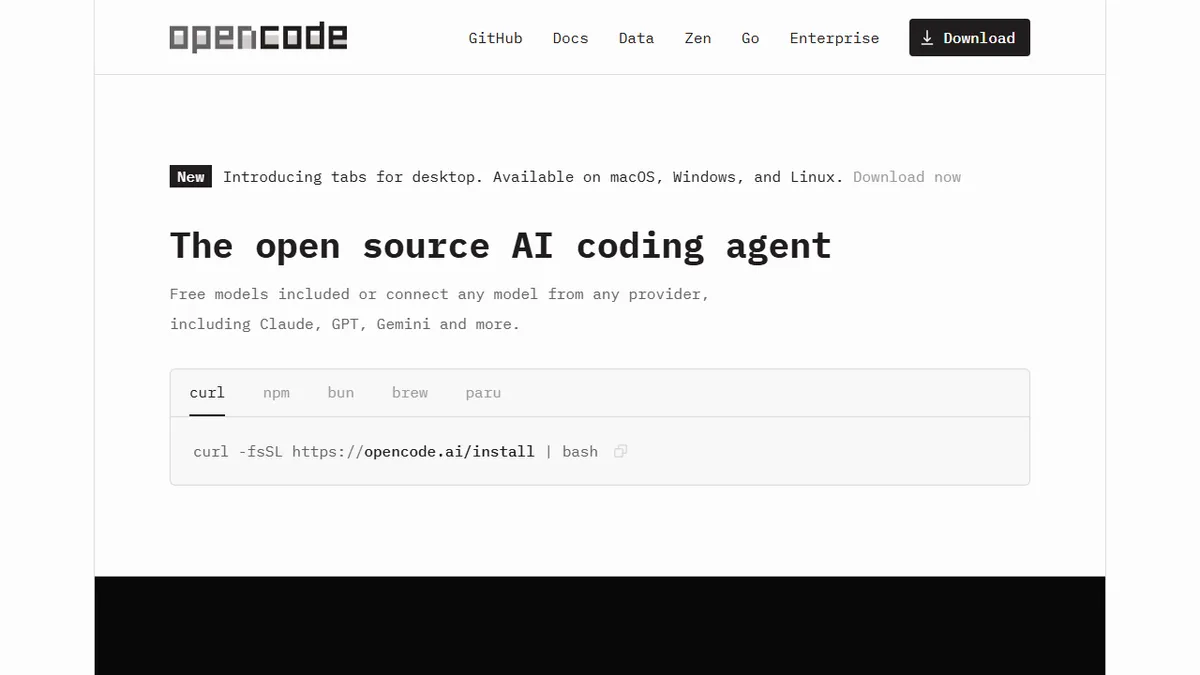
OpenCode
Open-source AI coding agent that runs in your terminal, IDE, or desktop and talks to 75+ LLM providers.
In short
OpenCode is a free, open-source terminal coding agent supporting 75+ LLM providers. It offers a hackable, privacy-focused alternative to Cursor or Claude Code without vendor lock-in.
Pick OpenCode if you want a hackable, terminal-first coding agent that you can point at any model (or a local one) without being chained to a vendor.
Skip it if you want a polished one-click IDE experience with a managed model included and don't care about provider lock-in.
OpenCode is an open-source coding agent built for developers who want Claude Code or Cursor-style workflows without locking themselves into a single vendor's model or runtime. It runs as a terminal TUI, a desktop app, and an IDE extension, uses Language Server Protocol integration for real language awareness, and supports multiple parallel sessions you can share via link for collaboration or debugging.
The pitch versus the closed competitors is provider freedom: OpenCode plugs into 75+ LLM providers through Models.dev, including local models, your existing GitHub Copilot subscription, or a ChatGPT Plus/Pro account, so the agent layer and the model bill are decoupled. The project itself is free and MIT-style open source with a heavyweight contributor base (160k+ GitHub stars, 900+ contributors). An optional paid "Zen" service offers curated, benchmarked coding-tuned models if you don't want to wire up your own keys.
It's aimed squarely at developers who already live in the terminal and want a hackable, privacy-respecting alternative to Cursor, Claude Code, or Copilot Workspace. No user code or context is stored on OpenCode's side, which makes it easier to justify in regulated or self-hosted environments.
OpenCode is the most credible open-source answer to Cursor and Claude Code right now, and the multi-provider story is the headline feature. It rewards developers who already have a Copilot or ChatGPT sub and want to reuse it inside a real agent, but you should expect to do some plumbing.
— The AI Tool Bible editorial team
Pros
- ✅ Genuinely open source with massive contributor base
- ✅ Provider-agnostic: 75+ LLMs incl. local models and existing Copilot/ChatGPT subs
- ✅ Runs as terminal TUI, desktop app, and IDE extension
- ✅ LSP integration gives real language awareness, not just text completion
- ✅ No-data-retention posture suits regulated and self-hosted setups
Cons
- ⚠️ You bring your own model keys (or pay for Zen) to get top-tier results
- ⚠️ Younger and rougher UX than Cursor or Claude Code
- ⚠️ Quality depends heavily on which provider you wire up
Use cases
Frequently asked
- How much does OpenCode cost?
- OpenCode is free and open source. There is an optional paid Zen service available if you prefer curated, benchmarked coding models rather than wiring up your own API keys.
- Which AI models can I use with OpenCode?
- It supports 75+ LLM providers via Models.dev, including Claude, GPT, Gemini, local models, and existing subscriptions like GitHub Copilot or ChatGPT Plus/Pro. You are not locked into a single vendor.
- Is OpenCode suitable for regulated or self-hosted environments?
- Yes. No user code or context is stored on OpenCode's side. This privacy-respecting design makes it easier to justify in regulated or self-hosted environments compared to closed competitors.
- What platforms does OpenCode run on?
- OpenCode runs as a terminal TUI, a desktop app, and an IDE extension. It uses Language Server Protocol integration for real language awareness and supports multiple parallel sessions.
- How does OpenCode compare to Cursor or Claude Code?
- OpenCode offers similar workflows but with provider freedom. It is a hackable, open-source alternative that decouples the agent layer from the model bill, unlike closed competitors that may enforce vendor lock-in.
Explore related
Compare with similar tools
All in Coding →Cursor
FeaturedAI-first VS Code fork — chat, edit, and agentic coding in one IDE.
GitHub Copilot
FeaturedThe original AI pair programmer, now with chat and agents.
Replit Agent
FeaturedBuild & deploy a full app from a single prompt.
Warp
The agentic development environment, from the terminal up
Cline
Open-source agentic coding assistant that plans, edits, and runs code inside your IDE
Aider
Terminal-based AI pair programmer that writes commits.