
Magic Potion
Visual drag-and-drop prompt editor for crafting, organizing, and reusing prompts across OpenAI, Anthropic, and Google models.
In short
Magic Potion is a visual drag-and-drop prompt editor for crafting and reusing prompts across OpenAI, Anthropic, and Google models.
Pick Magic Potion if you write a lot of prompts and want a visual editor and shared library instead of scattered text files and chat tabs.
Skip it if you need agent orchestration, RAG, evals, or a programmatic API - this is a prompt authoring tool, not an LLM platform.
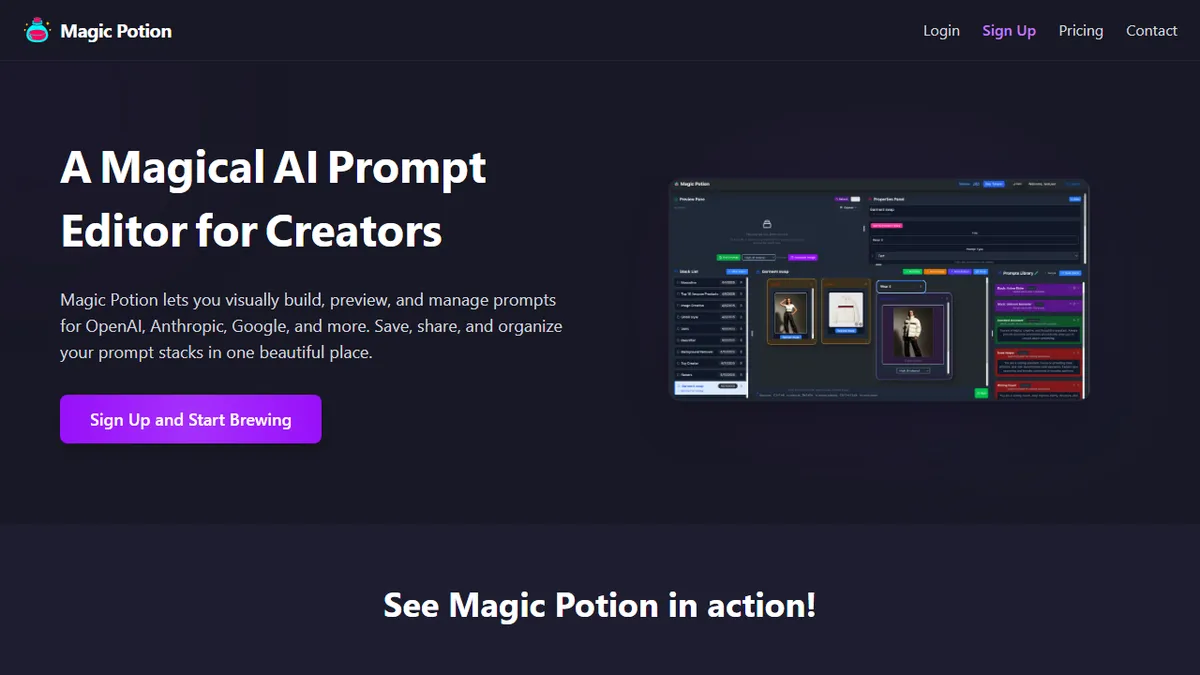
Magic Potion is a browser-based prompt engineering workbench that turns prompt design into a visual, drag-and-drop exercise instead of a wall of text. You assemble blocks of instructions, context, and variables into reusable 'prompt stacks,' preview their output against the major LLM providers (OpenAI, Anthropic, Google), and save them to a library you can iterate on or share.
It's pitched at creators, marketers, and prompt-heavy power users who are tired of pasting half-remembered prompts between ChatGPT tabs and Notion docs. The differentiation is the visual editor and the cross-provider preview, which matters if you A/B prompts between Claude and GPT-4 class models. It's a hosted SaaS with a register/login flow at my.magicpotion.app; pricing is not surfaced on the public marketing page, suggesting a freemium-style account model where you sign up to see plans.
It's not a model itself and not an agent runtime, so don't expect tool-use, RAG, or production deployment hooks out of the box. Treat it as a prompt IDE and library rather than an orchestration layer.
A tidy little prompt IDE that scratches a real itch for people who treat prompts as artifacts worth versioning. The visual editor plus cross-provider preview is the right product idea; the open question is whether the library and collaboration features can earn a paid subscription against free alternatives like the OpenAI Playground or Anthropic Workbench.
— The AI Tool Bible editorial team
Pros
- ✅ Visual block-based editor is faster than maintaining prompts in plain text files
- ✅ Multi-provider preview across OpenAI, Anthropic, and Google in one UI
- ✅ Library/stack model encourages reusable, versioned prompts
- ✅ Clean, focused scope - it does one thing
Cons
- ⚠️ Pricing is gated behind signup, not on the marketing site
- ⚠️ No public API documentation visible from the landing page
- ⚠️ Not an agent or RAG framework - prompt authoring only
- ⚠️ Smaller indie product without the ecosystem of bigger prompt platforms
Use cases
Frequently asked
- How much does Magic Potion cost?
- Pricing is not detailed on the public marketing page. It operates on a freemium model where you sign up to see plans, suggesting a free tier with paid options available after registration.
- Which AI models does Magic Potion support?
- It supports multi-model previewing against major LLM providers, specifically OpenAI, Anthropic, and Google. This allows users to A/B test prompts between different model classes like Claude and GPT-4.
- Is Magic Potion suitable for developers needing an API?
- No, it is not a programmatic API or LLM platform. It is a prompt authoring tool, not an orchestration layer, so it lacks production deployment hooks, RAG, or agent runtime capabilities.
- What is the main benefit over using text files?
- It replaces scattered text files and chat tabs with a visual editor and shared library. You can assemble reusable 'prompt stacks' and preview outputs visually, which is ideal for creators tired of pasting prompts between tabs.
- Who is Magic Potion best for?
- It is best for creators, marketers, and prompt-heavy power users who write many prompts and want a visual editor and shared library. It is not for those needing agent orchestration or complex RAG systems.
Explore related
Compare with similar tools
All in Writing →Claude
FeaturedAnthropic's flagship assistant for long-form writing, analysis, and coding.
GPT-4o
FeaturedOpenAI's multimodal flagship behind ChatGPT.
Gemini Advanced
Google's flagship — strong at math, long context, and Workspace integration.
Llama 3
Meta's open-weights LLM family that put serious frontier-adjacent models in everyone's hands.
Qwen
Alibaba's open-weight foundation model family covering chat, vision, image generation, translation, and safety classification.
Jan
Open-source desktop ChatGPT alternative that runs local LLMs and routes to cloud providers from one app.