
Kilo Code
Open-source agentic coding assistant for VS Code, JetBrains, and the terminal with bring-your-own-key routing across 500+ models.
In short
Kilo Code is an open-source agentic coding assistant for VS Code, JetBrains, and CLI. It supports 500+ models via BYO keys or managed routing with no inference markup.
Pick Kilo Code if you want a Cursor-style agentic coding experience but need open-source code, BYO keys, and IDE choice beyond VS Code.
Skip it if you want a single opinionated, fully managed coding IDE and do not want to think about model selection or keys.
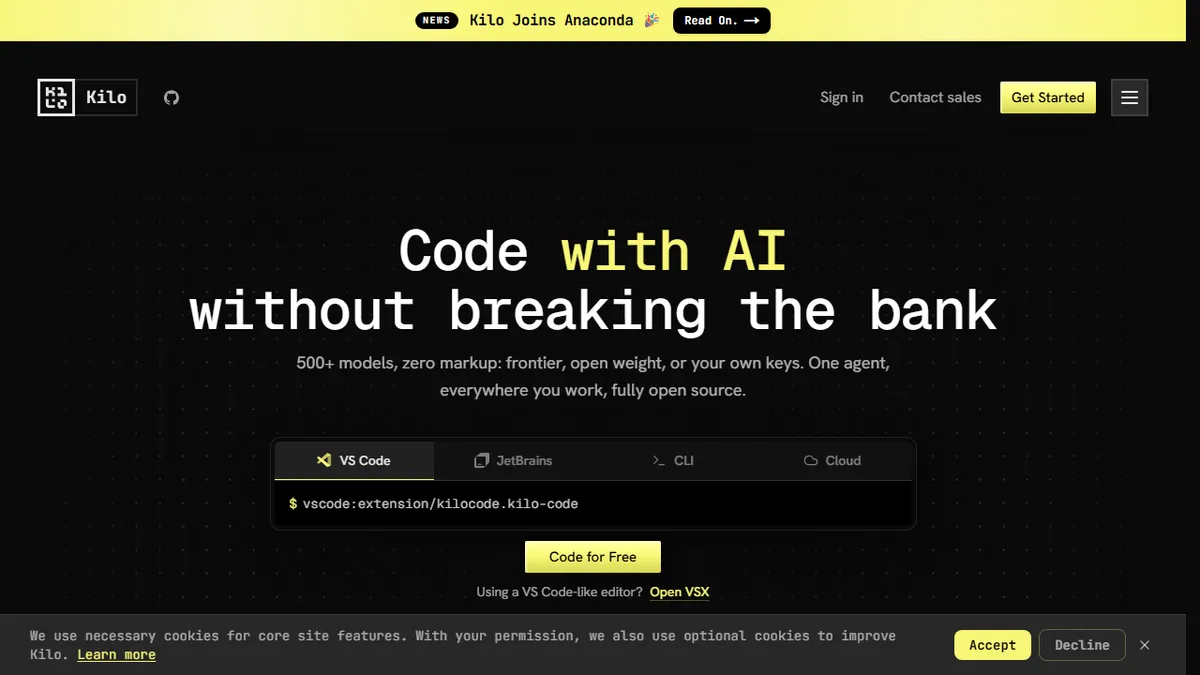
Kilo Code is an open-source AI coding agent that plugs into VS Code, JetBrains IDEs, a CLI, Slack, and a hosted cloud runner. It ships five operating modes — Code, Architect, Debug, Ask, and Custom — alongside whole-codebase context, a code review pass, and an auto model router that picks an appropriate model per task. The project is Apache 2.0 licensed and visible on GitHub, so teams can self-host or fork it instead of paying for a closed tool.
What differentiates it from Cursor or Copilot is the pricing posture and model freedom: there is no inference markup, you can bring your own API keys (OpenAI, Anthropic, OpenRouter, local models via Ollama, etc.), and there is no vendor lock-in. A free tier is available with no credit card, and Kilo Pass offers a flat subscription for managed inference if you do not want to wire up your own keys. The landing page name-checks usage at Meta, Amazon, Airbnb, PayPal, Square, and Red Hat, which positions it for serious individual developers as well as engineering teams.
The broader ecosystem includes OpenClaw managed hosting for agents (no Docker or SSH plumbing) and an emerging cloud/Slack surface for asynchronous agent work. Caveat: with 500+ supported models and five modes, the surface area is large, and quality varies considerably depending on which model you point it at — the auto-router helps but does not eliminate the need to tune.
Kilo Code is one of the more credible open-source answers to Cursor and Copilot, and the BYO-key, no-markup stance is genuinely useful for teams watching inference spend. It is less opinionated than its closed competitors, which is a feature for power users and a liability for anyone who just wants defaults that work.
— The AI Tool Bible editorial team
Pros
- ✅ Open source under Apache 2.0 with self-host option
- ✅ Zero markup on inference and bring-your-own-key support
- ✅ Works across VS Code, JetBrains, CLI, Slack, and cloud
- ✅ Five distinct agent modes including Architect and Debug
- ✅ Free tier with no credit card required
Cons
- ⚠️ Large surface area means quality depends heavily on chosen model
- ⚠️ Less polished UX than incumbents like Cursor
- ⚠️ Managed Kilo Pass pricing not fully transparent on landing page
Use cases
Frequently asked
- How much does Kilo Code cost?
- Kilo Code is free and open-source. Teams pay $15/user/month, Enterprise is custom, and Kilo Pass is $19/month for managed inference. A free tier requires no credit card.
- Which IDEs and platforms does Kilo Code support?
- It plugs into VS Code, JetBrains IDEs, a CLI, Slack, and a hosted cloud runner. This offers more IDE choice than tools limited to a single environment.
- Can I use my own API keys?
- Yes, you can bring your own keys for OpenAI, Anthropic, OpenRouter, or local models via Ollama. There is no inference markup or vendor lock-in if you use your own keys.
- How does Kilo Code handle model selection?
- It supports 500+ models and includes an auto model router that picks an appropriate model per task. However, quality varies by model, so some tuning may still be needed.
- Is Kilo Code open-source?
- Yes, it is Apache 2.0 licensed and visible on GitHub. Teams can self-host or fork the project instead of paying for a closed tool.
Explore related
Compare with similar tools
All in Coding →Cursor
FeaturedAI-first VS Code fork — chat, edit, and agentic coding in one IDE.
GitHub Copilot
FeaturedThe original AI pair programmer, now with chat and agents.
Replit Agent
FeaturedBuild & deploy a full app from a single prompt.
Warp
The agentic development environment, from the terminal up
Cline
Open-source agentic coding assistant that plans, edits, and runs code inside your IDE
Aider
Terminal-based AI pair programmer that writes commits.