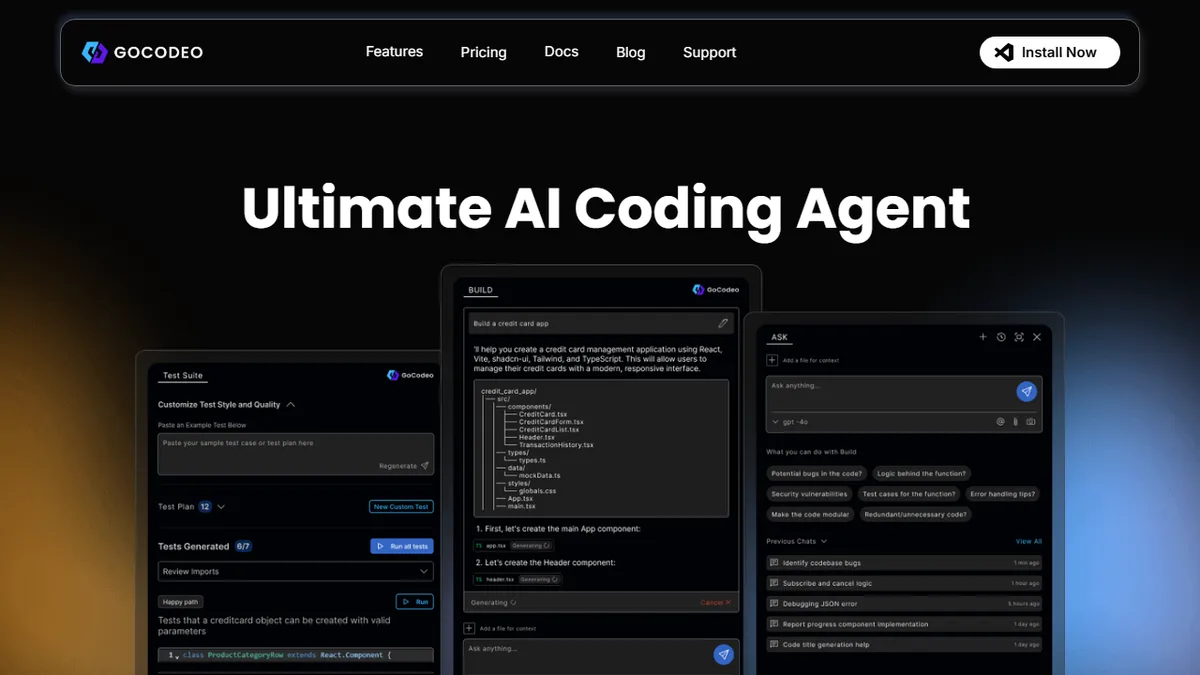

GoCodeo
VS Code agent that builds, tests, and debugs full-stack apps across 25+ frameworks with multiple frontier LLMs.
In short
GoCodeo is a VS Code agent that manages the full build, test, and debug cycle for full-stack applications. It is best for developers who want to scaffold, test, and deploy JS or Python apps to Vercel and Supabase without leaving their editor.
Pick GoCodeo if you live in VS Code and want a single agent that scaffolds, tests, and ships full-stack JS/Python apps to Vercel and Supabase.
Skip it if you need a JetBrains/Neovim plugin, a self-hosted deployment, or an API to embed coding-agent capabilities into your own product.
GoCodeo is a VS Code extension that wraps an AI coding agent around the full build-test-debug loop, with three core modes: BUILD (real-time code generation across 25+ frameworks with one-click Vercel deploy and Supabase wiring), ASK (an in-IDE chat companion with code/image context and @Web search), and TEST (sub-30-second generation of production-ready test suites plus AI failure analysis). It is model-pluggable, routing prompts to Claude 3.5/3.7 Sonnet, Gemini 2.5 Pro, DeepSeek-R1, GPT-4o, or o3-mini depending on the task.
The pitch is aimed at full-stack JavaScript and Python developers who want a Cursor-style flow without leaving VS Code, and who care about the deploy step rather than just code completion. The Supabase + Vercel hooks are the real differentiator versus generic copilots, and the test generation mode is meaningfully ahead of what stock GitHub Copilot ships. There is a free tier via the VS Code Marketplace; the product claims 25,000+ engineers on the platform but does not publish detailed paid pricing on the homepage.
There is no public API, no self-hostable version, and no open-source codebase — this is a closed extension tied to the VS Code ecosystem. JetBrains and Neovim users are out of scope, and teams with strict data-residency requirements should check the model-routing terms before adopting.
GoCodeo is a credible Cursor/Copilot alternative for the specific developer who is building Next.js or Flask apps and deploying to Vercel with Supabase. The multi-model routing and dedicated TEST mode are genuinely useful, but the VS Code-only footprint and opaque pricing make it a harder sell for larger teams.
— The AI Tool Bible editorial team
Pros
- ✅ Covers build, test, and debug in one extension rather than just autocomplete
- ✅ Model choice across Anthropic, Google, OpenAI, and DeepSeek frontier models
- ✅ First-class Vercel deploy and Supabase setup baked into the BUILD flow
- ✅ Fast test generation (sub-30s) with AI-driven failure analysis
Cons
- ⚠️ VS Code only — no JetBrains, Neovim, or web IDE support
- ⚠️ No public API or self-hostable option
- ⚠️ Paid pricing not transparent on the marketing site
- ⚠️ Closed source, so model-routing and data handling are a black box
Use cases
Frequently asked
- Which programming languages and frameworks does GoCodeo support?
- It supports full-stack JavaScript and Python development across more than 25 frameworks. The tool is specifically designed for developers building applications in these ecosystems.
- What are the main features of the GoCodeo extension?
- It offers three core modes: BUILD for code generation and deployment, ASK for in-IDE chat with web search, and TEST for generating test suites and analyzing failures. It also includes one-click Vercel deploy and Supabase wiring.
- Which AI models can I use with GoCodeo?
- GoCodeo is model-pluggable and routes prompts to Claude 3.5/3.7 Sonnet, Gemini 2.5 Pro, DeepSeek-R1, GPT-4o, or o3-mini depending on the specific task.
- Is GoCodeo available for editors other than VS Code?
- No, GoCodeo is a closed extension tied exclusively to the VS Code ecosystem. It does not support JetBrains, Neovim, or web IDEs, and there is no self-hostable version or public API.
- How much does GoCodeo cost?
- GoCodeo operates on a freemium model with a free Hobby tier. Paid plans include Starter at US $9 per month and Pro at US $19 per month.
Explore related
Compare with similar tools
All in Coding →Cursor
FeaturedAI-first VS Code fork — chat, edit, and agentic coding in one IDE.
GitHub Copilot
FeaturedThe original AI pair programmer, now with chat and agents.
Replit Agent
FeaturedBuild & deploy a full app from a single prompt.
Warp
The agentic development environment, from the terminal up
Cline
Open-source agentic coding assistant that plans, edits, and runs code inside your IDE
Aider
Terminal-based AI pair programmer that writes commits.