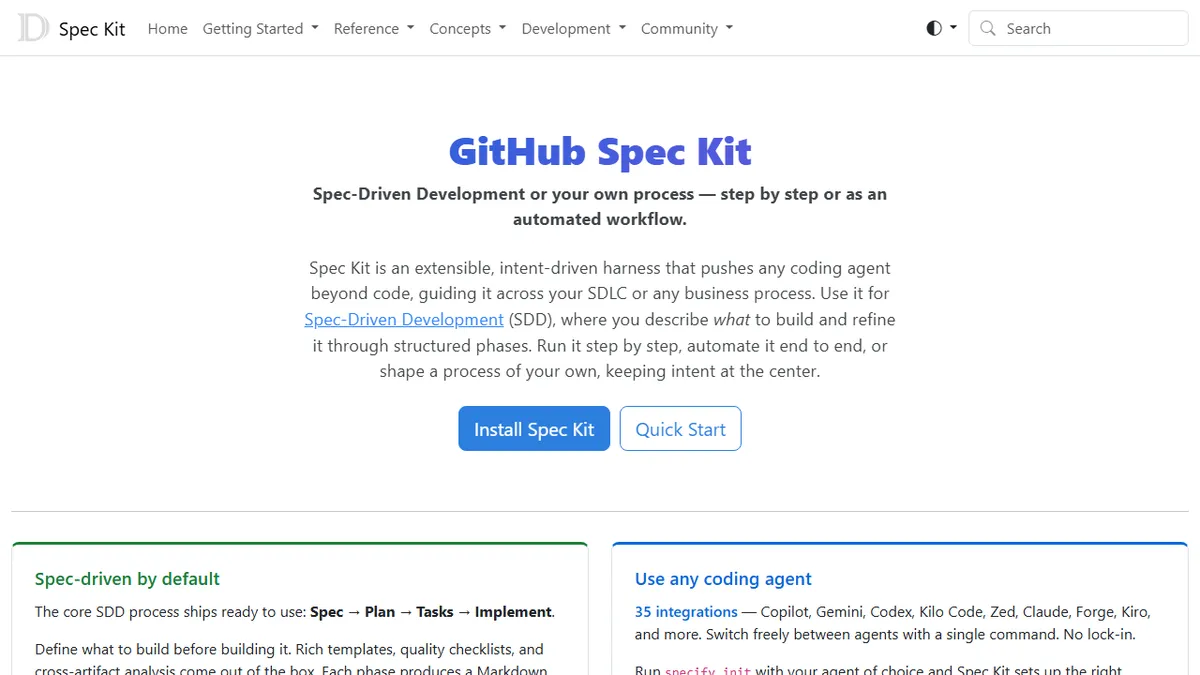
GitHub Spec Kit
Open-source toolkit that forces AI coding agents through a Spec to Plan to Tasks to Implement workflow.
In short
GitHub Spec Kit is a free, open-source toolkit enforcing a Spec-to-Implement workflow for AI coding agents. It standardizes upstream artifacts to reduce hallucinations across multiple supported models.
Pick GitHub Spec Kit if you want a disciplined, agent-agnostic spec-first workflow that survives switching between Copilot, Claude, and Gemini.
Skip it if you mostly do quick one-shot prompts or you are unwilling to maintain spec, plan, and task documents alongside your code.
GitHub Spec Kit is an open-source toolkit for Spec-Driven Development (SDD), a methodology that demands a written specification, an architectural plan, and a task breakdown before a coding agent is allowed to touch the codebase. It ships templates, Markdown artifacts, and quality checklists that walk a team through the four core phases (Spec, Plan, Tasks, Implement), feeding each phase as structured context into the next prompt rather than letting the agent freestyle from a single chat message.
The pitch is for engineering teams who have already tried letting Copilot or Claude one-shot a feature and watched it hallucinate the requirements. Spec Kit standardizes the upstream artifacts so the same spec can be handed to any supported agent and produce comparable output. It is free and open-source, with 100K+ GitHub stars, and runs locally on Windows, macOS, and Linux. There is no SaaS layer and no API; you install the CLI and drive your existing agent of choice.
It advertises 30+ integrations including GitHub Copilot, Claude, Gemini, OpenAI Codex, Windsurf, Zed, Kiro, and Forge, with a single command to switch agents mid-project. The trade-off is process overhead: it is deliberately heavier than just chatting with an agent, and the value depends on whether your team will actually maintain the spec and plan documents instead of skipping straight to Implement.
Spec Kit is GitHub's attempt to make AI coding behave like real engineering rather than vibes-driven prompting. The methodology is sound and the multi-agent support is genuinely useful, but only teams willing to actually write the specs will get the payoff. For solo hacking, it's overkill; for shared codebases with multiple agents in rotation, it's worth the discipline.
— The AI Tool Bible editorial team
Pros
- ✅ Agent-agnostic; same spec drives Copilot, Claude, Gemini, Codex, Windsurf, Zed and 25+ others
- ✅ Free, open-source, and self-contained CLI with no SaaS dependency
- ✅ Forces upstream specs and plans that survive across agent sessions and team handoffs
- ✅ Works offline and behind corporate firewalls; cross-platform
Cons
- ⚠️ Process overhead is real; small one-off tasks feel over-engineered
- ⚠️ No API or hosted service, so no team analytics or central governance UI
- ⚠️ Quality of output still depends entirely on the underlying coding agent
Use cases
Frequently asked
- How much does GitHub Spec Kit cost?
- GitHub Spec Kit is completely free and open-source under the MIT license. There is no SaaS layer, no API fees, and no subscription required. You simply install the CLI locally on Windows, macOS, or Linux to use it with your existing agents.
- Which AI coding agents are compatible with Spec Kit?
- It supports over 30 integrations, including GitHub Copilot, Claude, Gemini, OpenAI Codex, Windsurf, Zed, Kiro, and Forge. A single command allows you to switch agents mid-project, ensuring the same specification produces comparable output across different models.
- Is GitHub Spec Kit suitable for quick, one-shot coding tasks?
- No, it is not ideal for quick one-shot prompts. The tool is deliberately heavier than simple chat interactions because it requires maintaining spec, plan, and task documents. It is best for teams willing to follow a disciplined, multi-phase workflow rather than skipping straight to implementation.
- What is the core workflow of GitHub Spec Kit?
- The toolkit enforces a four-phase workflow: Spec, Plan, Tasks, and Implement. It uses templates and Markdown artifacts to feed structured context from each phase into the next prompt, preventing agents from freestyling based on a single chat message.
- Does GitHub Spec Kit require a cloud service or API?
- No, there is no SaaS layer or API. The toolkit runs locally on your machine. You install the CLI and drive your existing agent of choice, keeping the process local and agent-agnostic without relying on external cloud infrastructure.
Explore related
Compare with similar tools
All in Coding →Cursor
FeaturedAI-first VS Code fork — chat, edit, and agentic coding in one IDE.
GitHub Copilot
FeaturedThe original AI pair programmer, now with chat and agents.
Replit Agent
FeaturedBuild & deploy a full app from a single prompt.
Warp
The agentic development environment, from the terminal up
Cline
Open-source agentic coding assistant that plans, edits, and runs code inside your IDE
Aider
Terminal-based AI pair programmer that writes commits.