
Gamma
AI-powered generator for presentations, documents, and webpages from a single prompt.
In short
Gamma converts short prompts or outlines into polished presentations, documents, or websites in seconds. It is best for users needing a quick, editable draft without manual design work.
Pick Gamma if you need a sharp-looking deck, doc, or microsite tomorrow morning and want the AI to handle structure, copy, and layout in one pass.
Skip it if you need API access, on-prem deployment, or pixel-perfect control over a heavily branded design system.
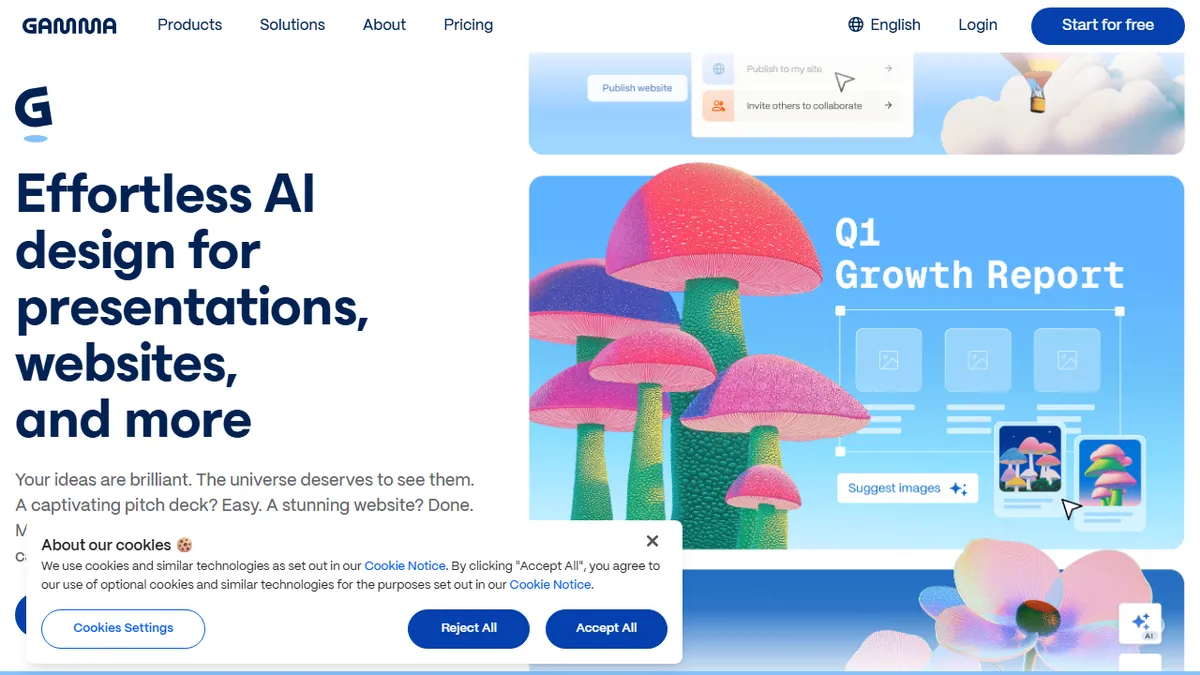
Gamma is an AI-native alternative to PowerPoint, Google Slides, and Notion that turns a short prompt or pasted outline into a polished deck, document, or one-page website in seconds. You pick a format, optionally upload source material (PDF, doc, URL), and Gamma drafts the structure, writes the copy, picks layouts, and pulls in stock imagery or AI-generated visuals. Output stays editable in a card-based block editor that adapts responsively to screen size, so the same project can be presented, scrolled as a doc, or published as a site.
It is aimed at founders, marketers, educators, and consultants who would rather start from a working draft than a blank canvas. Pricing is freemium: a free tier ships with 400 starter credits and Gamma-branded exports, and paid Plus and Pro plans (roughly $10 and $20/user/month) unlock unlimited AI generations, custom fonts, analytics, PDF/PPT export without watermarks, and access to stronger image models. There is also a team tier with shared workspaces and admin controls.
The editor supports custom themes, brand kits, embeds (Figma, Loom, Airtable, YouTube), and one-click translation across 50+ languages. Gamma does not currently offer a public API and is not open source, so it is best treated as a finished consumer/SMB product rather than a building block. Image generation is powered by a rotating mix of third-party models (Flux, Ideogram, Imagen, DALL-E variants) selected by tier.
Gamma is the rare AI productivity tool that genuinely shortens a real workflow: it has quietly become the default for founders who would otherwise be wrestling with Slides at midnight. The output isn't keynote-grade out of the box, but it's a strong B+ that's 80% of the way there, which is exactly what most decks need.
— The AI Tool Bible editorial team
Pros
- ✅ Generates a full deck, doc, or site from one prompt in under a minute
- ✅ Responsive card-based editor that exports cleanly to PDF and PPTX
- ✅ Strong default themes and brand-kit support reduce design overhead
- ✅ Built-in translation across 50+ languages and analytics on shared links
Cons
- ⚠️ No public API, so it can't be embedded in custom pipelines
- ⚠️ Free tier exports carry a Gamma watermark
- ⚠️ AI copy still needs editing for nuanced or technical decks
- ⚠️ Closed source with no self-host option
Use cases
Frequently asked
- What types of content can Gamma generate?
- Gamma creates presentations, documents, and one-page websites from a single prompt or pasted outline. It handles structure, copy, layout, and imagery selection automatically.
- Is Gamma available for free?
- Yes, Gamma offers a freemium model. The free tier includes 400 starter credits and exports with a Gamma watermark, while paid plans remove watermarks and unlock unlimited generations.
- Can I edit the content after it is generated?
- Yes, the output is editable in a card-based block editor. Users can customize themes, add embeds, and adjust layouts, with the design adapting responsively to different screen sizes.
- Does Gamma offer an API for integration?
- No, Gamma does not currently offer a public API and is not open source. It is designed as a finished consumer and SMB product rather than a building block for custom pipelines.
Explore related
Compare with similar tools
All in Writing →Claude
FeaturedAnthropic's flagship assistant for long-form writing, analysis, and coding.
GPT-4o
FeaturedOpenAI's multimodal flagship behind ChatGPT.
Gemini Advanced
Google's flagship — strong at math, long context, and Workspace integration.
Llama 3
Meta's open-weights LLM family that put serious frontier-adjacent models in everyone's hands.
Qwen
Alibaba's open-weight foundation model family covering chat, vision, image generation, translation, and safety classification.
Jan
Open-source desktop ChatGPT alternative that runs local LLMs and routes to cloud providers from one app.