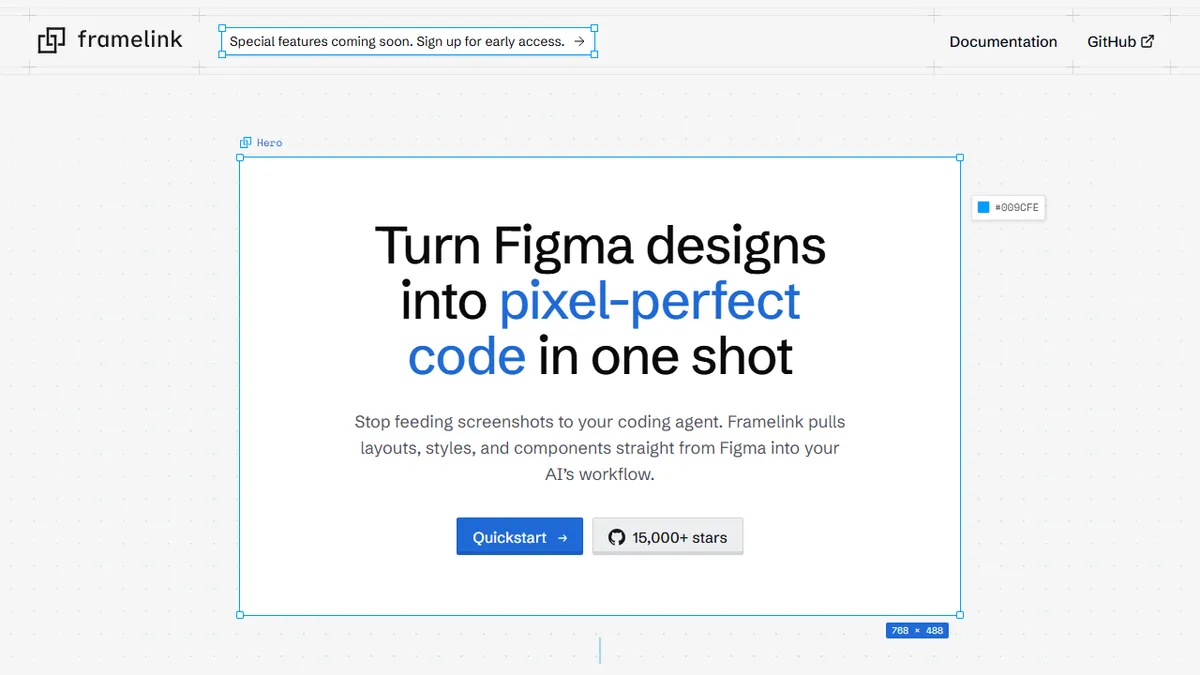
Framelink
Open-source MCP server that pipes Figma designs into AI coding agents as structured, low-noise context.
In short
Framelink is a free, open-source MCP server that lets AI agents read Figma files as compact context, enabling efficient design-to-code generation without bloating the model window.
Pick Framelink if you live in Cursor or Claude Code and want your AI agent to read Figma files directly without bloating the context window.
Skip it if you want a one-click hosted design-to-code service or your team's Figma files are unstructured and missing component names.
Framelink is a Model Context Protocol (MCP) server that lets AI coding agents like Cursor, Claude Code, and VS Code's agent mode read Figma files directly. Instead of dumping a giant Figma JSON blob into the model's context, it returns a compact descriptive representation of layouts, styles, and components, which the agent then turns into HTML/CSS, iOS, Android, or whatever target the project uses.
The pitch is straightforward: most Figma-to-code tools are prescriptive and try to hand the LLM finished markup, which poisons the context window and produces brittle output. Framelink instead exposes design intent (named styles, nested components, deduplicated tokens) so the agent can write idiomatic code in your codebase's conventions. Output is roughly 25% smaller than competing MCP solutions, which matters when you're paying per token. It's free and open source, with 15k+ GitHub stars and a paid tier flagged as coming soon.
Integration is a one-time MCP config in your agent of choice plus a Figma personal access token. There is no hosted SaaS UI to learn, no separate dashboard, no lock-in. Caveat: you still need a designer-friendly Figma file with proper component and style naming for the output to be useful, and the project is young enough that the paid tier and roadmap are still in flux.
Framelink is the cleanest MCP bridge between Figma and modern coding agents we've seen, and the descriptive-over-prescriptive philosophy is the right call for LLM workflows. It's free, open source, and unopinionated about which agent you use - exactly the shape of tool we want more of.
— The AI Tool Bible editorial team
Pros
- ✅ Open source with strong GitHub traction (15k+ stars)
- ✅ Descriptive output uses ~25% fewer tokens than rivals
- ✅ Works with any MCP-capable agent, not locked to one vendor
- ✅ Preserves named styles and nested component structure
Cons
- ⚠️ Output quality depends on well-organized Figma files
- ⚠️ No hosted UI; assumes you're comfortable wiring up MCP
- ⚠️ Paid tier and long-term roadmap still undefined
Use cases
Frequently asked
- How much does Framelink cost?
- Framelink is free and open source. A paid tier is currently on the waitlist, but the core functionality is available at no cost to users who want to integrate Figma with their AI coding agents.
- Which AI coding agents does Framelink support?
- It supports multi-model agents including Cursor, Claude Code, and VS Code’s agent mode. You bring your own agent, and Framelink acts as the bridge to provide structured Figma context for code generation.
- Is Framelink difficult to set up?
- Setup involves a one-time MCP configuration in your chosen agent and adding a Figma personal access token. There is no hosted SaaS UI, dashboard, or lock-in to manage, making the integration process straightforward.
- How does Framelink differ from other Figma-to-code tools?
- Unlike prescriptive tools that dump large JSON blobs, Framelink returns compact descriptive representations of layouts and styles. This approach keeps output roughly 25% smaller, reducing token usage and allowing agents to write idiomatic code.
- What are the limitations of using Framelink?
- Your Figma files must be well-structured with proper component and style naming for the output to be useful. Additionally, the project is young, so the paid tier and roadmap are still in flux.
Explore related
Compare with similar tools
All in Coding →Cursor
FeaturedAI-first VS Code fork — chat, edit, and agentic coding in one IDE.
GitHub Copilot
FeaturedThe original AI pair programmer, now with chat and agents.
Replit Agent
FeaturedBuild & deploy a full app from a single prompt.
Warp
The agentic development environment, from the terminal up
Cline
Open-source agentic coding assistant that plans, edits, and runs code inside your IDE
Aider
Terminal-based AI pair programmer that writes commits.