
editGPT
Browser extension that turns ChatGPT into a tracked-changes proofreader for your documents.
In short
editGPT layers a tracked-changes proofreading workflow over ChatGPT, allowing users to accept or reject individual edits rather than receiving a full rewrite. It is best for non-native writers and students who need a reviewable diff inside their existing writing tools.
Pick editGPT if you already live in ChatGPT or Google Docs and want a tracked-changes proofreading layer instead of an opaque rewrite.
Skip it if you need real-time grammar underlining, team style guides, or a Grammarly-grade editor with plagiarism and tone analytics.
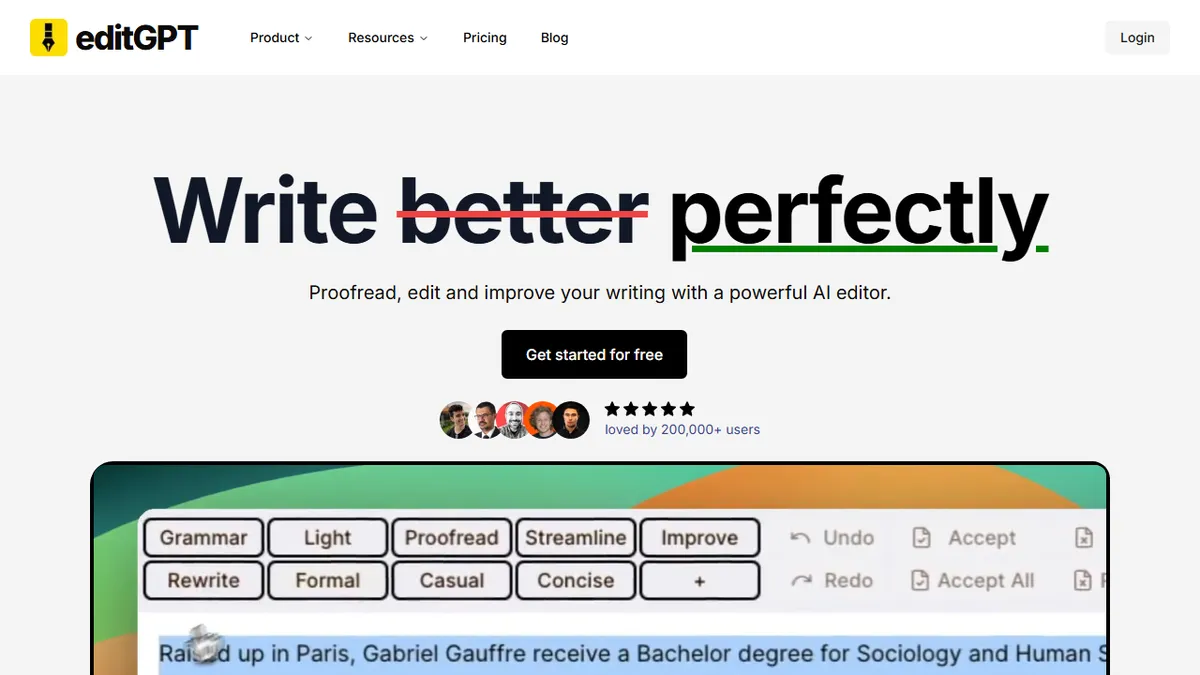
editGPT is a browser extension and web app that layers a Word-style proofreading workflow on top of ChatGPT. Instead of pasting text into ChatGPT and getting a rewritten blob back, you get inline track changes, suggested edits, and a side-by-side diff you can accept or reject one revision at a time. It runs as a Chrome/Edge extension that injects into ChatGPT's interface (and into Google Docs and the WordPress editor on supported tiers), so the editing happens where you're already writing.
The sell is workflow, not model quality: editGPT outsources the LLM to whichever ChatGPT account you already pay for, and concentrates on the editorial UX that ChatGPT itself doesn't ship, namely revision marks, change history, and tone/style presets (academic, business, casual). That makes it most useful for non-native English writers, students polishing essays, and copy editors who want a reviewable diff rather than a black-box rewrite. There's a free tier for basic proofreading and a paid plan that unlocks longer documents, more style modes, and the Google Docs / Word integrations.
The catch is that editGPT is a thin wrapper around ChatGPT, so it inherits ChatGPT's hallucination habits and rate limits, and it stops being useful the moment OpenAI ships a comparable editing UI of their own. It's also not a full Grammarly replacement; there's no real-time underlining as you type, no plagiarism checker, and no team/style-guide features.
A small but genuinely clever idea: bolt a Word-style review workflow onto ChatGPT so edits become reviewable instead of mysterious. It earns its place for writers and editors, but it's a feature, not a platform, and that limits how much we can recommend it for serious teams.
— The AI Tool Bible editorial team
Pros
- ✅ Inline track-changes UI on top of ChatGPT, not just a rewritten blob
- ✅ Works directly inside ChatGPT, Google Docs, and Word
- ✅ Tone/style presets (academic, business, casual) speed up common edits
- ✅ Free tier is genuinely usable for short documents
Cons
- ⚠️ Thin wrapper around ChatGPT — inherits its hallucinations and quirks
- ⚠️ No real-time as-you-type checking like Grammarly
- ⚠️ Document length capped on the free tier
- ⚠️ Roadmap risk if OpenAI ships native editing UX
Use cases
Frequently asked
- How does editGPT differ from using ChatGPT directly?
- Instead of returning a rewritten blob, editGPT provides inline track changes, suggested edits, and a side-by-side diff. This allows users to accept or reject revisions one at a time within the ChatGPT interface.
- Which platforms does editGPT integrate with?
- It runs as a Chrome or Edge extension that injects into ChatGPT's interface. On supported tiers, it also works within Google Docs and the WordPress editor.
- Is editGPT a replacement for Grammarly?
- No, it is not a full Grammarly replacement. It lacks real-time underlining as you type, a plagiarism checker, and team style-guide features.
- What are the pricing options for editGPT?
- editGPT offers a freemium model with a free tier for basic proofreading. The Premium plan costs around $9.99 per month and unlocks longer documents, more style modes, and additional integrations.
- What are the main limitations of using editGPT?
- As a wrapper around ChatGPT, it inherits the model's hallucination habits and rate limits. It also has document length caps on the free tier and faces risk if OpenAI ships a native editing UI.
Explore related
Compare with similar tools
All in Writing →Claude
FeaturedAnthropic's flagship assistant for long-form writing, analysis, and coding.
GPT-4o
FeaturedOpenAI's multimodal flagship behind ChatGPT.
Gemini Advanced
Google's flagship — strong at math, long context, and Workspace integration.
Llama 3
Meta's open-weights LLM family that put serious frontier-adjacent models in everyone's hands.
Qwen
Alibaba's open-weight foundation model family covering chat, vision, image generation, translation, and safety classification.
Jan
Open-source desktop ChatGPT alternative that runs local LLMs and routes to cloud providers from one app.