
Compose AI
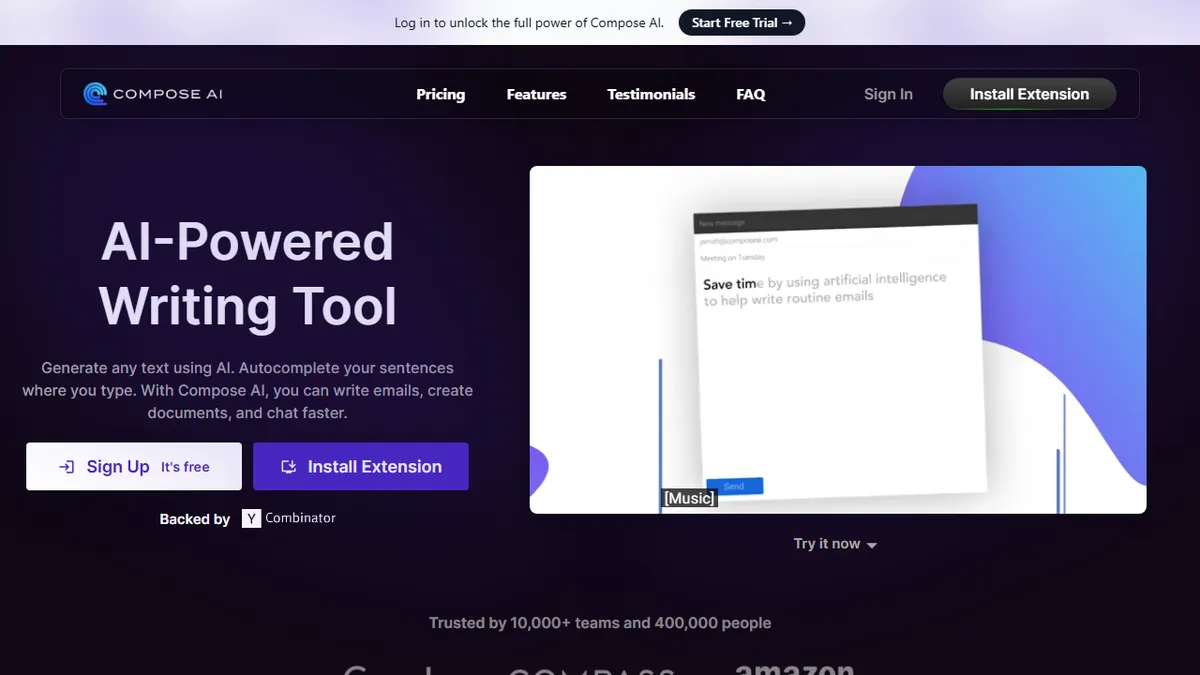
Chrome extension that adds Gmail-style AI autocomplete to virtually any text field in the browser.
In short
Compose AI is a browser extension that provides inline AI autocomplete for web-based text fields like Outlook and Slack. It is best for individuals and small teams seeking to reduce writing time for repetitive emails and short documents.
Pick Compose AI if you live in browser-based email and want Gmail-style tab-to-complete suggestions everywhere else you type.
Skip it if you need a desktop-native writer, an API, model choice, or long-form drafting beyond replies and short docs.
Compose AI is a browser extension (primarily Chrome) that bolts an AI autocomplete layer onto the web, so the same Smart Compose behavior Gmail users know from Google now works inside Outlook, LinkedIn, Twitter, Notion, Slack web, Docs, and most rich-text editors. Hit tab to accept a suggested phrase or whole-sentence completion, or trigger a slash command to rewrite, shorten, or expand selected text. The pitch is bluntly utilitarian: the company claims it cuts writing time by roughly 40% on the kinds of repetitive emails, replies, and short documents that fill a knowledge worker's day.
The differentiator versus generic ChatGPT-in-the-sidebar extensions is the inline autocomplete UX and a personalization layer that learns your phrasing over time, so suggestions sound less like a chatbot and more like your own template library. It is aimed at individuals and small teams (sales reps, support, recruiters, founders) rather than enterprise content teams. The base extension is free forever with a usage cap; a Premium tier unlocks unlimited generations, advanced personalization, and team features. The product is Y Combinator-backed and reports 400,000+ users and 10,000+ teams.
Caveats: it is browser-bound (no native desktop, mobile, or public API), the underlying model is not disclosed, and power users who already live inside ChatGPT, Claude, or a writing-specific tool like Lex will find the value thinner. Privacy policy states text is only used to generate completions and is not sold.
A focused, unflashy productivity utility that does one thing - inline autocomplete across the web - and does it well enough that the free tier alone is worth installing. It is not a strategic AI platform; it is the kind of extension you stop noticing because it just keeps shaving seconds off every reply.
— The AI Tool Bible editorial team
Pros
- ✅ Inline tab-to-complete UX works inside almost any web text field
- ✅ Free tier is genuinely usable, not a 7-day trial
- ✅ Personalization learns recurring phrasing and tone over time
- ✅ Reduces friction for high-volume email and reply work
Cons
- ⚠️ Chrome/browser only; no native desktop, mobile, or API
- ⚠️ Underlying model is undisclosed and not user-selectable
- ⚠️ Premium pricing is not transparent on the marketing site
- ⚠️ Overlaps heavily with built-in Gmail Smart Compose and Copilot
Use cases
Frequently asked
- Which platforms and applications does Compose AI support?
- It is a Chrome extension that works in web-based environments such as Outlook, LinkedIn, Twitter, Notion, Slack web, and Docs. It does not offer native desktop, mobile, or API access.
- How does Compose AI differ from generic AI chat tools?
- It uses an inline autocomplete UX where you hit tab to accept suggestions, rather than a sidebar chat. It also includes a personalization layer that learns your phrasing over time to make suggestions sound more like your own writing.
- What are the pricing options for Compose AI?
- The base extension is free forever with a usage cap. Premium costs $9.99 per month and Ultimate costs $29.99 per month, unlocking unlimited generations and advanced features.
- Who is the target audience for this tool?
- It is aimed at individuals and small teams, such as sales reps, support staff, recruiters, and founders, who need to handle high volumes of emails and short documents in a browser.
- Does Compose AI allow users to choose the underlying AI model?
- No, the underlying model is not disclosed and is not user-selectable. The company states that text is only used to generate completions and is not sold.
Explore related
Compare with similar tools
All in Writing →Claude
FeaturedAnthropic's flagship assistant for long-form writing, analysis, and coding.
GPT-4o
FeaturedOpenAI's multimodal flagship behind ChatGPT.
Gemini Advanced
Google's flagship — strong at math, long context, and Workspace integration.
Llama 3
Meta's open-weights LLM family that put serious frontier-adjacent models in everyone's hands.
Qwen
Alibaba's open-weight foundation model family covering chat, vision, image generation, translation, and safety classification.
Jan
Open-source desktop ChatGPT alternative that runs local LLMs and routes to cloud providers from one app.