
ChatBar
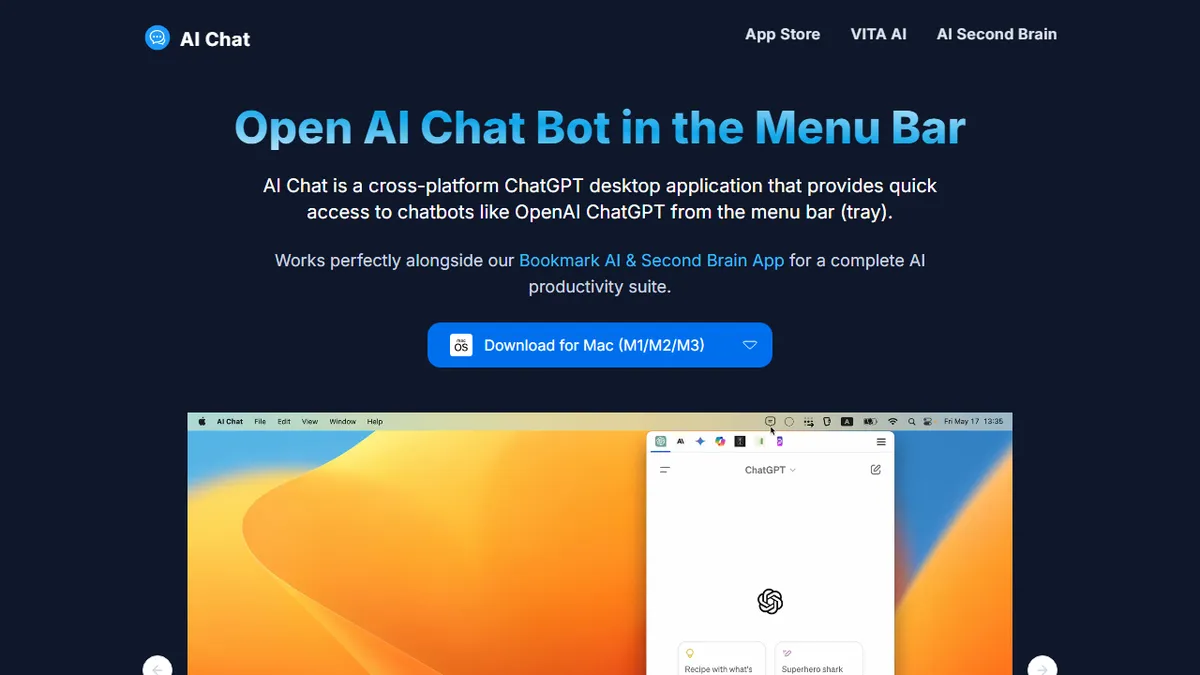
Menu-bar launcher that puts ChatGPT, Claude, Gemini, Copilot, Perplexity, Pi and Poe one keystroke away.
In short
ChatBar is a lightweight desktop utility that pins major AI chatbots to your menu bar for one-keystroke access. It is best for knowledge workers who need to cross-check answers across multiple models without juggling browser tabs.
Pick ChatBar if you bounce between ChatGPT, Claude and Gemini all day and want a hotkey-summoned dropdown instead of yet another browser tab.
Skip it if you need API access, programmatic workflows, prompt history across models, or any kind of agentic chaining between chatbots.
ChatBar is a lightweight desktop utility (Windows, macOS, Linux) that pins the major AI chatbots to your menu bar so you can summon them mid-task without opening a browser tab or losing your place. It wraps each provider's official web UI inside a secured webview, meaning you sign in once and get parallel access to ChatGPT, Claude, Gemini, Microsoft Copilot, Perplexity, Pi and Poe from a single dropdown.
The value is convenience rather than AI capability: ChatBar doesn't run its own model or proxy your prompts through a server, so privacy posture is essentially whatever the underlying chatbot offers. It's free and open-source, with a paid macOS App Store build for users who want auto-updates. The target user is a developer, writer or knowledge worker who routinely cross-checks answers across two or three models and is tired of tab-juggling.
Because it's a webview wrapper, ChatBar inherits every limitation of the upstream services - rate limits, paid-tier paywalls, and login flows all happen inside the embedded view. There's no API, no prompt history aggregation across providers, and no agentic glue between models; it's strictly a faster front door.
A genuinely useful little utility for power users who comparison-shop answers across models, and the open-source webview approach keeps the trust story simple. Just remember it adds zero AI capability of its own - everything good or bad about Claude or ChatGPT comes along for the ride.
— The AI Tool Bible editorial team
Pros
- ✅ Single menu-bar entry for 7+ major chatbots
- ✅ Cross-platform (Windows, macOS, Linux) and open-source
- ✅ Webview model means no middleman sees your prompts
- ✅ Free with no account required for the app itself
Cons
- ⚠️ Just a wrapper - no model logic, agents or cross-model orchestration
- ⚠️ Subject to every rate limit and paywall of the underlying chatbot
- ⚠️ No unified history or prompt management across providers
Use cases
Frequently asked
- Which AI models does ChatBar support?
- ChatBar provides access to ChatGPT, Claude, Gemini, Microsoft Copilot, Perplexity, Pi, and Poe. It wraps each provider's official web UI inside a secured webview.
- Is ChatBar free to use?
- Yes, ChatBar is free and open-source. There is also a paid macOS App Store build available for users who want auto-updates.
- Does ChatBar have its own AI model or API?
- No, ChatBar does not run its own model or offer an API. It is a webview wrapper that inherits the limitations, rate limits, and paywalls of the underlying chatbot services.
- What operating systems are supported?
- ChatBar is a cross-platform desktop utility available for Windows, macOS, and Linux.
- Can I manage prompt history across different models?
- No, ChatBar does not offer unified history or prompt management across providers. It functions strictly as a faster front door to individual chatbots.
Explore related
Compare with similar tools
All in Writing →Claude
FeaturedAnthropic's flagship assistant for long-form writing, analysis, and coding.
GPT-4o
FeaturedOpenAI's multimodal flagship behind ChatGPT.
Gemini Advanced
Google's flagship — strong at math, long context, and Workspace integration.
Llama 3
Meta's open-weights LLM family that put serious frontier-adjacent models in everyone's hands.
Qwen
Alibaba's open-weight foundation model family covering chat, vision, image generation, translation, and safety classification.
Jan
Open-source desktop ChatGPT alternative that runs local LLMs and routes to cloud providers from one app.