
Bricks
AI dashboards, reports, and presentations generated from your spreadsheets and databases.
In short
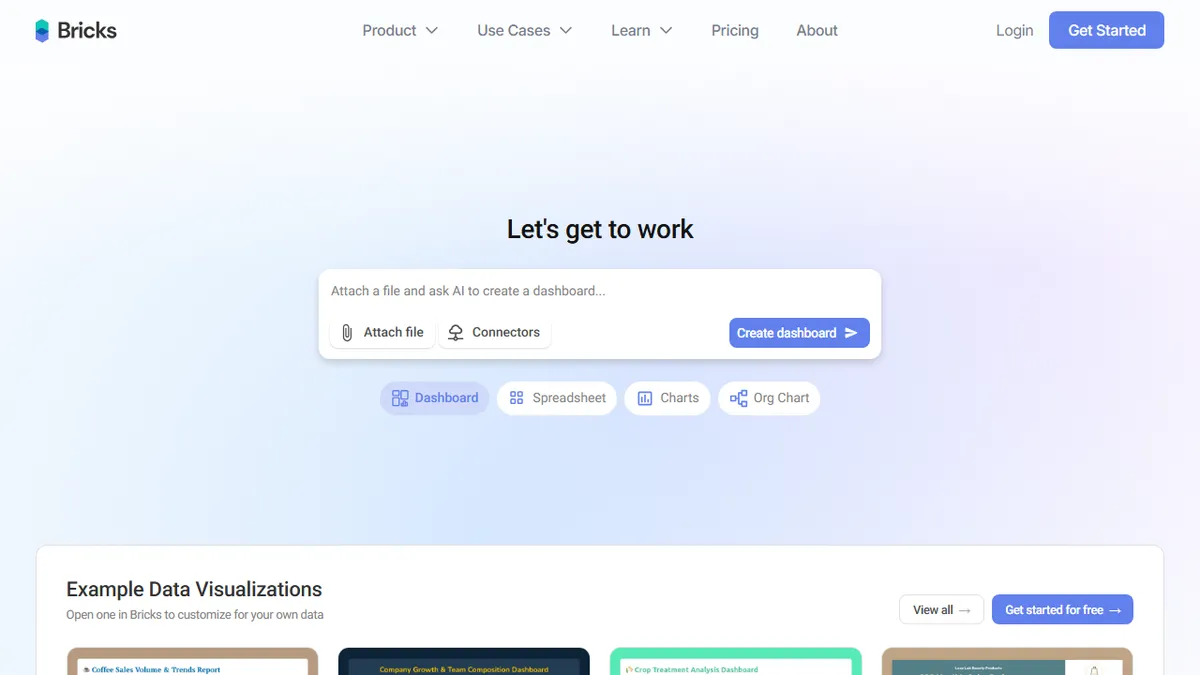
Bricks is an AI-powered platform that converts CSVs, Excel files, Google Sheets, and SQL databases into interactive dashboards, charts, and slide decks using natural language prompts. It is best suited for non-technical operators in sales, marketing, finance, or ops who need to generate board-ready reports without learning Tableau or Looker.
Pick Bricks if you're a non-technical operator who needs to turn spreadsheets and SaaS data into dashboards and decks without learning Tableau.
Skip it if you need programmatic/API access today or you're an analyst who already lives in Looker, Metabase, or notebooks.
Bricks is an AI-powered data visualization and reporting platform that turns CSVs, Excel files, Google Sheets, and SQL databases into dashboards, charts, reports, and slide decks with a prompt. The pitch is to collapse the spreadsheet-to-dashboard-to-deck pipeline that normally chews up hours of analyst time into a single conversational workflow, with interactive filtering, one-click data refresh, and reusable templates layered on top.
The target user is the non-technical operator in sales, marketing, finance, HR, or ops who needs a passable dashboard or board-ready report without touching Tableau or Looker. Pricing is freemium and honest: a free tier with 20 AI messages/month and teams up to 3, Premium at $25/user/mo ($17.50 annual) for 200 messages and PDF/PPTX/XLSX exports, Pro at $100/user/mo ($70 annual) for unlimited messages plus Tableau/Power BI exports and embeddable dashboards, and a custom Enterprise tier.
Connectors cover Postgres, MySQL, SQL Server, HubSpot, Stripe, QuickBooks and similar SaaS tools, and Bricks states data is encrypted and not used for model training. The notable gap is the API — it's listed as "coming soon" under Enterprise, so for now Bricks is a UI product, not something you can wire into an automated pipeline.
Bricks sits in a crowded "AI for spreadsheets" lane but actually ships the full chain — data in, dashboard and slide deck out — which is rarer than it sounds. The missing API and undisclosed model are the main reasons to wait before standardizing a team on it; for ad-hoc reporting it's a fair freemium bet.
— The AI Tool Bible editorial team
Pros
- ✅ Generates dashboards, reports, and decks from raw data in one tool
- ✅ Generous free tier and transparent per-seat pricing
- ✅ Connects to real databases (Postgres, MySQL, SQL Server) and SaaS like HubSpot/Stripe
- ✅ Exports to PDF, PPTX, XLSX, and (on Pro) Tableau/Power BI
Cons
- ⚠️ No public API yet — listed as "coming soon" on Enterprise
- ⚠️ AI message caps on Free and Premium plans will bite power users
- ⚠️ Underlying model not disclosed, so output quality is hard to benchmark
Use cases
Frequently asked
- What data sources does Bricks support?
- Bricks connects to CSVs, Excel files, Google Sheets, and SQL databases including Postgres, MySQL, and SQL Server. It also integrates with SaaS tools like HubSpot, Stripe, and QuickBooks.
- How much does Bricks cost?
- Bricks offers a free tier with 20 AI messages per month for teams up to three. Premium is $25/user/month (or $17.50 annually) for 200 messages and standard exports, while Pro is $100/user/month (or $70 annually) for unlimited messages and Tableau/Power BI exports.
- Can I export my Bricks dashboards?
- Yes. The Premium plan allows exports to PDF, PPTX, and XLSX formats. The Pro plan adds the ability to export to Tableau and Power BI, as well as embeddable dashboards.
- Does Bricks have a public API?
- No, Bricks is currently a UI product with no public API available. An API is listed as 'coming soon' under the Enterprise tier.
Explore related
Compare with similar tools
All in Writing →Claude
FeaturedAnthropic's flagship assistant for long-form writing, analysis, and coding.
GPT-4o
FeaturedOpenAI's multimodal flagship behind ChatGPT.
Gemini Advanced
Google's flagship — strong at math, long context, and Workspace integration.
Llama 3
Meta's open-weights LLM family that put serious frontier-adjacent models in everyone's hands.
Qwen
Alibaba's open-weight foundation model family covering chat, vision, image generation, translation, and safety classification.
Jan
Open-source desktop ChatGPT alternative that runs local LLMs and routes to cloud providers from one app.