AnythingLLM
✓ Editorially verifiedOpen-source desktop and self-hosted app that turns your documents into a private chat-and-agent workspace.
In short
AnythingLLM is an open-source, self-hosted RAG app that turns documents into a private chat workspace. It supports local and hosted LLMs with a free desktop version and paid cloud tiers.
Pick AnythingLLM if you want a self-hosted, model-agnostic RAG frontend you can deploy in an afternoon and extend via API.
Skip it if you need a polished managed SaaS with SLA-grade retrieval tuning and enterprise SSO baked in by default.
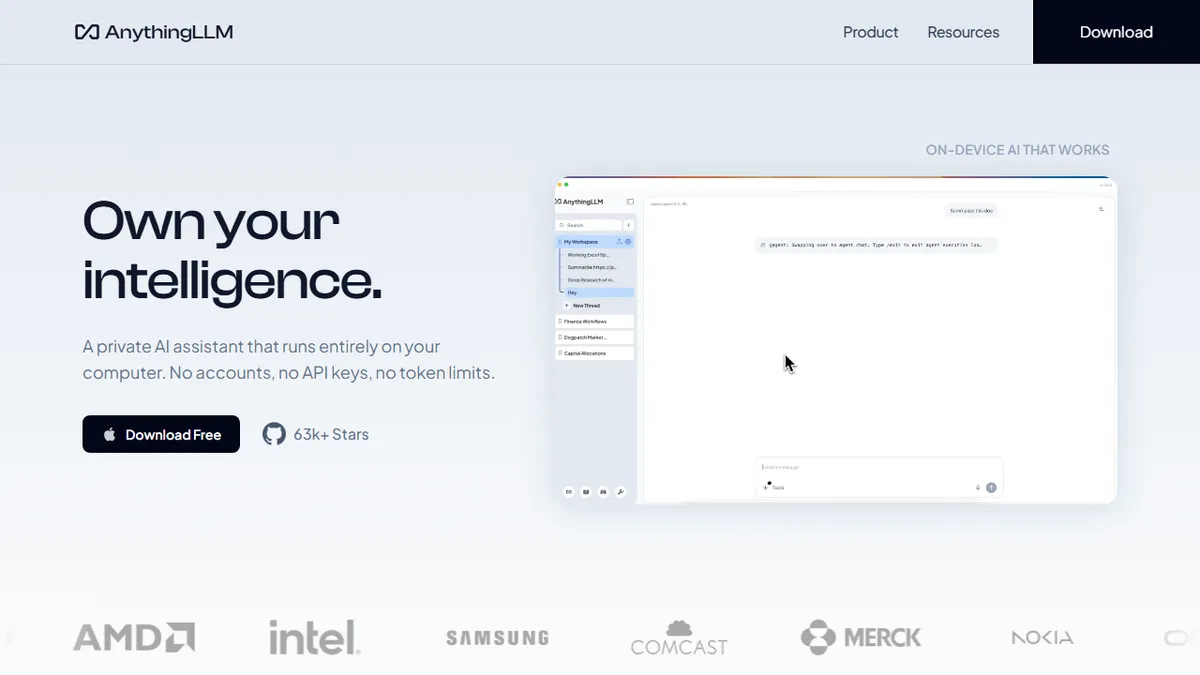
AnythingLLM is an MIT-licensed all-in-one application for chatting with your own documents, running agents, and connecting to whichever LLM you prefer — local models via Ollama/LM Studio or hosted providers like OpenAI, Anthropic, Azure, and AWS Bedrock. It ingests PDFs, Word docs, CSVs, codebases, and web content into workspaces, embeds them into a built-in vector store, and serves a clean chat UI plus an API on top.
The pitch is privacy and zero-setup RAG: the desktop build runs entirely on your machine, while the Docker image is a popular choice for teams that want a self-hosted ChatGPT-style frontend over a private corpus. The desktop app is free; the hosted cloud tier is paid per workspace. It is aimed at non-developers who want a usable interface and at engineering teams who need a hackable, API-driven RAG layer they fully control.
The plugin/agent system, multi-user permissions, and pluggable embedders/vector DBs (LanceDB by default, plus Pinecone, Chroma, Weaviate, Qdrant, Milvus) make it one of the more complete open-source RAG frontends. The trade-off is that retrieval quality is only as good as your chosen embedder and chunking config — it is a framework, not a tuned search product.
AnythingLLM is the default answer when someone asks for an open-source ChatGPT-over-your-docs. It is not the smartest RAG stack on the market, but the combination of MIT license, broad model/vector-DB support, and a real desktop app makes it punch above its weight for solo users and small teams.
— The AI Tool Bible editorial team
Pros
- ✅ MIT-licensed and genuinely self-hostable, with a usable desktop build
- ✅ Pluggable LLMs, embedders, and vector stores — no vendor lock-in
- ✅ Built-in agents, API, and multi-user workspaces out of the box
- ✅ Handles PDFs, Office docs, codebases, and websites without extra glue
Cons
- ⚠️ Retrieval quality depends heavily on chosen embedder and chunking
- ⚠️ UI and agent tooling lag behind dedicated commercial RAG platforms
- ⚠️ Cloud pricing and quotas are less transparent than the OSS story
Use cases
Frequently asked
- How much does AnythingLLM cost?
- The desktop app is free. Hosted cloud tiers are freemium: Basic is $50/month, Pro is $99/month, and Enterprise requires contacting sales. Pricing is per workspace for the cloud version.
- Can I use local LLMs with AnythingLLM?
- Yes. It is model-agnostic and supports local models via Ollama or LM Studio. It also connects to hosted providers like OpenAI, Anthropic, Azure, and AWS Bedrock, letting you choose your preferred backend.
- Is AnythingLLM suitable for non-developers?
- Yes. It is aimed at non-developers who want a usable interface for chatting with documents. The desktop build runs entirely on your machine, offering a zero-setup RAG experience without requiring complex configuration.
- Which vector databases does AnythingLLM support?
- It uses LanceDB by default but supports pluggable embedders and vector DBs including Pinecone, Chroma, Weaviate, Qdrant, and Milvus. This flexibility allows teams to integrate their preferred storage solutions.
- What file types can AnythingLLM ingest?
- It ingests PDFs, Word documents, CSVs, codebases, and web content into workspaces. These documents are embedded into a built-in vector store to power the chat UI and API.
Explore related
Compare with similar tools
All in RAG →Pinecone
FeaturedManaged vector database for production-scale similarity search.
LlamaIndex
FeaturedData framework for connecting LLMs to your data.
Elasticsearch Vector Search
Hybrid vector + keyword search in the enterprise-grade Elasticsearch engine
Snowflake Cortex
Generative AI and RAG built into the Snowflake data cloud
DataStax Astra DB
Serverless vector and document database for production RAG and AI agents
MongoDB Atlas Vector Search
Vector search built into the operational database you're already using.